Remove personal data from fundraising pages safely
Learn how to remove personal data from fundraising pages tied to school drives, memorials, and charity events before strangers find names and locations.
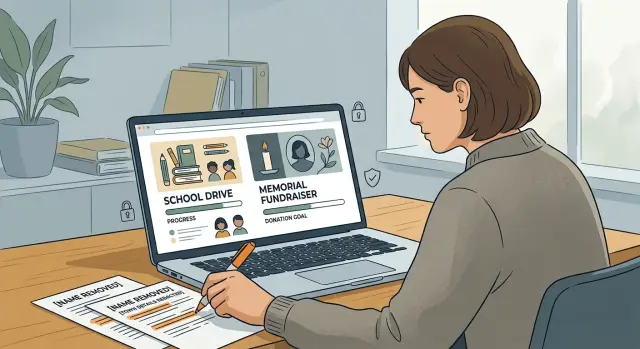
Why old fundraising pages stay public
Most fundraising pages are built to stay online. The platform wants to keep the story, the donation total, and the campaign record available in case someone comes back later. That makes sense from the site's side, but it catches families off guard. Many people assume the page will fade away once the fundraiser ends.
Usually, it does not.
A campaign can sit in public view for years after the last donation. It might be marked "closed" or "complete," but the page still loads, search engines still index it, and old social posts still send people there. If someone copied the text or saved screenshots, those details can keep circulating long after the money part is over.
School drives and memorial pages are often the most sensitive. They can include a full name, a photo, a school or church name, a town, and a date tied to a hard moment in a family's life. Each detail may look harmless on its own. Put together, they can identify a child, a parent, or a household very quickly.
These pages usually linger for a few simple reasons:
- Fundraising sites often keep finished campaigns online by default.
- Organizers forget about the page once the event is over.
- Search engines keep older pages in results for a long time.
- Other people can copy the story, photos, or updates before anyone edits them.
A school fundraiser is a common example. A short page about raising money for a class trip might list a student's full name, grade, school, team photo, and hometown. That is enough for a stranger to connect the page to a real family.
Memorial pages can reveal even more. Dates, family names, church names, funeral details, and photos can make a page deeply personal and easy to trace. Even if the page no longer accepts donations, the private details stay public until someone edits or removes them.
That is the real issue: closed does not mean private.
What information to look for first
Start with the details that identify a real person fast. Old fundraising pages often feel harmless because they were created for a good reason. The problem is that names, places, and photos can still point strangers to a child, a family, or a home.
Look for full names first. A child's full name, a volunteer's name, or the name of a grieving relative gives people an easy search term. Even a first name becomes riskier when it appears next to a school, team, or town.
Then check for location clues. Fundraising pages often mention a school name, sports team, church hall, race route, or local venue without much thought. A page that says "support Maya from Westfield Middle School at the spring 5K in Brook Lane Park" gives away more than many people realize.
The highest-risk details are usually these:
- full names of children, parents, relatives, teachers, and volunteers
- school names, club names, team names, and event venues
- town names, neighborhood mentions, and exact event dates
- photos that show uniforms, street signs, house numbers, or license plates
- phone numbers, email addresses, and organizer bios with personal details
Photos deserve extra attention. People focus on the main subject and miss the background. A school crest on a hoodie, a house number on a porch, or a license plate in a parking lot can reveal more than the caption.
Contact details are often the easiest thing to fix, and they are one of the biggest risks. Older pages sometimes still show a personal email address, a mobile number, or a short line such as "Call Sarah after 6 p.m." That is enough for spam, scams, or unwanted contact.
One detail alone may not seem serious. Two or three together can make the page easy to trace to a real person. That combination is what you want to spot first.
Where these pages usually appear
Old fundraising pages rarely stay in one place. Even after a campaign ends, the original page can remain live, search engines can keep a cached version, and copies can show up in places people forget to check.
Start with the fundraiser page itself. Large donation sites often keep closed campaigns online as public archives. That means a page for a school raffle, memorial fund, or charity run may still show the organizer's full name, the beneficiary's name, the town, photos, and old updates months or years later.
Memorial pages can be especially persistent in search results. If someone searches a full name with a school, church, workplace, or town, those pages can rank near the top. A page meant for short-term sharing can slowly turn into a long-term public record.
Copies are another problem. A charity event page may be reposted on a PTA blog, a local club page, a newsletter archive, or public social posts. One original page can lead to several extra pages, all carrying the same names and details. Deleting one page does not always solve it.
When you search, try a few plain combinations:
- a full name plus a school name
- a full name plus a town or neighborhood
- a campaign title plus a child's team or class
- an organizer's name plus "donate"
- an event name plus the year
Do not skip image results. Old campaign photos often stay visible there long after the page drops lower in normal search. A class photo, race bib, team shirt, or memorial image can still lead people back to the original page.
Picture a simple school example. A parent sets up a fundraiser for a band trip. Years later, the donation page is still public, a booster club post still mentions the student's name, and image results still show the event banner with the school name on it. It is a small trail, but it reveals more than most people expect.
Decide what should stay and what should go
You do not always need to erase the whole page. In many cases, the cause, the amount raised, and a basic record of donations can stay public. The part that needs a closer look is anything that points back to a real person too precisely.
A simple rule works well: keep the purpose, cut the details that make someone easy to find. A memorial fundraiser can still explain who it honors. A school drive can still show what the money was for. Neither page needs full names, home areas, or a gallery of identifiable people.
Full names are often the first thing to trim. If a page says "Emily Carter, 7th grade, Lincoln Middle School," that is more detail than most families want online years later. "Emily C." or just "Emily" is often enough. In some cases, initials are better.
Location details matter just as much. Remove street names, neighborhood names, school campus details, room numbers, and exact event times if they are no longer needed. "Community walk in May" is safer than a page that still lists the park entrance, start time, and route.
Photos need the same kind of judgment. A group shot of children in school shirts, a memorial image with family members, or a front-yard team photo can reveal more than the text. If the image is not necessary, replace it with a general event photo, a charity logo, or a simple graphic tied to the cause.
Before you ask for edits, save proof of what is live. Take screenshots of the full page, the name block, the photo, and any comments or updates that include private details. That gives you a clear record if the page changes later or if you need to point to the exact problem.
If you are not sure what to remove, use this filter:
- keep the cause, fundraiser goal, and donation history if they do not expose private details
- shorten names to a first name or initials
- remove exact places, dates, and time details that no longer need to be public
- replace personal photos with a neutral image
- save screenshots before requesting changes
With old fundraiser pages, less detail is usually the better choice. If the page still makes sense without naming a child, a grieving family member, or a precise location, cut it.
How to remove or edit a fundraising page
Start by making a simple list of every page that still shows your name, school, city, phone number, email address, or family details. Old campaign pages often get copied, archived, or reposted, so one fundraiser can appear in more than one place.
Before you contact anyone, save proof of what is public. Take screenshots of the full page, the title, the date you found it, and the web address if it is visible. If search results show a preview with private details, save that too.
The fastest path is usually the simplest one. Ask for one specific fix:
- edit the page and remove the personal details
- hide the page from public view
- delete the page if it is no longer needed
- change the page title or description if that is what appears in search
Send the request to whoever can act first. That may be the organizer, the fundraising platform, or the charity team that approved the campaign. A short message works better than a long complaint. Name the page, point to the exact information that is exposed, and say what change you want.
For example, an old school fundraiser might still show a parent's full name and the child's class on a public team page. In that case, ask the organizer to edit those fields first. If they do not respond, send the same request to the site hosting the fundraiser.
If the page is updated, do not stop there. Search results can keep showing the old version for a while. Check again after a few days, and keep your screenshots until the public preview changes too.
A simple example from a school fundraiser
A parent searches their family name and finds a 2019 school fundraiser still online. The event ended years ago, but the page still shows their child's full name, a photo, and the town they live in. That is common with old school drives. The fundraiser is over, but the page remains in search results.
There is no need to panic. The parent takes screenshots, saves the page title, and checks who controls it. In many cases, that is the original organizer, the school, or the fundraising site.
The first fix is often enough. The organizer edits the page and changes the child's full name to a first name or initials. They remove the town name from the story text. If the photo is not necessary, they take that down too. The page can still explain the fundraiser without exposing so much personal detail.
That is the basic idea behind a safe cleanup. You can remove private details without deleting the whole record. If the organizer still wants to keep the donation total or comments, the page can stay up in a safer form.
After the edit, the parent does one more check. They search the child's full name in quotes, search the fundraiser title by itself, and check image results to see whether the photo was copied elsewhere. That matters because the original page may be cleaned up while duplicates stay public.
Cases that need extra care
Some fundraising pages need more caution than others. They may look harmless at first glance, but they can expose much more than a name and a donation total.
Memorial pages need the closest review. They often include full family names, the town where relatives live, the date of a funeral or service, and messages that mention children, spouses, or home neighborhoods. That mix can make a family easy to trace offline. In these cases, a partial edit is often better than leaving the page untouched. Removing city details or full surnames can lower the risk without erasing the purpose of the page.
Older charity run pages can also cause trouble. A page for a 5K or school walk may still list participant names years later, along with team names, local routes, school names, and event dates. Put together, that can reveal where someone lived, where their children went to school, or what places they visited often.
Volunteer thank-you posts are another common issue. A short note meant to be kind can end up showing a personal email address, a phone number, or a workplace tied to a full name. People often miss these pages because they do not look like donation pages at all.
Photos deserve a closer look too. A group picture can reveal more than the text beside it. School uniforms, street signs, house numbers, car plates, event banners, and children's faces can all appear in the background.
If a page falls into one of these categories, check four things first: full names of relatives or minors, city or school details, phone numbers or email addresses, and photos with identifying background details.
Mistakes that slow things down
Most delays come from small misses, not stubborn websites. A fundraising page can stay public much longer if your request is vague or if you stop after the first reply.
The most common mistake is asking for "my info" to be removed without naming the exact detail. Site owners and support teams need something specific to act on. That might be a full name, a child's school, a city, a photo caption, or a sentence in a page update. One extra minute spent pointing to the exact problem often saves days.
People also forget to check the material around the main page. Personal information often appears in comments, captions, organizer profiles, update posts, and image descriptions. A closed fundraiser is not always gone either. Many old school drives, memorial pages, and charity event campaigns stay visible long after donations stop.
Another slowdown is stopping after one request. Even if the main page changes, copies can remain on organizer profile pages, reposts, or older versions still shown by the site. Search results may also keep the old wording for a while. Check again after the first fix instead of assuming the job is done.
One more mistake is sending too much personal information. To prove that the page is about them, people sometimes attach an ID, home address, phone number, or date of birth. That is usually far more than you need. Send only what helps identify the page and the detail you want removed.
A short, precise request plus one follow-up check usually moves things along faster.
Quick checks before you stop
One edit request is not the finish line. After the page owner confirms changes, do a few simple checks. Old pages can stay in search results for a while, and photos often last longer than the text.
Start with a direct search. Put the person's full name in quotes so you can see exact matches. Then search the event name with the school, charity, or town. A page may still be public under a slightly different title, or a repost may show up on another site.
Image search matters too. School drives and charity runs often leave behind team photos, finish-line shots, or screenshots of donation totals. Even if the main page is cleaned up, an old image can still show a child's name, a neighborhood, a school badge, or a date tied to a location.
A final review should answer a few plain questions:
- Does the public page still show a full name?
- Is there a town, school, street, or team name that gives away location?
- Do photos include name tags, signs, uniforms, or house numbers?
- Does the search snippet still reveal details that were removed from the page?
Check the live page, not just the search result. Search engines can take time to refresh, but the page itself should no longer show private details. If it still does, the cleanup is not finished.
Give it a little time, then check again. A reminder in two to four weeks is usually enough. That matters with memorial pages and school fundraiser pages because copies can reappear, and old privacy issues often return when someone republishes event photos or restores an archived page.
What to do next
After you clean up a fundraising page, keep a small record. It can be a note on your phone, a spreadsheet, or a paper list. Write down the page name, where it was posted, who you contacted, the date, and any reply you got.
It sounds basic, but it saves time. Old school drives, memorial pages, and charity event posts often show up more than once. If one copy stays live, you do not want to start from zero each time.
Ask people connected to the original event to help with duplicates. A past organizer, relative, teacher, or volunteer may still have access to old posts that you cannot edit yourself. A short message is usually enough. Ask them to delete the duplicate or remove full names, town names, school names, phone numbers, and donor notes.
A simple routine helps:
- save screenshots before and after each request
- note which pages were removed and which were only edited
- recheck search results after a few weeks
- look for the same details on people-search sites
- set a reminder to search again in 30 to 60 days
Watch for spillover. If a fundraiser page listed a full name, city, age, family relation, or contact detail, that same information can later show up on people-search sites or data broker pages. Deleting the original page helps, but copied data can stay online long after the fundraiser is gone.
If that happens, a broader cleanup may make sense. Remove.dev can help remove exposed details from over 500 data brokers and keep monitoring for re-listings, which is useful when an old fundraiser has already been copied far beyond the original page.
Keep the process calm and boring. One record, a few follow-ups, and a couple of rechecks usually do more than ten rushed messages in one day. If new copies appear later, add them to the same record and handle them the same way.