Remove yourself from marketing databases, not just people search sites
Learn how to remove yourself from marketing databases, including lead lists and append vendors, with practical steps, checks, and common traps to avoid.
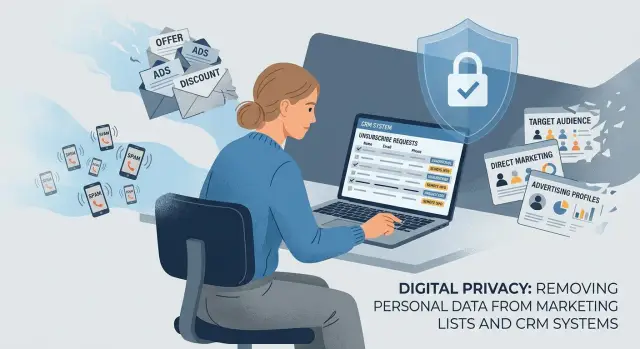
Why your details keep showing up
If your name, phone number, or home address keeps coming back, people search sites are only part of the problem. Much of your data moves through marketing databases most people never see. These companies collect contact records, sort them by age, income, location, or interests, and pass them to advertisers, recruiters, insurers, and sales teams.
That is why fixing one leak often reveals three more. One form can start the chain: a giveaway, quote request, coupon signup, or a box you did not notice. The company you expected may get your details, but so can lead sellers, partners, and data append vendors that fill in missing pieces such as a phone number, mailing address, or household details.
Then the record spreads. One company has your email. Another has an old address. A third adds a mobile number from somewhere else. Put together, they build a profile you never gave to any single business.
Old data sticks around too. If you moved two years ago or changed numbers, that older information can still circulate because companies keep buying bulk lists that are never fully cleaned. That is why a wrong address keeps showing up in mailers, lead forms, or skip-tracing records long after you stopped using it.
A simple example: you request a moving quote with your personal email and phone number. The site sells the lead to several companies. One shares it with a list broker. Another matches it with outside records. Soon your information sits in multiple databases, even though you filled out one form once.
That is why this feels so frustrating. Your data does not live in one place. It spreads quietly, gets copied fast, and can return unless someone keeps checking for relistings.
What counts as a marketing database
A marketing database is any business list built to help companies find, sort, and contact people. It is broader than public people search sites. If a company stores your name with contact details, job information, buying signals, location, income range, or interests so someone can market to you, it belongs in this category.
Lead generation lists are a common example. Sales teams buy or rent them to find new prospects. A record might include your name, work email, employer, job title, city, and notes like "likely homeowner" or "shopping for insurance." You may never have heard of the company holding the list, even if the data started with a form you filled out months ago.
Data append vendors are another big part of the problem. They take a partial record and fill in gaps. A retailer may have your email but not your phone number. An append vendor adds it. A business may have your old address and buy a newer one. That is how a basic mailing list turns into a much fuller profile.
Ad targeting and audience suppliers count too. They build segments for ads, direct mail, and campaign planning. They may sort people by age band, household type, spending habits, car ownership, or likely interests. Even if they never show a public profile, they can still hold data tied to you and sell access to that audience.
Mailing list brokers fit here as well. Some focus on business contacts. Others focus on households. If a company can hand your details to a marketer for cold email, sales calls, catalogs, donation requests, or other outreach, it is part of the same market.
A simple test helps: was the data collected or resold so someone could reach you, profile you, or place you in a target group? If the answer is yes, you need to look beyond public listings and deal with the quieter companies behind them.
How to spot the source
Before you send removal requests, try to work out where the data came from. It saves time and cuts down on repeat messages to the wrong company.
Start with your own search trail. Look up your full name, email address, phone number, and home address in quotes. Search each item on its own first. If the results are too broad, combine two details. A personal email plus a phone number usually tells you more than a name alone.
Pay attention to what a company already knows when it contacts you. If a caller has your cell number, ZIP code, employer, or the exact spelling of a rarely used email address, that detail can point to the source. A real estate lead seller often has address history. A B2B list vendor is more likely to have your job title and work email.
Privacy notices can give you clues too. Think back to quote sites, coupon forms, giveaways, newsletter signups, loan checks, and "find out your home value" pages. When a site says it shares data with "partners," "affiliates," or third parties for marketing, your information can travel far beyond the business you meant to contact.
Keep a simple record as you go. Note the company name, when you found them or heard from them, what personal details they had, where you think the data came from, and save a screenshot of the page, email, or text. Once you see a pattern, the source is often much easier to spot. If three companies contact you after one insurance quote form, that form is probably the starting point.
If you do not want to track every step by hand, Remove.dev can take some of the load off. The service handles removals across more than 500 data brokers, shows request status in a dashboard, and keeps watching for relistings. Your own notes still help, especially when the same details pop up again later.
Before you send requests
Most people rush this part, and it usually costs them time later.
Before you contact any company, gather every version of your details that might appear in a record. That means current and old email addresses, mobile and landline numbers, present and past addresses, and any name variations you have used in sign-up forms or public records. A database may store one file under your full name and another under an older email or apartment number. If you send only one version, part of the record can stay behind.
Keep a basic log. A spreadsheet is nice, but a phone note works if it stays organized. Track the company name, when you sent the request, how you sent it, when they replied, and any case or ticket number. That one habit stops a lot of confusion.
Be careful with ID documents. Do not send a passport or driver's license with the first request unless the company clearly asks for it. Many firms can match your record using your name, email, phone number, and address alone. If they need proof, send only what they ask for and cover extra details when that is allowed.
One small step makes follow-up easier: create an email folder for privacy requests. Move every confirmation and reply there right away. If your inbox supports filters, send messages with words like "privacy," "deletion," or "opt-out" into that folder automatically.
The prep is dull, but it works. A clean list of identifiers, a simple log, and one organized folder can cut the back-and-forth almost in half.
How to opt out
Start with the company's privacy page. Most businesses that buy, sell, or append consumer data have a form or email address for privacy requests. If the site is hard to use, search the company name together with terms like privacy, data request, or do not sell. That is often faster than clicking through menus.
When you find the right place, keep the request short. Ask them to delete your record and stop selling or sharing your personal data. Plain language works better than a wall of copied legal text.
Send the details they are most likely using to match you: your full name, any past name tied to older records, your current address and a recent past one if needed, the email addresses or phone numbers you have used, and a screenshot, profile URL, or record ID if you found a listing. Give your date of birth only if the form requires it. More data is not always better here.
After you submit the request, save proof. Keep the confirmation email, ticket number, or a screenshot of the completed form. If the company later says it cannot find your request, you will have something concrete to point to.
Then wait and check again. Two to four weeks is a fair window for many cases, though some companies act faster. If the record is still there, reply to the original confirmation or send a follow-up that includes the date of your first request and your case number. Be polite, but firm. Ask for written confirmation that the record was deleted and added to a do-not-sell or suppression list.
What to say in your request
The message does not need to be fancy. It needs to be clear enough for the company to find the record and act on it.
Include the details they can use to match you, such as your full name, email address, phone number, current address, and an older address if the record looks outdated. Add a short note about where you found the record or why you believe they hold your data. Then ask them to delete your personal data and stop selling, sharing, renting, or using it for lead generation lists. If possible, ask them to suppress your details so they are not added back through future list sales or data appends.
If privacy law applies where you live, say so in one sentence. You do not need legal jargon. A plain statement that you are making a deletion request under CCPA, GDPR, or another local privacy law is enough. If you are unsure which rule applies, you can still ask for deletion and suppression in simple terms.
It also helps to be clear about scope. Ask them to remove the record from all internal marketing databases, partner feeds they control, and future sales lists built from the same source data. Some companies delete one file and leave another export untouched.
End by asking for written confirmation. Two short paragraphs with the right details usually work better than an angry rant.
A simple example
Say you own a home and want a quick estimate before deciding whether to sell. You find a "home value" form, type in your name, street address, email, and phone number, and hit submit.
It feels minor. One estimate, one site.
Then the calls start. A lender leaves a voicemail that afternoon. Two real estate agents email the next morning. By the end of the week, you are getting texts about refinancing, cash offers, and "buyers in your area."
Most people assume the original site sold their details once. Usually it is messier than that. The form entry can be copied, resold, or matched with other records. One company sells homeowner leads to agents. Another appends age band, income range, or a second phone number. A third sorts the data into moving or refinancing audiences.
Now your details live in more than one place. One company has the original form entry. Another has an enriched version with extra facts attached. A third uses it to build ad audiences or call lists.
That is why stopping the first site often changes very little. Opting out where you filled out the form may stop one sender, but everyone else who already got a copy can keep using it. The first form is only the starting point. The real work is finding the chain behind it: who collected the lead, who bought it, and who added to it later.
Mistakes that slow this down
The most common mistake is sending too little information. Do not rely on one current email address or one phone number and hope for a match. Many vendors store several versions of the same person: an old Gmail address, a work email, a previous cell number, a shortened first name, or an older street address. If your request includes only one version, the company may remove one record and leave the rest active.
Another problem is opting out of email while leaving phone and postal mail untouched. Lead sellers and append vendors often keep separate fields for email, phone, mailing address, and employer details. Ask them to stop using your data across every channel they hold, not just the one that annoyed you first.
Proof matters more than most people expect. If you find your record on a vendor site, keep screenshots, confirmation emails, ticket numbers, and even photos of mailed offers until the request is fully closed. Delete that proof too early and follow-up gets much harder.
A final trap is assuming one removal fixes every copy downstream. It rarely does. A vendor may have sold or shared your data before your opt-out was processed, so another company can still hold the same record even after the original source removes it.
A careful request usually saves repeat work later. Include old and current contact details that might match your file, ask for suppression across email, calls, texts, and postal mail, and expect to contact more than one company if the data was copied or resold.
What to do if your data returns
Data often comes back. That does not always mean the first request failed. Many marketing databases buy fresh records in batches, and some lead generation or data append vendors rebuild profiles when they get new partner data.
A clean result today can turn into a relisting next month, especially after a move, a purchase, or a new signup where your details get shared farther than you expected.
Set a simple recheck routine. Search your full name, city, phone number, and email every few weeks. Ten minutes on a calendar reminder is usually enough to catch most returns before they spread further.
Pay a little more attention after events that often create new records: moving to a new address, buying a home, registering a business, signing up for a coupon or warranty, or using a new phone number or email in online forms.
When something reappears, do not start from scratch. Use your log. Include the company name, the date of your last request, the contact method you used, and any case number or reply. If a vendor ignored your first message, send a short follow-up with the earlier date and your old request details. If they removed your record once but listed it again, say that plainly and ask for suppression, not just deletion of the current entry.
This is the annoying part: personal data removal is rarely a one-time fix. If you do not want to keep up with the checking and repeat requests yourself, Remove.dev can automate much of that work. The service sends removal requests, tracks them in real time, and keeps monitoring for relistings so new requests can go out when your information shows up again.