Remove old tutoring profile pages exposing your phone
Trying to remove old tutoring profile pages after you stop teaching? See where phone numbers stay public, what to check, and what to do next.
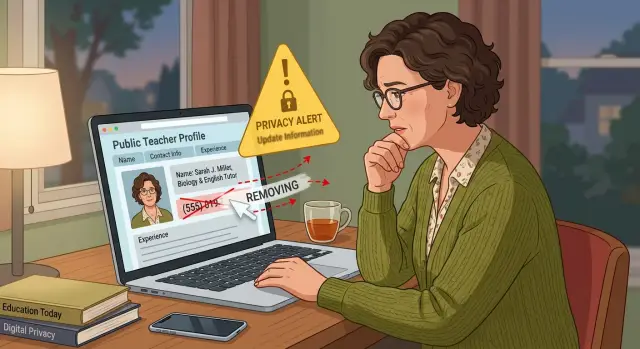
Why old teacher pages stay online
Many tutoring and coaching marketplaces do not treat "inactive" and "deleted" as the same thing. When you stop taking bookings, the site may only hide your calendar or mark you unavailable. The public page can stay live for months or even years.
That is why old teacher pages keep catching people off guard. You leave the platform, change jobs, or stop teaching, then your profile still shows your face, subject, city, and contact details.
Platforms keep these pages for practical reasons. Old profiles still pull in search traffic. Reviews make the site look busy. Past lesson records may also be tied to the profile, so the company keeps the page instead of removing it.
The most common trap is a paused account. It sounds harmless, but it often leaves the last public version online. If your bio once included a phone number, WhatsApp line, or a note like "text me before booking," that text may still be there.
Sometimes the page looks partly closed but is still public. You may still see old reviews, profile photos, teaching images, certificates, sample files, or bio text copied from an earlier version.
There is often more than one page to worry about. Large marketplaces can create separate pages for your profile, reviews, files, or regional versions of the site. Removing one page does not always remove the rest.
That is why people often miss a copy on the first try. They delete the account login, but the public page stays. Or they clear the bio, while an old review page still shows their name and number.
For teacher phone number privacy, that gap matters. A number posted years ago can still appear in search results, get scraped into contact databases, or be copied by strangers. If you taught on more than one platform, assume at least one old page is still public until you check each profile, review page, and file page yourself.
Where your phone can still show up
If you are trying to take down an old tutoring profile, do not stop at the main page. Your number can stay on smaller pages the platform created around it, and those pages often outlive the account itself.
The clearest example is your public teacher page. But many lesson marketplaces also generate preview cards for category pages, internal search results, and "contact this tutor" panels. Even when the full page is hidden, those smaller blocks can still show a phone number, a city, or a short bio that makes you easy to identify.
Old lesson request pages are another common leak. A site may keep a page for a past subject, a one-time workshop, or a coaching offer you posted years ago. Some of these pages were built to rank in search, so they can stay online long after the account is gone.
Search engines add another layer. Even after a page is removed, the search snippet may still show the number for a while. Cached copies can also keep old text visible. Someone searching your name plus "tutor" or your subject area may see part of the number before they even click.
Less obvious copies
Reviews can be a bigger problem than the profile itself. A student might write, "I texted her at 555..." or mention that you were easy to reach by phone. The site may remove your number from the main page but leave it inside reviews, Q and A sections, or comments.
Then there are copy sites. People-search sites and data brokers often scrape public tutor pages, especially when they include a full name, area, and phone number. Once that happens, removing the original page may not be enough because the copied version can keep spreading.
A quick search helps. Look up your name, old teaching subjects, old usernames, and part of your phone number in quotes. Search the platform name with words like "lesson," "coach," or "tutor." You are looking for copies, previews, and old listings, not just the main page.
That is why phone privacy gets messy so fast. One old profile can turn into five or six public traces, and each one may need its own removal request.
Check what is still public
Before you contact a platform, make a simple list of what people can still see. Guessing wastes time. A profile that looks gone to you may still load for everyone else, and the phone number may show up in places you forgot about.
Start with direct searches. Search your full name in quotes, then try your name with your phone number, old city, subject, and words like tutor, coach, lessons, or the platform name. If your number is unusual, search the number by itself too. That often finds copied listings, search snippets, and old profile previews.
Do not trust what you see while signed in. Open each result in a private browser window, or log out first. Some sites hide details from the account owner but keep parts of the profile visible to strangers.
Check the same page on desktop and mobile. This matters more than most people expect. A page may hide the number in one view but show a tap-to-call button, contact box, or expanded bio in the other.
Also check the parts people usually skip. A lot of phone privacy problems come from attachments and media, not the main bio. An old certificate image, a welcome PDF, or a screenshot of your calendar can still show your number even after you edited the profile text.
When you review each page, note the full address, write down exactly which personal details are visible, save a screenshot from desktop and mobile, and check whether the page still appears in search results. Be specific. "Profile still live" is vague. "Phone number visible in certificate image" gives support something clear to act on.
A small example shows why this matters. A tutor deletes the number from the bio, signs in, and sees nothing wrong. But when a parent opens the public page on a phone, the old number still appears in a document preview. That is easy to miss unless you test both versions.
Keep everything in one note or spreadsheet. If you later ask the platform to remove the listing, you will have every live page ready, along with proof of what is still public.
How to take the page down
Start with the part you control. If the site has a private, hidden, or unpublished setting, switch that on first. It may not erase the page, but it can reduce exposure while you work on full removal.
Next, edit the profile itself. Remove your number from the bio, headline, description, FAQ, and any custom fields. Older tutoring sites often copy the same text into more than one place, so check every tab instead of changing only the main profile box.
Look closely at uploads too. A profile photo with a phone number in the corner, a PDF flyer, a sample lesson sheet, or a certificate image can keep your contact details public even after you delete the text. If a file is no longer needed, delete it. If it must stay briefly, replace it with a clean version first.
Then send support a short, direct deletion request. Include your profile name, the email tied to the account, the exact page title or address, and a clear request to delete the public profile rather than simply deactivate the account. If your phone number appears on the page or in search snippets, say that plainly.
If the platform has more than one public page for you, ask for all of them to be removed. This happens a lot on marketplaces that created separate pages for each subject, city, or old username. A deleted main account does not always remove those extras.
It also helps to mention preview pages and duplicates. Search snippets, mobile versions, tutor cards, and archived copies can stay live after the main page is gone. Support teams often miss these unless you point them out.
The most practical order is simple: hide, edit, delete, then confirm. That cuts down the time your number stays exposed.
A simple example
Maya used to teach math online and in person. Last year, she stopped taking new students, closed her calendar, and moved to a full-time school job.
She assumed her old marketplace account would fade away on its own. It looked inactive when she signed in, so she did not think much about it.
But the public page was still live. Her profile photo, short bio, subject list, and phone number were visible to anyone who found the page through search.
A few months later, a parent searched for local tutoring and called the old number on a Sunday evening. Maya was confused at first. She had not advertised lessons in months.
When she checked, the profile still ranked for her name plus "tutor." That is a common problem with old teacher pages. The account feels abandoned, but the public profile still works like an ad.
She edited the bio right away and removed the phone number from the text field. That helped, but it did not solve the whole problem.
Her old intro image was still on the page, and the image had her number printed across the bottom. So even after the written bio changed, the number was still easy to read.
She then asked the platform to remove the whole page. Support replied, but the page did not disappear that day. It stayed live longer than she expected, and the search result kept showing the old listing for a while after that.
That delay is where people get caught. You think the edit worked, or you assume the page is gone, but search results and public copies can hang around.
The lesson is straightforward: an inactive account can still have a public page, fixing the bio does not remove numbers inside images, and search can keep sending people to an old listing after changes are made. If you want the profile gone, check every part of it, not just the text boxes.
Mistakes that keep numbers public
The most common mistake is simple. People delete the app, stop teaching, or abandon the account and assume the page will disappear on its own. It often does not.
Another easy miss is fixing one page and forgetting the copy. Some platforms keep an old profile URL, a shortened preview page, a tutor card in search results, or a review page with older contact details. You update the main profile, see the change, and think the job is done. Your phone number is still sitting on a second version.
Files and images cause trouble too. Teachers often remove the number from the bio but forget an intro flyer, a sample lesson file, or a screenshot uploaded years ago. If that image includes your number, people can still find it.
Search results can be misleading. Even after a page is removed, the old snippet may still show your number for a while. That does not always mean the page is still live. Check the actual page first. If the page is gone but search still shows the old text, wait a few days and check again before assuming the request failed.
Reusing the same phone number across several sites creates another problem. One old tutoring page, one coaching listing, and one directory entry can keep feeding each other. Someone searches the number in quotes, finds one result, then finds the rest.
It helps to treat this as one cleanup job. Remove or replace the number on every tutoring and coaching account, check for duplicate profile URLs and review pages, delete old listings and uploads, and search your exact number again after the changes go through. If you only fix the first page you find, the number usually stays easier to find than you expect.
If the platform will not remove it
Some lesson marketplaces say they can "deactivate" a profile but will not delete it. Push once more and use the word "delete." Unpublishing may hide a page inside the site, but the public URL can still work, and search results may still show it.
Send a short follow-up and ask for two direct answers: will they delete the page, and will they remove the phone number from any public record. If support sends a canned reply, ask them to confirm the exact page address and the exact data they will remove.
Keep records from the start. Save screenshots of the profile, support replies, ticket numbers, and the dates you sent each message. If the page comes back later, that timeline helps.
If privacy law applies where you live, use it. A formal request under GDPR, CCPA, or a similar law may reach a privacy team instead of general support. Keep the request plain and specific.
A good request includes your full name, the email tied to the account, the exact profile address, the phone number or other personal details shown, and a clear request for deletion rather than hiding.
While you wait, reduce the hassle. Turn on call screening and update your voicemail so it does not repeat your full name or phone number. If spam calls get worse, using a second number for new signups can buy you some space.
Also check whether other sites copied the same page. Old tutoring directories, scraped profile sites, and search caches can keep your number public even after the original listing disappears. Search your name, subject, city, and phone number in a few combinations.
This is where many people stop too early. You usually have to deal with the original page first, then the copies built from it. If your details also spread to broker sites, Remove.dev can help by finding and removing personal data from data brokers while you focus on taking down the original marketplace pages.
Quick checks before you move on
Before you call it done, do one last pass. Many teacher marketplaces hide a page inside your account but leave a public version online. The only view that matters is the one a stranger sees.
Log out first, or open a private window. Then load the profile again. If it still opens without your account, it is still public. Some sites also keep separate class, subject, or teacher pages that do not show up in your dashboard, so check those too.
A quick review catches most missed details:
- Open the profile while logged out.
- Read the bio, reviews, lesson details, and saved answers.
- Check every image and document for a phone number.
- Search your name, phone number, and the platform name.
- Write down what was removed and when.
That image check matters more than most people expect. A tutor might delete the number from the bio but forget an old flyer image, a lesson banner, or a screenshot from a chat app. Visitors can still read the number if the image stays live.
Also look for old class pages that were indexed on their own. A marketplace may have made one page for your main profile and another for each class or topic you offered. If even one of those pages remains, the cleanup is not finished.
Search results need a second look too. Sometimes the page is clean, but Google or another search engine still shows the old snippet with your number. That does not always mean the page is still exposing it. It can just mean the cached summary has not refreshed yet.
Keep a short note for yourself with the page name, what changed, and when it changed. If the number comes back later, or the platform says nothing was ever public, that record saves time.
What to do next
Once one page is down, repeat the same process on every tutoring, coaching, and lesson site where you ever had a profile. Old pages often stay live on smaller marketplaces you forgot about, and one missed account can put your phone back into search results.
Make a simple record as you go. Save the page title, the date you asked for removal, any support reply, and a screenshot of the profile before it disappears. Keep those notes until the number stops resurfacing.
Some copied details do not stay on tutoring sites. Data brokers can pick up your name, city, and phone number from a public teacher page and repost them elsewhere. That is why it helps to remove the original tutoring pages first, then check a week or two later to see whether the same number shows up on people-search sites.
A simple routine works well: review old tutoring and coaching marketplaces one by one, search your full name and phone number to spot copied listings, set a reminder to check again in two to four weeks, and keep screenshots and ticket numbers in one folder.
That second check matters. Search engines can keep an old result for a while, even after the page is gone. Sometimes the marketplace removes the profile, but the cached result still shows your number for days or weeks.
If copied details turn up on broker sites, Remove.dev is built for that part of the cleanup. It automatically finds and removes personal data from over 500 data brokers and keeps monitoring for re-listings, which can save a lot of manual work after the original tutor pages are gone.
Do not delete your notes too early. Keep them until searches for your name no longer bring up the old phone number on lesson marketplaces or broker pages. When the number stays gone through a few checks in a row, you can be fairly confident the cleanup worked.
FAQ
Why is my old tutor page still public if I stopped teaching?
Because many tutoring sites treat inactive, paused, and deleted as different states. Your calendar may be off while the public page, reviews, and old bio stay live for search traffic or account records.
Where can my phone number still appear besides the main profile?
It can show up on review pages, class pages, mobile contact panels, preview cards, old subject listings, and uploaded files. Even if the main profile is cleaned up, an image, PDF, or copied page may still show the number.
How should I search for old copies of my page?
Search your full name in quotes, then try your name with your phone number, old city, subject, username, and the platform name. Open each result while logged out or in a private window so you see what strangers see.
Is deactivating my account enough?
Usually no. Deactivation often hides your account from you but leaves a public URL, duplicate page, or search result behind.
What should I remove before I contact support?
First switch the profile to hidden or unpublished if that option exists. Then remove your number from the bio, headline, FAQ, custom fields, images, certificates, flyers, and PDFs before you ask for full deletion.
Why does Google still show my number after the page changed?
Search snippets and cached text can lag behind the live page. Check whether the page itself still opens; if it is gone, give the search result a little time to refresh and then check again.
What should I say in a deletion request to the platform?
Keep it short and specific. Include your full name, account email, the exact page address, the phone number or other details shown, and a clear request to delete the public page and any duplicate versions, not just deactivate the account.
Do reviews, images, and PDFs matter?
Yes, they matter a lot. A number printed on an intro image, certificate, lesson sheet, or inside a review can stay public after the text fields are edited, so those parts need their own cleanup.
How do I confirm the page is really gone?
Log out, open every old URL you found, and test on desktop and mobile. Then search your name and phone number again over the next two to four weeks and keep screenshots until the number stops showing up.
Can Remove.dev help if my details spread to people-search or broker sites?
Yes. Remove.dev is built for the second part of the cleanup after the original tutor page is handled. It finds and removes personal data from over 500 data brokers, keeps checking for re-listings, and lets you track requests in one dashboard.