Personal data removal for journalists: what to erase first
Personal data removal for journalists starts with your home address, phone, family links, and location trails on data broker sites.
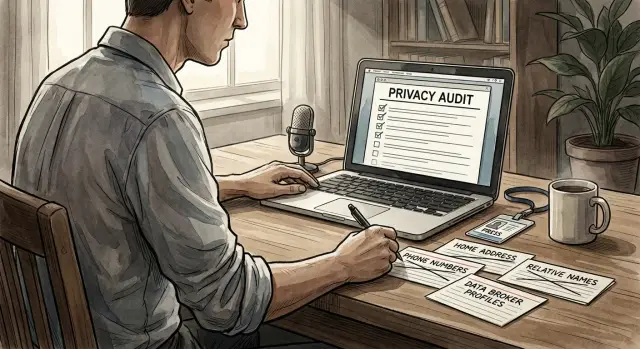
Why this data can put you in danger
The risk is bigger than a stranger knowing your name. A single people-search profile can tie together your full name, home address, phone number, age, past addresses, and relatives. Once that information is bundled on one page, it gives someone a direct path from your public work to your private life.
That is what makes data broker pages so dangerous for journalists, activists, and public speakers. After a byline, panel appearance, podcast clip, protest photo, or event listing, your name can start showing up in search results. From there, it often takes only a few clicks to land on a profile with the details someone would need to call you, show up at your home, or contact family members.
Picture a local reporter speaking on a panel. An angry attendee searches her name that night and finds a profile with her cell number, street address, and two relatives listed beside it. The threat is no longer limited to nasty comments online. It can turn into late-night calls, unwanted visits, mailed threats, or pressure aimed at family.
This is why data broker safety risks matter so much. These sites make stalking, harassment, and doxxing easier because the work is already done. The information is organized, packaged, and ready to copy.
The first goal of personal data removal for journalists is simple: break the path from public identity to physical location. If someone can find where you live, which number you answer, or which relatives live nearby, the risk climbs fast.
Start with anything that helps a stranger find you offline. Home address comes first. Direct phone numbers come right after that. Relative links, property records, and map details matter too, because they help someone confirm they found the right person.
Remove these fields first
If a record creates a real-world path to your home, move it to the top of the list.
Current home address is the first field to remove. Past addresses matter too. Older records often help broker sites connect your name to your current location, even when the newest page does not show it clearly.
Your personal mobile number is next, especially when it appears on reverse lookup pages. A phone number is more than a way to call you. It can connect your name, city, relatives, and other accounts tied to that number.
Then check the names linked to you. Household members, relatives, and known associates often become a back door. If someone cannot reach you directly, they may try a spouse, parent, sibling, roommate, or former partner instead.
Maps, photos, and stray notes deserve more attention than most people give them. A street-view image, a driveway photo, a building name, or a note about where you park can narrow a search very quickly. Even when an address is hidden, those clues can still point to the right home.
Birth date details usually come after address and phone, but they still matter. A full date of birth helps confirm that a record is really yours, especially if your name is common. Sometimes month and year are enough when paired with a city or phone number.
A practical order looks like this:
- current and past home addresses
- personal mobile numbers and reverse lookup entries
- names of relatives, household members, and associates
- photos, map pins, property notes, and parking clues
- full birth date details, then partial birth date details
If you use a service such as Remove.dev, this is a good first batch to submit. Ongoing monitoring matters almost as much as the first removal round, because these records often come back.
If you only have 20 minutes, skip old usernames and low-risk profile details for now. Start with the data that could put someone outside your home tonight.
Start with these site types
The first targets are the sites that make it easy for a stranger to find you fast. A page that shows your address, age, relatives, and phone number together needs attention before almost anything else.
People-search sites usually come first. They often bundle your full name, current and past addresses, age range, phone numbers, and possible relatives on one screen. That is enough for doxxing, surprise visits, or pressure on family members.
General data broker profiles come next. These pages often pull from public records, social data, and old contact lists. Even when one detail is wrong, the rest can still give someone a strong lead.
Property record mirrors and homeowner lookup pages are another problem. A county database can be clumsy and hard to search. Mirror sites make the same information easy to read in seconds.
Business listings, speaker bios, and personal brand pages should be checked early too. People sometimes end up with a home address on a contact page, an old press kit, or a business registration by mistake. Public speakers run into this more often than they expect.
Do not ignore old forum posts, cached event PDFs, and downloadable documents. A ten-year-old conference handout with your phone number or home mailing address can still work for someone searching today.
A simple rule helps: remove anything that helps a person reach your home, your family, or your daily routine. A page with only your name is usually less urgent than a page with your address and relatives. A forgotten PDF with plain text contact details can be worse than a polished profile page because it often slips past casual review.
For a quick first pass, search your name with your city, phone number, and street name. That usually reveals which site types need attention first.
What can usually wait until later
Once you deal with pages that expose your home address, phone number, relatives, or routine, some results can move down the list. They may still be annoying. They are just less likely to create an immediate physical safety problem.
If a page tells strangers who you are but not where to find you, it usually does not need same-day action. That distinction matters. You do not want to spend an hour chasing a harmless bio while a people-search site still shows your street address.
Old staff pages, conference bios, and author profiles often fall into this lower-priority group when they only list your role, outlet, or past employer. That information may already be public, and by itself it usually does not help someone reach your front door.
The same goes for social profiles that do not show a phone number, home address, family names, or location clues. A basic account with a headshot and job title may feel exposed, but it is usually less urgent than a broker listing with your full contact record.
News clips can often wait too if they mention only a city and nothing more specific.
How to triage your exposure in 30 minutes
Start with one goal: find the pages that make it easy for a stranger to reach you offline. Speed matters more than building a perfect spreadsheet.
Open a private browser window and search your full name in a few combinations. Use your city, personal phone number, personal email, and one past address if you have one. Then scan only the first two pages of results. That is where most of the risky pages show up.
Do not try to review everything at once. In the first 10 minutes, collect the worst results and ignore the rest.
A simple way to score each result
Ask one blunt question: how fast does this page lead to your front door?
Use a quick 1 to 3 scale:
- 3: exact home address, personal phone, family names, door code details, or a map to your house
- 2: partial address, old address, workplace address tied to your schedule, or relatives who can lead back to you
- 1: old bios, low-risk directory listings, or pages that show little more than your name
A people-search profile with your full address and mobile number is a 3. A speaker bio with only your work city is usually a 1.
Take screenshots before you submit removal requests. Save the page title, the date, and the exact fields shown. If the page changes later, you still have proof of what was exposed.
Handle exact address and phone results before anything else. Those two fields create the shortest path to harassment, surprise visits, and stalking. If one profile also lists relatives, age, and past addresses, move it to the top of your list.
In the last 10 minutes, group what you found by site type. People-search sites and data brokers usually come first. Cached search results, old event pages, and stale bios can wait a bit if they do not reveal where you sleep or how to call you.
If you use Remove.dev, this is also the point where screenshots help. You can submit the worst results first, track each request in the dashboard, and keep your own time focused on the pages with the highest safety risk.
A simple example
A local reporter agrees to speak on a panel after covering a tense city meeting. The event page shows her full name, photo, and employer. That seems harmless until someone searches her name.
The first result is a people-search page with her home address, mobile number, age, and names of relatives. A second result is a reverse phone listing that ties her cell number to the same street. A third result is an old map trace from a property site that makes the house easy to spot.
This is where personal data removal should start. Do not begin with every result at once. Start with the pages that make it easy to find the front door.
The first removals should be the people-search page with the street address and relatives, the reverse phone listings tied to the mobile number, and the map or property traces that point to the home.
That order matters. An old speaker bio is annoying, but a page with a home address and cell number creates a direct safety risk.
After those requests are sent, clean up the pages that keep feeding the same details back into search. That often means old event bios, conference speaker pages, author profiles, and local organization listings. If one of those pages still uses a personal phone number or names a small neighborhood, ask for an update or a removal.
A simple fix helps a lot: swap personal contact details for a work email, a desk line, or a contact form. If the reporter has ever used a home address for a domain record, freelance invoice, or public business profile, check those next.
This is also where a tracking service can save time. Remove.dev handles removals across more than 500 data brokers and keeps watch for relisting, which matters when the same address shows up again a few weeks later.
The old bio can wait until tomorrow. The page with the street address should not.
Mistakes that leave gaps
A common mistake is treating each listing as a one-off problem. You remove one people-search profile, feel some relief, and move on. Meanwhile, the same address, phone number, and relatives list stay live on three other broker sites.
That happens because data brokers copy from each other. One page disappears, and another shows up a week later with the same details and a slightly different spelling of your name.
Another mistake is spending all your energy on social media while the more dangerous pages stay public. Locking down Facebook or hiding old posts can help, but a live page with your home address, apartment number, and a map pin is usually the bigger risk.
If your time is limited, fix the pages that can get someone to your door first.
Many people also trust a single opt-out form too much. They submit it once, get a confirmation email, and assume the problem is solved. In practice, records often come back after a broker refreshes its database or buys a new batch of information.
That is why one round of removals is rarely enough. You need follow-up checks, or a service that keeps watching for relisting.
Names create another blind spot. If you search only your current full name, you can miss a lot. Old records may still sit under a maiden name, a shortened first name, a previous married name, an old city or state, or a common misspelling.
This matters more than it seems. A speaker may clean up current listings, but an old conference bio from five years ago can still tie a former city to a home address record.
Another gap is leaving your address in places that do not look like broker sites at first. Business filings, nonprofit registrations, LLC paperwork, event pages, and speaker bios sometimes expose a home address by accident. If you work from home, that one mistake can undo a lot of careful cleanup.
A safer approach is simple: search every name version you have used, check old cities, and look beyond the usual people-search pages. If one record points to your front door, treat it as urgent even if everything else looks tidy.
Quick checks after each round
A removal request is only half the job. What matters is what still appears when you search like a stranger.
Start on your phone, then repeat the same searches in a private browser window on a laptop or desktop. Mobile results can surface different pages, and a private window helps avoid results shaped by your own history.
Keep the checks simple:
- search your full name, common short versions, and versions with a middle initial
- add old cities, old employers, old schools, and past phone numbers
- run reverse phone and reverse address searches, even if you think those details are already gone
- open results that mention relatives, associates, or possible connections
- read the search snippet itself, because cached text can still show an address, age, or phone number after a page changes
Do not stop at the obvious people-search sites. A copied listing on a small directory can put your home address back into search results. One bad result is enough if someone is trying to find you in person.
It also helps to search old details on their own. An old phone number or former street name can lead to a fresh profile page that does not show up when you search your current name alone.
If you use a removal service such as Remove.dev, compare what you find in search results with the requests in your dashboard. A page may be pending, removed, or relisted. That makes it easier to decide whether to wait, resubmit, or push the request further.
Set a reminder and repeat the same checks every few weeks. Data brokers repost, copy from each other, and leave traces in cached results. A short repeat check can catch problems before they spread again.
What to do next
If you found your home address, personal phone, or family details online, start with the setup around your public work before your next story, talk, or event. Small changes now can cut a lot of exposure later.
Separate public contact from private contact. Use a press email, a booking form, or a work number that does not connect back to your personal life. If an organizer asks for your mobile number, give them the contact you want published, not the one tied to bank alerts, family chats, or day-to-day accounts.
A simple rule works well: anything that could end up on an event page, speaker bio, or press release should be work-only. Ask organizers to update old pages too. One old conference listing can keep feeding people-search sites for years.
Keep a short tracking sheet as you go. It does not need to be fancy. Note what is gone, what is still pending, which sites ignored or rejected the request, and what keeps coming back.
This becomes useful quickly. If you publish often or speak in public a lot, patterns show up fast. Some brokers stay down after one request. Others relist your details a few weeks later.
If you are handling removals on your own, set a weekly time limit and stick to it. Manual opt-outs work, but they can eat hours. After a point, you are spending more time on forms than on reporting, organizing, or preparing for the next event.
If that is where you are, Remove.dev can take over the repetitive part. It removes personal data from over 500 brokers, tracks requests in real time, and keeps watching for relistings so new removal requests can go out when your information returns.
The next step is clear: lock down your public contact details, ask organizers to stop using personal numbers, and keep a record of what changed. That gives you a safer public footprint before your name goes live again.