Resident parking permits privacy and how addresses spread
Resident parking permits privacy matters because city files and copied neighborhood lists can combine into a much clearer home address trail.
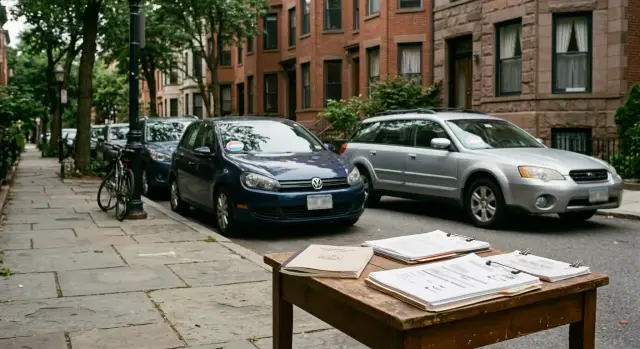
Why this can expose your home address
Resident parking permits sound routine. The privacy risk starts when that routine paperwork points to a very small area.
A permit zone is not always broad. Sometimes it covers one block, one side of a street, or a short list of buildings. That cuts down the guesswork much more than most people expect.
A zone label on its own can look harmless. The trouble starts when it sits next to city PDFs, meeting notes, permit lookup pages, or eligibility lists that show which addresses qualify. If a permit says Zone 4B and the city also posts the addresses in that zone, your home is no longer hidden inside a whole neighborhood. It may be one of 30 apartments, or fewer.
Then another record fills in the gap. A neighborhood directory, HOA list, building newsletter, or old resident file might connect a full name to a street address or unit number. Once that file gets copied to another site, posted in a forum, or cached in search results, it can stay online long after the original changes.
That is how an address trail gets stronger. One record shows where you are allowed to park. Another ties your name to a building. A third shows a phone number, an old contact page, or a voter listing. None of those scraps looks serious alone. Together, they can point to one home with very little doubt.
Say Jordan Lee appears in a neighborhood roster with Apartment 12 but no street name. A separate permit document puts Jordan Lee in zone R-17, and the city says R-17 covers one side of Cedar Street. Add an old people-search listing and the full address is often easy to confirm.
That is the real problem. It is usually not one dramatic leak. It is a stack of small, boring records that fit together too well.
How city records narrow the search
City records do not always publish a full address in one neat line. They often do something almost as useful: they reveal enough pieces to narrow the search fast.
A permit file might show a full name, part of a plate number, a permit zone, and a street name or block. On paper, that can look limited. In practice, it can point to one building, one side of a street, or one small group of homes.
Some cities also publish approval logs, appeal records, or waiting list updates. Those files may include permit status, zone numbers, unit notes, or staff comments. A short note like "moved to Elm Street zone 3" or "requested second permit" gives away more than it seems to when it sits next to a surname and vehicle details.
Archived meeting packets make this worse. A parking board agenda, city council attachment, or public works PDF may repeat the same person in a second place. Older scans are often messy, but search engines can still pull out names, street references, and permit numbers.
It does not take much. One PDF lists Jordan Lee with a permit appeal for Pine Avenue. Another city page shows a plate ending in 4821 in zone R-12. A third file says that zone covers two short blocks near a school. That still is not a full address, but it is close enough for a stranger to make a solid guess.
Older records are often the bigger problem. A city may stop using a file, but the PDF stays online for years. Even after a permit expires, the record can remain searchable long after it stops being useful to anyone.
If you want to check your own exposure, do not stop at the current permit portal. Search old agendas, board minutes, budget attachments, public notices, and scanned PDFs. If your name, plate details, and street references appear in more than one city document, the trail is already tighter than it looks.
How copied directories spread
The first list is rarely the last one. A city file, resident roster, or permit sheet can get copied into places that were never meant to be public. That is when the trail gets harder to control.
Neighborhood groups often make their own copies for convenience. Block clubs, HOAs, condo boards, and resident groups keep member lists so people can sort parking, building notices, and local events. That sounds harmless enough. In practice, even a basic sheet with a name and address can travel far once it leaves the original source.
A copied file spreads because it is easy to move and hard to pull back. One person downloads a PDF, someone else saves the spreadsheet, another forwards it to a new board member, and someone uploads it to a shared folder. After that, there is no single version to fix.
The copies can show up in mass emails, shared drives, board packets, welcome files, or old public folders that nobody remembers. Then people-search sites find them too. They do not always need a fresh city record. If they pick up a name next to an address in an old directory, they can fold that into a profile and combine it with phone numbers, age ranges, or past addresses from elsewhere.
Old copies are the real headache. A group may update its files or remove your details, but earlier versions can sit in email inboxes, device downloads, web archives, or search results. That means the wrong address, or an outdated one, can keep circulating long after the group thinks the issue is fixed.
Picture a condo association sharing a resident parking spreadsheet with board members. One member exports it as a PDF for a meeting. Another stores it in a public cloud folder by mistake. Months later the association cleans up the list, but the older PDF is still out there, and a people-search site has already copied names and unit numbers from it.
Deleting the original file often does very little. If your address appeared in a neighborhood directory once, it is smart to assume there may be copies somewhere else too.
What someone can piece together from a few scraps
Most people picture an address leak as one big mistake, like posting a full home address in public. Real life is messier. A stranger can take a few small clues from different places and turn them into a pretty confident match.
One record may only show a permit zone. Another may only show a surname. A third may show part of a unit number. Put together, those scraps can point to one door.
Think about a car parked on the street with a visible permit sticker for a small residential zone. On its own, that says very little. But if the same car appears in a public photo near one apartment building, or if the make and color match a car mentioned in a neighborhood group, the permit zone becomes much more useful.
A surname can tighten the search even more. A copied neighborhood directory might list "Garcia" in one building but no unit number. Then a city file for a permit appeal, meeting sign-in sheet, or resident list shows "M. Garcia" with a partial address or unit. Neither record looks complete by itself. Together, they can confirm the building and fill in the missing detail.
Sometimes the missing piece is tiny. A unit number from one file completes a record that only had the street address. A building name in a community newsletter matches a permit zone and narrows the search to a few apartments instead of a whole block.
Map photos and public posts often become the final check. A balcony view, a lobby photo, a moving box, or a picture taken beside a parked car can confirm the guess fast. Once someone sees the same car, the same building entrance, and the same surname across a few places, it stops being a guess.
That is why small clues matter. A stranger does not need one perfect record. They just need enough small ones to stop guessing.
How an address trail grows
Most address exposure starts with something ordinary. A resident applies for a street permit and gives the city their name, vehicle details, and home address. Nothing unusual there.
The problem starts when bits of that record, or details pulled from related public files, become easy to match with other lists.
Picture a tenant named Maria Lopez who lives in Unit 3 on Oak Street. She signs up for a local parking permit because street parking is tight and permits are checked often.
A few weeks later, someone finds a directory for her building or block. It lists "Lopez" and "Unit 3" so neighbors can contact each other. The directory does not show the full street address on its own, but it confirms the household name and unit.
Now a people-search site copies both scraps into one profile. It may pull a street name from a city record, a unit number from a directory, and a likely phone number or age range from somewhere else. None of that looks serious by itself. Together, it gets specific very quickly.
The result can be a profile with a full name, street address, unit number, vehicle details pulled from permit-related records, and even the names of other people in the household. That is enough for a stranger to feel sure they found the right home.
This is why copied records cause more trouble than a single city file. One source gives a clue. Two or three sources turn the clue into a near-complete address trail.
If Maria moves, the problem may keep going. Data brokers often keep old entries, copy new ones, and connect both to the same person. One permit application can turn into a profile that follows someone for years.
How to check your own exposure
Most people search once, see nothing obvious, and stop. That misses the real issue. The address trail is often spread across city PDFs, copied neighborhood lists, and old meeting files.
Start broad, then get specific. You are trying to answer one simple question: where does your full or partial address appear, and who can copy it?
- Search your name with your street name, block, neighborhood, and a few variations. Try initials, old last names, and common misspellings. A result that shows only a street can still matter when paired with other records.
- Check your city website the way a stranger would. Use the document search, council archive, permit lookup, board packet archive, and PDF search. Old files matter because they often stay online long after the reason for posting them is gone.
- Look for scanned documents, not just web pages. Neighborhood directories, HOA newsletters, public safety notices, resident parking lists, and meeting packets often live in PDFs or image scans.
- Keep a simple log of what you find. Write down the site name, document title, what part of your address appears, and whether the file looks current or old.
- Save proof before you contact anyone. Take screenshots, save file names, and note the date. If a page changes later, you still have a record of what was exposed.
This step matters because one PDF may list a permit zone, a scanned newsletter may show a house number, and a copied directory may name the street. Put together, those scraps can point straight to one home.
After that, check whether data brokers picked up the same details. That is often where the trail spreads faster.
Mistakes that make the trail worse
Most address leaks do not start with one major mistake. They grow from small details that stay public, get copied, and slowly connect.
Car photos are a classic example. Someone posts a driveway photo, a moving-day selfie, or a used car listing. The permit sticker, permit number, or parking zone is still visible. Add a street sign in the background, a neighborhood group profile, and an old marketplace post, and the trail gets much stronger.
Apartment numbers are another easy mistake. They show up in public HOA notes, tenant handouts, neighborhood spreadsheets, and signup forms that were never meant for wide sharing. People treat the unit number like a small detail. It is not. Once the building is known, the unit number points to a specific door.
Deleting a file does not always fix the problem. A newsletter PDF or resident roster might be removed from the original page, but copied directory sites, old email attachments, and saved downloads can keep it alive for years. That is why people think their information is gone when it is still floating around.
Building names also reveal more than many people expect. Saying "meet me at Park View Towers" in a local marketplace post may feel vague, but many buildings have a single easy-to-find address. The same goes for school newsletters, charity event rosters, and club lists that show a full name next to a building or block.
A few habits make this worse fast: posting photos before checking what is visible on the car or mailbox, leaving unit numbers in public documents because "only neighbors will see it," assuming a deleted PDF vanished everywhere, reusing the same name and phone number across local groups, and forgetting about old newsletters or volunteer rosters.
None of these actions looks serious on its own. Together, they make the trail much easier to follow.
Quick checks before you share anything
A lot of address leaks start with small, ordinary posts: a permit on a dashboard, a welcome form for a neighborhood group, an old PDF on a community page. On their own, these pieces can look harmless. Together, they can expose more than you meant to share.
Before you post or upload anything, take five minutes and check the obvious stuff. Crop out permit numbers, barcodes, QR codes, and apartment numbers from car photos. Ask who can see a local group directory before you join. If you can, use a separate email for neighborhood signups so it is harder to connect that activity to your main accounts. And check old community PDFs, meeting packets, and newsletters that mention you. A file posted two years ago can still show your address today.
PDFs deserve extra attention. People often assume a scanned document is safe because the text looks tiny or blurry. That is not always true. Many PDFs include searchable text under the image, which means your street, unit number, or permit details can still be copied by search tools.
There is an easy test. Open the file and search for your name, street, or building number. If the text shows up for you, it can probably show up for other people too.
One more habit helps: pause before filling out local forms. Ask whether a full address is really needed, or whether a cross street or ZIP code would do. If a form insists on your full address, find out whether that information stays private or ends up in a member list later.
These checks are boring. They also work.
What to do next if your address is already out there
If your address is already public, do not try to fix everything at once. Start with the source that reveals the most. A page with your full name, street address, permit zone, and a downloadable PDF matters more than a page that only lists your city.
Old lists are often the easiest place to begin. City records, neighborhood directories, meeting packets, and archived PDFs can stay online long after they stop being useful. Ask the page owner to remove the file, replace it, or edit out your street number and any other detail that points directly to your home.
Then go after the copies. Once one public record gets picked up by data brokers or people-search sites, it can spread farther than most people expect. Search for your name with your current address, old address, and even your permit zone if it is unusual. You are looking for repeats, not just the first listing you find.
The practical order is simple: save screenshots first, contact the original source, send opt-out requests to every broker or directory that copied the record, and keep notes on dates, case numbers, and replies so you can follow up.
This part matters because records often come back. A broker may refresh its database, or an old PDF may get indexed again after you thought it was gone. Check again after a week or two, then set a monthly reminder.
If a city parking list showed your name and block, a neighborhood PDF added your full address, and two people-search sites copied both, removing only one page will not fix the trail. You have to clear the source and the copies.
If you do not want to handle the broker side yourself, Remove.dev can automatically find and remove personal information from more than 500 data brokers and keep watching for re-listings. Most removals are completed within 7-14 days, and you can track requests in its dashboard while you work on the original city or neighborhood records.
FAQ
Can a resident parking permit really expose my exact address?
Yes, it can. If a permit zone covers only one block, one side of a street, or a small set of buildings, it can shrink the search enough that your home becomes easy to guess once someone matches it with another public record.
Why is a permit zone enough to narrow me down?
A zone does not need to name your street number to be revealing. When a city also posts which addresses qualify for that zone, or a permit file mentions a block, building, or appeal note, the pool of possible homes gets very small.
Which city records should I check first?
Start with city archives, not just the current permit portal. Old council packets, board minutes, appeal logs, waiting lists, and scanned PDFs often keep names, street references, and permit details online long after the permit itself stops mattering.
Are old PDFs still a risk after a file is taken down?
Yes. Removing a page today does not erase copies that were downloaded, emailed, cached, or reposted earlier. Search engines and people-search sites can keep older versions alive for a long time.
Can a neighborhood directory be worse than the city record?
Often, yes. A city record might show only a zone or street, while a copied resident list adds a unit number, building name, phone number, or household name. Put together, that can point to one door much faster than either record alone.
What details in photos usually give away too much?
Car photos are a common leak. A visible permit sticker, partial plate, street sign, mailbox, building entrance, or balcony view can give a stranger the missing piece they need to confirm where you live.
How do I check whether my address trail is already online?
Search your name with your street, neighborhood, building name, and old address details. Then open PDFs and scanned files and search inside them for your name, street, unit number, or permit zone, because tiny text in a scan may still be searchable.
If I find my address online, what should I remove first?
Begin with the page that shows the most detail, especially anything with your full name and full address together. Save screenshots first, ask the original source to edit or remove the record, and then work through the sites that copied it.
Does deleting the original file fix the problem?
No, not by itself. If a broker, directory, or archived page already copied the record, your address can keep showing up even after the source is gone, so you need to clear both the source and the copies.
Can I automate data broker removals instead of doing them all myself?
Yes, if you do not want to handle every broker one by one. Remove.dev automatically finds and removes personal information from over 500 data brokers, keeps watching for re-listings, and most removals are done within 7-14 days with progress shown in the dashboard.