When to retire an old email alias before it keeps leaking data
Learn when to retire an old email alias, why endless forwarding attracts brokers and scammers, and how to switch safely without missing important mail.
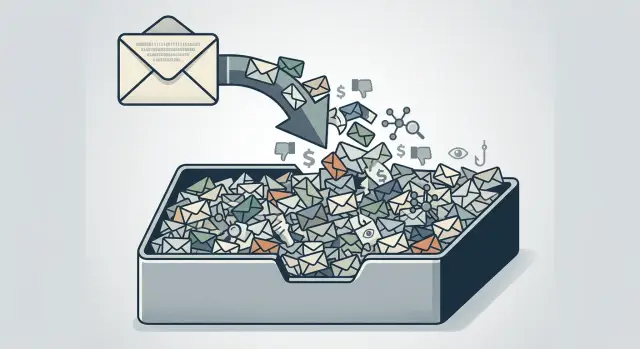
Why an old alias still causes trouble
An old email alias does not become harmless just because you stopped using it. If it still accepts mail, it is still active to stores, apps, mailing lists, and anyone who copied that address years ago.
Most of the trouble comes from boring, forgotten activity. A shop you used in 2019 still sends receipts. A service you canceled keeps trying to deliver account notices. A password reset lands for an account you barely remember. Old systems keep syncing contact data, retrying messages, and reusing whatever address they already have. Once an alias ends up in enough databases, it can resurface for years.
That is a privacy problem, not just an inbox problem. Data brokers build profiles by matching small details across many sources, and an email address is one of the easiest details to match. If the same alias shows up in shopping records, newsletter lists, marketing databases, and people-search sites, it can help connect your name, past addresses, and buying habits. Even if you do not use that alias anymore, it can still keep your profile current.
Forwarding often makes this worse. The alias stays alive and keeps collecting new activity. Every incoming message confirms that the address still works. Marketers keep mailing it. Brokers keep updating records tied to it. Scammers learn it is not dead.
The scam angle is easy to miss. Phishing works better when a message mentions a service you really used, even if that service was years ago. A fake note about an old streaming plan or a billing problem on a past order feels more believable when it lands through the alias you used for that part of your life.
Picture an alias you once used only for online shopping. You stopped using it, but left forwarding on. Months later, spam starts naming stores you recognize, then a fake invoice arrives with your old full name. Nothing mysterious happened. The alias stayed active, old lists kept circulating, and those lists fed more lists.
That is why old email privacy problems linger. The address looks inactive to you, but to the outside world it still looks open for business.
Signs it is time to retire it
If an old alias still forwards mail every day, look at what actually comes through. If most of it is sales email, fake security alerts, random account notices, and obvious scams, the alias is no longer helping you. It is just a funnel for junk.
A simple test helps: do you sign in anywhere with that alias now? Maybe it was tied to an old shopping account, a forum you forgot about, or an app you deleted years ago. If you have not used it to log in for a long time, and nothing breaks when you ignore that inbox for weeks, you probably do not need to keep it alive.
Context matters too. Old aliases often belong to earlier versions of your life: a former job, a school account trail, an apartment search, a side project, or a hobby you dropped. Those addresses rarely stay contained. A landlord site, alumni list, or old client form can pass the alias into marketing databases, and soon it starts showing up everywhere.
Breach notices are another red flag. If that alias appears in breach alerts, strange sign-in codes, or cold outreach from companies you do not know, the address is already circulating. Permanent forwarding usually just gives that problem a longer life.
It also helps to notice who still uses it for real contact. If friends, family, doctors, schools, and the handful of services you trust stopped sending to that alias a long time ago, that tells you plenty. The people who matter moved on. The rest is mostly noise.
A blunt rule works well here: when the alias no longer helps you, but it still helps strangers reach you, retire it.
If you are unsure, watch it for 30 days. Count the messages you truly need. For many old aliases, the answer is zero or close to it.
How forwarding keeps the alias in circulation
Forwarding feels harmless because the messages still reach you. In practice, it keeps the old address acting like a live contact point.
That starts with accounts you forgot about. An old store, forum, coupon site, or app may still send receipts, promos, and account alerts to the same alias years later. Every message proves the address still works, so it keeps getting stored, reused, and shared.
Forwarding also hides the problem from you. Because the mail lands in your main inbox, there is no pressure to update or close those accounts. The alias looks retired on your side, but to senders it is still active.
Password reset emails are another giveaway. They often show that old accounts still point to that alias for login, recovery, or security alerts. Even if you never type the address anywhere again, other systems keep using it behind the scenes.
Forwarding creates one more problem: it mixes low-trust mail with mail that matters. Scam messages, old marketing, and forgotten account notices all end up in the same inbox you use every day. That makes it easier to miss something real and harder to tell what is safe.
If you are trying to reduce exposure, forwarding should be temporary. It is useful as a transition tool. It is a bad long-term plan.
How to retire an alias without missing mail
Do not shut an old alias off in one move. Treat it like moving house: check what still arrives, update the important accounts first, then set a firm end date.
Start by reviewing what reached that alias in the last 30 to 60 days. You do not need to study every message. Look for patterns. Separate real accounts from junk. If you still get receipts, login codes, appointment reminders, or travel updates there, the alias is still tied to places that matter.
Handle the serious accounts first. Move banking, healthcare, bills, tax, insurance, and travel accounts before anything else. Then update shopping accounts, subscriptions, and work tools you still use. Newsletters, old signups, and obvious spam can wait until last. Missing a sale email is annoying. Missing a fraud alert is worse.
After that, tell the small group of real people who still might use that address. Keep it narrow. Close family, a few friends, your accountant, and maybe one or two clients if that alias was ever used for work. You do not need a broad announcement, and you do not need to reply to random senders.
Next, keep the alias on watch for a short, fixed period. Two to four weeks is usually enough. Forward mail during that window if you need to, but pay attention to what still arrives. If a forgotten service shows up, update that account and move on. The goal is to catch stragglers, not keep the alias alive forever.
A simple example: say an old alias still gets pharmacy reminders, utility bills, and the occasional hotel booking. Update those accounts first, tell your sister and your doctor's office to use the new address, then watch the old alias for 21 days. If all that remains is spam and marketing, you are done.
Then turn off forwarding. Do not leave it half-active. Every extra month gives marketers, scammers, and data brokers more chances to keep using it. Once forwarding is off, disable or delete the alias and stick to the date you picked.
If the old address has already spread into broker records, changing your inbox setup only solves part of the problem. Remove.dev helps remove personal data from over 500 data brokers and keeps monitoring for relistings, which can help when an old alias is already tied to a wider profile.
A realistic example
Maya made an email alias years ago for online shopping. It worked fine at first. She used it for stores, shipping updates, discount codes, and one-off purchases she never planned to repeat.
Later, she stopped giving that address to new sites, but she never shut it down. She forwarded everything to her main inbox, just in case something useful still came through.
For a while, that seemed harmless. Then the alias got noisy.
Most days, her inbox filled with coupon emails from stores she had not used in years, package notices for orders that were already delivered, fake invoices made to look urgent, password reset emails she never requested, and random marketing from companies she did not recognize.
The real problem was not just clutter. Forwarding kept the alias active. Every message that still reached it was a sign that the address was out there, passed between sellers, ad systems, and scam lists.
Instead of deleting it in one shot, Maya checked what still mattered. She searched her inbox for that alias over the last 60 days and made a short list of accounts that still sent mail she needed. One was a pharmacy account. Another was a small shop she still used for pet food orders. She also found an older bank account that still listed the alias as a backup contact. That was the kind of surprise she wanted to catch before shutting anything down.
She changed those accounts to her newer address first. She updated recovery settings on a few important services and told close family to stop using the shopping alias. Her sister had still been sending birthday plans there simply because it was the address she remembered.
After that, Maya left forwarding on for two more weeks and watched what arrived. Almost everything was junk. That made the next step easy. She turned off forwarding, retired the alias, and waited to see what changed.
The real mail did not disappear because she had already moved it. The spam stopped reaching her main inbox. The old alias still got hit, but it no longer had a path into her daily life.
That is usually the moment people realize the alias was not helping anymore. It was just feeding old lists and dragging the mess forward.
Common mistakes that keep it alive
The biggest mistake is simple: people keep forwarding an old alias because turning it off feels risky. That fear is reasonable. Nobody wants to miss a bank alert, a tax document, or a message from an old client. But if the alias keeps accepting mail, it still exists as a live target.
Another common mistake is undoing the cleanup without noticing. Someone decides the alias is retired, then uses it one more time for a coupon, a free download, or a reply to an old thread. That single use can put the address back into circulation.
People also forget where the alias still sits behind the scenes. Old shopping accounts, travel sites, forums, and password managers can keep a recovery email long after you stop logging in. So even if you never send from the alias again, other services may still send security notices, login links, and account updates to it.
Newsletters create the same problem. Many people leave them running because they might want a discount code later, or because unsubscribing from dozens of lists sounds annoying. But every active subscription is another signal that the alias can still receive mail. Some lists get sold, copied, or shared. A quiet alias starts looking busy again.
The worst setup is reusing the same alias across very different parts of life. If one address is tied to giveaway sites, online stores, and personal services, the low-trust side can contaminate the rest. A leak from a weak site can expose the same alias you used for doctor reminders or family accounts. That makes real mail harder to separate from junk.
The safer approach is not glamorous. Replace the alias on every account that still matters, remove it from recovery settings, unsubscribe from anything you do not need, stop forwarding after a short transition, and never use the alias again.
If you want it gone, treat it like an old phone number. The moment you start handing it out again, it is not retired.
A quick checklist before you shut it off
Shutting off an old alias sounds simple until one missed password reset locks you out of an account you still need. A clean cutoff is better than a rushed one.
Before you disable the alias, sign in to every account that still sends mail there. If you cannot get in, fix that first. Change the login email, recovery email, and two-factor settings everywhere, not just the visible contact address. Save anything you may need later, such as invoices, tax receipts, contracts, warranty emails, or proof of purchase.
Then tell the small number of real people who still write to that alias. Usually this is not a large group. It might be a former landlord, a doctor's office, an old client, or a relative who never updated your contact info.
Pick a real stop date for forwarding. Two to four weeks is usually enough. An open-ended plan keeps the alias alive, and that is usually how it keeps spreading.
During that final window, watch what still comes in. If the mailbox mostly gets promos, random account notices, and obvious spam, you have your answer. The alias is no longer useful. It is still being shared, sold, guessed, or scraped.
What to do next
A simple habit helps: review your oldest aliases two or three times a year. Look for addresses you no longer give to friends, stores, apps, or newsletters. If one alias now brings only spam, weird promotions, or login attempts, retire it instead of forwarding it forever.
A cleaner setup also makes future cleanup easier. Keep one address for personal contacts, another for shopping, and another for one-off signups. Then, if a giveaway form, old retailer, or forgotten app starts leaking your data, you can shut down that alias without touching the inbox you use for real life.
A good next step is straightforward. List the aliases you created more than a year ago. Check which ones still receive real mail and which ones collect junk. Update the few accounts you still need, then turn forwarding off for aliases that no longer have a clear purpose.
If an old alias keeps showing up in broker records, inbox cleanup will not fix the whole problem. The address may already sit in data broker databases that feed marketing lists, people-search sites, and scam campaigns. In cases like that, retiring the alias and cleaning up broker records work better together.
Use a plain test when you are unsure: does this alias still help you in any real way? If the answer is no, but strangers, brokers, and marketers still seem to know it, keeping it alive usually does more harm than good. Turn it off, see what changes, and review your setup again in a few months.
FAQ
When is an old email alias ready to retire?
Retire it when it no longer helps you, but strangers still use it to reach you. If most mail is promos, fake alerts, old account notices, or spam, and you do not sign in with that address anymore, it is probably time to shut it down.
Is forwarding an old alias actually a privacy risk?
Yes. Forwarding keeps the address alive in other systems. Stores, apps, marketers, and scammers keep seeing it as a working contact point, so the mail keeps coming and the address keeps spreading.
How long should I leave forwarding on?
Keep forwarding only for a short transition, usually two to four weeks. That gives you time to catch stragglers, update accounts that still matter, and then turn it off on a firm date.
Which accounts should I update first?
Start with banking, healthcare, bills, tax, insurance, travel, and any account tied to recovery or two-factor codes. After that, move shopping accounts and subscriptions you still use.
How can I tell if I still need the alias?
Watch it for 30 days and see what arrives. If the inbox has almost nothing you truly need, or nothing breaks when you ignore it, you likely do not need that alias anymore.
Can scammers still target an alias I stopped using years ago?
They can. Old aliases often sit in old store records, newsletter lists, breach data, and scam lists. That is why phishing tied to past purchases or old services can still look believable.
Should I delete the alias right away?
Usually no. A safer move is to review recent mail, move any account that still matters, tell the small group of real people who may use it, then shut off forwarding and disable the alias.
What if a few real people still send mail there?
Update those contacts first, then keep a short watch period so you can catch anything missed. Once family, doctors, or a few trusted contacts have your newer address, there is little reason to keep the old one active.
Will retiring the alias remove it from data broker records?
No. Turning it off stops new mail from reaching you, but the address may still exist in broker and marketing records. If the alias has spread widely, broker cleanup may still be worth doing.
How do I avoid the same problem with future aliases?
Use different aliases for different parts of life, such as personal contacts, shopping, and one-off signups. Review older aliases a few times a year, stop reusing retired ones, and shut down any address that turns into a junk funnel. If broker records keep resurfacing, a service like Remove.dev can help remove your data from over 500 brokers and keep checking for relistings.