Reverse address lookup removal after a move: what to check
Reverse address lookup removal takes extra work after a move because one home can expose several people. Learn how to check old listings and catch leftovers.
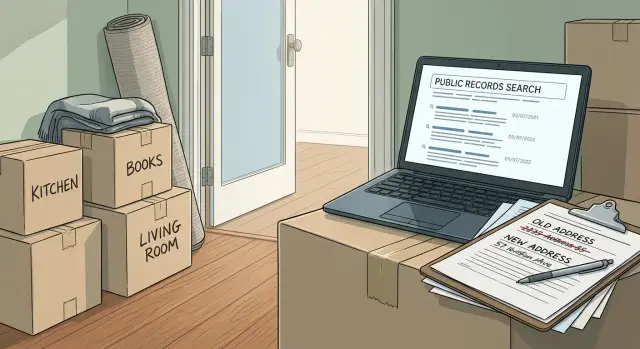
Why reverse address sites are different
Most people search sites start with a name. You type in a person, then sort through profiles until one looks right.
A reverse address site starts with a property instead. You enter a street address, and the site tries to show who lives there, who used to live there, and who might be connected to that place.
That difference matters. An address is shared by design. One house or apartment can be tied to a spouse, roommates, adult children, former tenants, or relatives who used the address for mail. A single listing can expose several people at once.
These pages also tend to mix old and new records together. One address page might show current residents, past residents, phone numbers, age ranges, and possible relatives on the same screen. Even when some of it is wrong, it can still point a stranger to the right household.
This is easy to miss after a move. Your name might stop showing up clearly in a basic people search, but an old address page can still lead straight to you. It can also connect you to people who still live there, or people who used to live there with you.
That is why removing yourself from reverse address sites is different from removing a name profile. A name search usually points to one page about one person. An address search often points to a property page that the site wants to keep live. Your name can disappear from one result and still remain attached to the address somewhere else.
A move can make this worse. Data brokers update at different speeds, and many keep old snapshots for a long time. For a while, you can be tied to two places at once: the address you left and the one you just moved to.
The better question is not just "Is my name online?" It is "What does this address reveal, and who is attached to it?"
How one house can expose several people
Reverse address pages treat a property like a shared record. That is the real privacy problem.
If two spouses lived there, both names can appear. If an adult child used the address for school, work, or a phone bill, they may still be tied to it years later. Roommates, former partners, past tenants, and relatives can end up grouped together too.
Data brokers build these household links from bits of public and commercial data. They compare address history, voter files, utility records, shipping data, marketing databases, and other records tied to the same place. When enough of those records match, the site may treat everyone connected to that address as one household.
That creates a chain effect. You search one person, click the address, and suddenly see several names. Or you search the address first and get a list of current and former residents. One page can expose a spouse, adult children who moved out long ago, short-term roommates, former tenants, and relatives who only used the address for mail.
Old addresses are especially messy. Many sites keep stale household groupings long after people move. A page tied to your former home can still point to you and to anyone else who once shared that address.
That is why a one-page opt-out often is not enough. If the address page stays up, other sites can rebuild the same connection later. The address itself needs to be treated as part of the privacy problem, not just the names on it.
What changes after you move
A move should break the link between you and your old address. In practice, it often does not.
Address-based sites pull data from many sources, and those sources refresh on different schedules. Your old home can keep pointing to you after you leave, while your new address starts collecting your name before the old one disappears. For a while, both places can expose parts of the same profile.
A few things usually happen after a move. Old address pages stay live longer than expected. New tenants or owners may be added to the same property record. Move dates are often missing or wrong. Cached and copied pages can keep the old connection visible even after one site updates.
This gets even messier in apartments, duplexes, and places with frequent turnover. Some brokers flatten unit numbers, drop move-out dates, or merge separate household records into one page. A search for the street address can then show current residents, former residents, relatives, and people who were never there at the same time.
Timing is part of the problem too. Many sites do not show a clear date range. They simply say you were "associated with" an address. That vague label gives old records a long life.
And even after one removal request works, copies can linger elsewhere. One broker may delete the page while another still shows the same address tie from an older data pull. That is why a move needs follow-up, not just a one-time check.
Treat both addresses as active for a while. That small shift catches far more leftovers.
How to check both addresses
Start with the old address. That is usually where the most exposed records sit, especially on sites that hold onto old household links for years.
Use simple searches first. Put the full address in straight quotes so the search engine looks for that exact line. Then try a few versions of the same address, because formatting changes matter more than they should.
For example, search:
- "123 Main St, Springfield, IL"
- "123 Main Street, Springfield, IL"
- "123 Main St Apt 2, Springfield, IL"
- "123 Main Street #2, Springfield, IL"
- "123 Main St Unit 2, Springfield, IL"
This matters because apartment numbers, abbreviations, and street words are stored in different ways. If you search only one version, you can miss the record that still shows your unit.
After that, repeat the process for the new address. Some sites pick up fresh records fast. A utility account, a change-of-address filing, or another public record can connect your name to the new place sooner than you expect.
When you find a result, look past your own name. One address page can list a spouse, ex-roommate, parent, adult child, or someone who moved out years ago. That is often where the bigger problem sits.
Take notes as you go. You do not need anything fancy. For each result, save the site name, the address format shown, the names listed, the page title, and the date you found it. Screenshots help too. Save one of the search result and one of the actual page. If the listing changes later, you still have proof of what was live.
If a page lists several people, search each of those names on the same site. Many brokers create a separate profile page for every person linked to the address. Removing one page does not always remove the rest.
It also helps to search the address with and without the ZIP code, and with common local abbreviations. Small formatting differences can surface pages that a normal search misses.
Once you finish both addresses, compare your notes. If the same broker shows your old home, your new home, and the same group of names, move that site to the top of your removal list.
A simple example after a move
Maria and Ben move out of a three-bedroom rental with their daughter. During the lease, Ben's brother stayed there for a few months. Later they shared the place with a roommate named Chris.
After the move, they update their bank, forward mail, and change the address on the accounts they remember. A few weeks later, Maria checks several people search sites.
A name search brings up her old profile first, which is annoying but not surprising. The bigger problem appears when she searches the old street address.
That page lists Maria, Ben, Chris, and Ben's brother as possible residents. One rental has pulled four people into the same record trail.
Even if Maria gets her own profile removed, the old address can still connect the rest of the household. Someone searching that property may still see who lived there, who might be related, and which names belong together.
She then checks the new address. Most results look clean, but one broker still shows the rental under "previous addresses." Another site shows Chris at the old rental and labels him as a possible associate of Ben. Chris never moved with them, but the old link still exposes part of the household.
Maria does not need a perfect match to confirm the record. If the old rental, Ben's age range, and Chris's name appear together, that is usually enough.
So they clean up in layers. They target Maria and Ben's name profiles, the old address page, and the extra pages that connect Chris or Ben's brother back to that property. The move itself did not fix the problem. The old address kept it alive.
Mistakes that leave records behind
The most common mistake is searching one version of your name and stopping there. Address-based sites may list you under your full legal name, a nickname, an older married name, initials, or a misspelling copied from an old record.
That matters even more after a move. A removal can fail if the page is still tied to an old spelling, an old unit number, or another person connected to the same home.
Another mistake is treating the problem like it belongs to one person. It often does not. One address can connect spouses, adult children, roommates, former partners, and relatives who used the address for mail. If one of those names stays online, the address can stay easy to find.
A few patterns cause most leftovers:
- searching only your exact full name
- skipping maiden names, nicknames, and old spellings
- ignoring other people tied to the same address
- assuming one removal clears every copy
- missing alternate address formats such as "Street" versus "St" or leaving out the apartment number
The copy problem is easy to underestimate. One broker removes a page, but others already copied it. A week later, the same address appears again with a slightly different layout, so it looks new even when it is really the same old record.
Address formatting is another trap. "101 West Pine Street Apt 4" might also appear as "101 W Pine St #4," "101 Pine Street Unit 4," or without any unit number at all.
A small example shows how this happens. Maya moves from 18 Oak Street Apartment 2. She searches her full name, finds one listing, and gets it removed. But another site still lists "M. Torres" at "18 Oak St Unit 2" and links her to a former roommate. Anyone searching the old address can still find both names.
A better approach is to search in layers: your name, your older names, the old address in several formats, and the names of other people linked to that address. It takes longer, but it catches the records that usually come back.
Quick checks before you stop
The first clean result can fool you. A page may be gone under your name but still live under the address, a spouse's name, or a different version of the same property.
This last pass feels repetitive, but it is where most leftovers turn up.
Before you stop, make sure you have done four things. Search the old address in several formats, including street abbreviations and unit variations. Check the new address too, because some sites pick up a move fast. Review every adult tied to that household one by one. And save screenshots of any live listing so you have a record if it stays up or comes back.
Be especially careful with the old address. A site might hide "214 West Pine Street" but still show "214 W Pine St." It may list a condo number on one page and drop it on another.
Do the same with the new place, even if you moved recently. New utility records, change-of-address data, and public filings can create surprise matches.
Household review is where many people stop too early. If two adults moved out, both names need checking. If an adult child, former roommate, or parent was ever tied to that home, search them too. One leftover profile can keep the address active on other sites.
Set a reminder to check again after 30 and 60 days. Old address records often return in batches.
What to do next
Do not try to tackle every site at once. Start with the pages that show a full street address, a list of current or past residents, and any age or phone details. Those records spread the fastest because one address page can connect several people at once.
A simple order works well. Search the old address first, then the new one. Open the records that show the full address and named residents. Submit the removal request. Save the page details and the date. Then check back to see whether the page actually disappeared or only changed a little.
Tracking matters more than most people expect. A basic spreadsheet or note is enough. Keep the site name, the address shown, who was listed there, when you sent the request, and what happened after.
Rechecking is part of the job. Old address brokers often pull fresh data from other sources, so a record that vanished this week can come back next month. Search the address by itself, then search your name with the old city or ZIP code. That catches leftover pages that do not appear in a basic address search.
If you do not want to manage that by hand, Remove.dev can automate the repeat work. It removes personal data from more than 500 data brokers, keeps watching for re-listings, and shows requests in a real-time dashboard, which is useful when old address records keep coming back after a move.
The practical next step is simple: pick the five worst sites you found, send those requests first, and set one reminder to recheck both addresses before the month ends.
FAQ
What is a reverse address lookup site?
It starts with a property, not a person. You enter a street address and the site tries to show who lives there now, who lived there before, and who may be connected to that home.
That makes these pages messy. One address can pull in spouses, roommates, adult children, former tenants, or relatives who only used the address for mail.
Why can an old address page be worse than a name search result?
Because an address is shared. One page can expose several people at once, even if some details are old or partly wrong.
After a move, an old address page can still point to you and to other people who lived there with you. That is often more revealing than a single name profile.
Should I check both my old and new address after I move?
Yes. Treat both places as active for a while.
Your old address may stay online longer than expected, and your new one can start showing up fast through utility records, mail forwarding, or other data sources. Checking both catches more leftovers.
How should I search my address so I do not miss listings?
Begin with the full address in quotes, then try common variations. Search Street and St, include and remove the ZIP code, and test unit formats like Apt 2, #2, and Unit 2.
Small formatting changes often surface pages that a normal search misses.
Do I need to search other people linked to the same address?
Usually, yes. Search every adult tied to that home, not just yourself.
If a spouse, former roommate, parent, or adult child still appears on the same broker, the address can stay easy to find and may reconnect back to you.
Why do these records stay online after I already moved?
Most brokers refresh at different speeds and keep old snapshots for a long time. One site may update fast while another still shows the old household months later.
Copies also spread. A page can disappear from one broker and still stay live on others that pulled the same record earlier.
If I remove one profile, is the problem solved?
No. Removing one name page often is not enough.
The broker may still have a property page, a second profile under another spelling, or a page for someone else tied to that address. You need to check the address itself and the related names too.
What should I save before I send removal requests?
Save the site name, page title, address format shown, names listed, and the date you found it. Screenshots of the search result and the actual page help if the listing changes later.
That record makes follow-up easier when a broker says the page is gone but part of the data is still live.
When should I recheck after a move?
Plan on at least two follow-up checks after the first round. A good default is around 30 days and 60 days after your move or after your requests go out.
Old address records often return in batches, so one clean search is not a final answer.
Can I automate reverse address lookup removals?
If you want to avoid doing this by hand, Remove.dev can handle the repeat work. It removes personal data from over 500 data brokers, watches for re-listings, and lets you track requests in a real-time dashboard.
Most removals finish in 7 to 14 days, plans start at $6.67 a month, and there is a 30-day money-back guarantee.