Scammer lookup apps: why your profile keeps showing up
Scammer lookup apps often reuse broker records, cached listings, and mobile-only feeds. Learn why your profile returns and how to stop it.
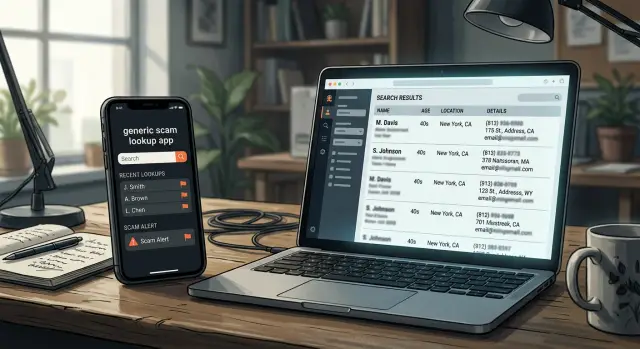
Why your profile keeps coming back
The frustrating part about scammer lookup apps is that your profile usually does not return because someone rebuilt it by hand. It returns because the same data keeps getting copied, sold, matched, and reused.
One broker page goes down, but older copies of that record can still sit in app feeds, reseller databases, or partner sites. So one successful opt-out often removes only one layer of the problem. If your phone number, name, or old address has already spread to several sources, an app can pull the same details back in the next time it refreshes its data.
A lot of these apps rely on repeated matches. One phone number is often enough. If that number appears in an old broker record, it can reconnect your age range, past addresses, relatives, and aliases from other records that were never fully deleted. Even when your profile looks gone in one place, the app can still rebuild a fairly complete version of you from leftover pieces.
Browser checks make this easy to miss. You search your name on a laptop, find nothing obvious, and assume the issue is solved. But some mobile people search apps show data only inside the app. That information may never appear on a public page, and search engines may never index it. A clean browser search does not always mean a clean record.
Old data also sticks around longer than most people expect. An app may cache a broker snapshot for weeks or months. A reseller may keep a copy after the original site removes your page. Some services buy fresh data from several vendors, so one deleted listing gets replaced by another near-match later.
That is why ongoing monitoring matters more than a one-time opt-out. Your data is rarely sitting in one place. It moves.
How broker data becomes app listings
Most scammer lookup apps do not build your profile from scratch. They usually start with data broker listings that already contain pieces of your identity: your name, age, current and past addresses, phone numbers, and often relatives.
That data can come from ordinary events. A move, a property record, a marketing form, a shopping account, or an old people-search site can all feed the same profile. Once a broker has enough pieces, it can package them into a record that looks complete, even when parts are outdated or wrong.
Then the record spreads.
Some companies buy bulk data feeds. Some license access from another broker. Some scrape public pages and rebuild the same profile in their own database. After that, a mobile people search app can turn the record into something simple and readable on a phone screen: a caller name, a phone match, an age range, an address history, or a short profile card.
That repackaging makes the data feel new, but it usually is not. In many cases, it is the same stale record in a different layout.
Why phone apps are harder to spot
Most people check Google, see nothing serious, and assume they are in the clear. That is a weak test.
Phone apps often show a different version of your data than a browser does. A public website may hide part of a profile, require a login, or show only a teaser page. The app, once installed, can reveal more. Sometimes the listing appears only inside the app, so you will never find it through a normal web search.
The app view is different for a simple reason: the app is not always pulling from the same place you see in a browser. It may use a private feed, an older broker snapshot, or a merged profile built from several sources. A website might show your name and city. The app might add your phone number, age range, old addresses, or relatives.
This happens a lot with caller ID and people search apps. Someone types in your number on a phone, and the app matches it against broker records behind the scenes. That same number might lead nowhere on the open web, which makes the listing easy to miss.
Cached data makes it worse. You can remove a record from the original broker, check the site again, and see that it is gone. The app may still keep an older copy in its own index or on a user's device for days or weeks.
A simple example: your old address is removed from a broker on Monday. By Wednesday, the website no longer shows it. A lookup app still has last week's copy, so anyone searching your phone number on mobile still sees that old address. From your side, it looks like the profile came back. In reality, the app never refreshed.
There is also a habit problem. Most people never check app stores or mobile apps for their own name, number, or email. They check websites only. That leaves a blind spot, and these apps live in that blind spot.
How one record spreads
Say Anna moved three years ago and changed her number once after that. One data broker still shows her old address and an older phone number. The record is wrong, but it still looks real enough to reuse.
A caller ID app copies that record into its own system. Now Anna's old number may show up with her name and past address when someone gets a call. To her, it feels random. To the app, it is just imported data.
A few weeks later, another lookup app buys a fresh batch of records. It pulls in Anna's details too, either from the same broker or from another company that already copied the first record. The labels change, but the facts are often the same stale facts in a new wrapper.
Anna finds one listing in a browser and sends an opt-out request. The page disappears, so she assumes the problem is solved.
Usually, that fixes only one copy. The caller ID app still has its version. The lookup app still has another. If those apps update slowly, the profile can stay visible for days or weeks after the original page is gone.
That is why personal data removal feels so repetitive. You are not removing one record from one place. You are trying to stop a chain of copies that started with a single bad source.
For caller ID privacy, the source matters most. If the original broker record stays up, new app listings can come back even after you clear the ones you found.
How to check whether an app has your details
A normal web search often misses the apps that quietly reuse broker data. If you want to know whether scammer lookup apps have your details, check the mobile side on purpose.
Start in the app store, not your browser. Search your full name and look for app names tied to phone lookup, caller ID, people search, or reverse phone search. You may not see your profile on the store page, but you can still identify which apps are worth checking.
Then test your phone numbers inside those apps. Use your current number, but do not stop there. Old cell numbers, work numbers, and landlines often stay attached to your name long after you stopped using them. In many cases, an old number pulls up more than your name does because the app copied stale data from a broker.
To tell whether a listing is really yours, compare small details. Look at the age range, past cities, relatives, and the last digits of a phone number. If the app shows the same old address or the same family connection you see on a broker site, it is probably the same record in a different format.
Keep notes while you check. A simple log is enough: the app name, the search term you used, what matched your identity, the date you checked, and the company behind the app. That last part matters because the app brand is not always the legal company that handles removal requests.
Screenshots help more than most people expect. Take them before you send any request, and make sure the date is visible somewhere on your device or in the file name. Save the search results page and the profile page if the app shows one. If the listing changes later, you still have proof of what was there.
What to remove first
Start with the source, not the copy. If you can find the original data broker page, remove that first. Many mobile people search apps and caller ID tools pull from the same broker record, so deleting only the app listing often gives you a short-lived win.
A quick way to spot the source is to compare details. If the same age range, address history, phone number, or relative names appear in more than one place, there is usually one broker behind it. Remove that record, then move on to the apps that reused it.
After that, send requests to the apps that still show your details. Use the same name, phone number, and address format that appears in the listing. Small mismatches can slow things down. A screenshot helps too, especially with apps that show different results on mobile than they do in a browser.
Ask for the full record
Do not ask them to remove only the main profile card. Ask for the extra details around it too: old addresses, aliases, misspellings of your name, relatives or associates, and old phone numbers tied to the same profile.
Those details matter because an old address or a relative's name is often enough for a broker or app to stitch your profile back together later.
A simple example: you get your current address removed from one app, but your old street address and your brother's name stay on the source broker page. A week later, another app imports the same record again. Your profile is back, just with a slightly different version of your name.
Check again after about a week. Mobile databases are slow to refresh, and some apps keep cached records longer than their websites do. You may see the browser result disappear first while the app still shows the old listing.
If a record is still live after that, compare it against the broker page again. If the source was not fully removed, fix that first. It saves time and cuts down repeat work.
Mistakes that make removals fail
The most common mistake is removing the listing you can see but not the broker feeding it. Many scammer lookup apps do not build profiles themselves. They buy, scrape, or sync records from broker databases. If the source record stays live, the app can pull it again on the next update.
Another mistake is checking only what appears in a desktop browser. Some listings show up only inside phone apps, especially caller ID and people search apps. If you search your name on Google and see nothing, that does not mean the record is gone. It may still appear when someone types your number into an app.
Small record mismatches also keep removals from sticking. Old phone numbers, past addresses, middle initials, nicknames, and misspelled surnames often create separate profiles. One opt-out may remove "Jane L. Carter" at a current address while "Jane Carter" with a number from 2019 stays live. To the app, those can look like different people.
Another common mistake is stopping after one request. Broker data gets sold, copied, and relisted all the time. A record removed today can come back next month after a fresh import.
The better approach is simple: remove the source when you can identify it, check your details inside apps and not just on the web, search common variations including older phone numbers and addresses, and check again later in case the record returns.
A quick check before and after you opt out
Before you send an opt-out request, save proof of what is live. Take a screenshot of the search result, the full profile, and any page that shows your phone number, address, age, or relatives. Add the date to the file name, or write it next to the image in a note. That small step makes follow-ups much easier.
Do not search only by your full name. The same record can show up under an old phone number, a past address, or a version of your name with a middle initial missing. With scammer lookup apps, one search path may show almost nothing while another reveals much more.
A basic check covers most of it:
- Search your full name and common name variants.
- Search your current and old phone numbers.
- Search your current and past addresses.
Keep one running list of every broker and app you contact. A spreadsheet is enough. Note when you sent the request, what details were exposed, and whether the listing changed, disappeared, or stayed the same.
This helps because broker listings often get reused by several apps at once. If you see the same phone number, age range, or address across multiple apps, the data may be coming from one source behind the scenes. Your notes make that pattern easier to spot.
After you opt out, check again in 7-14 days. That window is often long enough for a removal to show up, but short enough to catch a relisting before it spreads. Search the same three ways you used before: by name, by phone, and by address. Compare the new results with your saved screenshots instead of relying on memory.
What to do if listings keep returning
When a profile pops back up, the app you noticed is often just the last stop. The real source is usually one or more data broker listings feeding that app. If you only remove the app page, the same details can return as soon as the broker republishes them or another app pulls the record again.
That is why the next step is to work upstream. Find the broker pages behind the listing and remove those first. It takes more effort, but it cuts off the supply instead of wiping one copy at a time.
A simple habit helps: check again on a schedule. Every few weeks is enough for most people. Some mobile people search apps update quickly, and they are easy to miss if you only search from a desktop browser.
Keep a short log so you are not starting from scratch each time. Write down which app or broker had your details, what data showed up, when you sent the request, and whether the listing disappeared or came back. Those notes make repeat listings easier to spot, especially when the same record appears under a slightly different name, an old address, or a second phone number.
If you do not want to track all of this by hand, Remove.dev can automate removals across over 500 data brokers and keep watching for relistings through its dashboard. That fits this problem better than a one-time opt-out, because the real issue is not one page. It is the same record being copied again and again.
The goal is not one clean search result today. It is fewer sources feeding those apps next month.
FAQ
Why does my profile come back after I remove it once?
Because the app often is not the original source. Your details may still live on one or more data broker pages, in reseller databases, or in older app snapshots, so the profile gets rebuilt on the next refresh.
Can an app show my details even if Google shows nothing?
Yes. Many lookup and caller ID apps show data only inside the app or behind a login. A clean Google search can still miss your phone number, old addresses, age range, or relatives.
What should I search to check whether an app has my information?
Start with your full name, then search your current and old phone numbers, past addresses, and common name variants. Old numbers often bring up more than a name search because apps reuse stale broker data.
Should I remove the app listing or the broker first?
Remove the broker record first when you can identify it. If you delete only the app listing, the same data can return from the broker on a later update.
Why do old phone numbers keep exposing my profile?
Phone numbers are strong match points. One old number can reconnect your name, past addresses, relatives, and aliases across several records, even when part of the profile was already removed.
How long does it take for a removal to show up?
Most removals show up within about 7 to 14 days, but apps can lag because of cached data. Check again after a week, then compare the result with what you saved before the request.
What proof should I save before sending an opt-out request?
Save screenshots of the search results and the full profile before anything changes. Include the date in the file name or in a note so you can prove what was visible if the company asks for details later.
How does one broker record end up in several apps?
A single broker record can be copied, licensed, scraped, or resold to several companies. Each app may package the same stale facts in a different way, which makes one bad record spread fast.
What mistakes make removals fail?
The usual problems are checking only a desktop browser, using only one version of your name, and ignoring old numbers or addresses. Another common issue is stopping after one request instead of checking again for relistings.
Is there a way to automate removals and ongoing checks?
Yes. If you do not want to track this by hand, Remove.dev can find and remove records from over 500 data brokers, show each request in a dashboard, and keep watching for relistings. Most removals finish in 7–14 days, and plans start at $6.67 a month with a 30-day money-back guarantee.