School board meeting packets and accidental family data
School board meeting packets can expose student and family details in PDFs, scans, and attachments that stay searchable long after a fix.
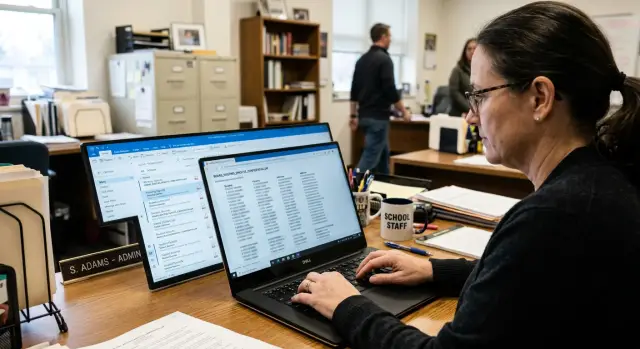
Why this happens and why it matters
School board meeting packets often look routine. They pull together agendas, staff notes, budget pages, complaint records, special education updates, transportation forms, and email attachments into one public PDF. That is where trouble starts. Documents that were created for internal work can end up in a packet meant for public viewing, and private details slip through.
Most of the time, nobody intended to expose a family. The problem is usually speed. Packet prep gets rushed, documents come from different offices, and PDFs can hide more than people expect. A single page might include a student name, a parent phone number, a home address, or a note that makes a child easy to identify in a small district. Each detail may look minor on its own. Together, they can reveal a lot.
One posted packet can affect several people at once. A student may be named in one attachment, a parent in another, and a sibling or emergency contact somewhere else. A full Social Security number is not required for real harm. A school name, grade level, street name, and family surname can be enough for neighbors, employers, or strangers to work out who the file is about.
The damage also lasts longer than many districts expect. Once a packet is online, it can be downloaded, shared in email, copied to other sites, or picked up by search engines. Even after the district fixes the file, the original version may still sit in someone else's inbox, downloads folder, or cached search result.
That is why these mistakes matter. They usually come from ordinary school documents, not dramatic breaches. But ordinary documents are the ones families trust most, and that trust disappears fast when a public packet exposes private life.
Where family data hides in PDFs and attachments
A packet can look fine on screen and still reveal more than staff meant to share. The agenda itself is often harmless. The real risk is usually in the backup files behind it.
One stray attachment can expose a lot about a household. An internal form may include a parent name, home address, phone number, student ID, or signature block that should never have gone public.
Places people miss
Agenda backups are a common source of trouble. The summary page may be clean, but the file behind it can still contain the original registration form, complaint form, or reimbursement paperwork with every field visible.
Scanned letters are another weak spot. Many people assume a scan is just an image. In reality, many PDFs also contain machine-readable text created by OCR. That means a search engine can read names, addresses, and signatures even when the page looks like a picture.
Hidden text is another problem. A PDF can carry comments, form fields, copied text layers, old file names, or bookmarks from an earlier draft. A parent searching their own surname months later may still find the file because of text nobody noticed during review.
Older templates make this worse. Schools reuse packet covers, approval forms, and letter layouts to save time. If someone forgets to clear a field, a previous student's name or contact detail can carry over into the next upload.
A quick review should go beyond the visible page. Check the full attachment list, searchable text inside PDFs, scanned pages with signatures or addresses, template fields copied from older files, and file names that include student or parent names.
That stack of details is what creates a real privacy problem. A parent name on one page, a street address on another, and a signed letter in an appendix can turn a routine public record into a family profile.
How name clusters make a family easy to identify
A single name on a public document may not reveal much. Several names together change the picture fast.
That is how many packet exposures work. A transfer form names the student. Another attachment lists a parent contact. A later page mentions a sibling in the same household. Each item feels small. Together, they make identification easy.
Search engines and people both look for patterns. If a packet shows a shared address, phone number, or uncommon last name, it becomes much easier to match that family to other public records. A stranger does not need much data when the clues line up neatly.
A rare last name makes the risk worse. If a packet includes "Lindholm" instead of "Smith," one extra clue like a street name or parent phone number may narrow the result to a single household. Add a sibling's first name, and the family may be identifiable in minutes.
The practical test is simple. If someone with no inside knowledge could guess who lives together, where they live, or how to contact them, the packet reveals too much. When reviewing these files, look for clusters of information, not just isolated data points.
Why old packets stay searchable after removal
Deleting a file does not make it disappear right away. The public page may be fixed in minutes, but search results often lag behind. A family name, address, or student detail can still show up in cached results, copied files, and old previews for days or weeks.
Search engines do not refresh every page at the same speed. If the packet was indexed before the edit, the old version may stay in a cache for a while. Sometimes the live page is gone, but the search result still shows a snippet with sensitive text. That snippet alone can expose enough to identify a child or parent.
Renaming the file rarely solves much. If the PDF content is the same, search systems can still read the same names, dates, and terms inside it. Changing "board-packet-march.pdf" to "revised-board-packet.pdf" may look like a fix, but the searchable text often stays untouched.
Copies are the bigger problem. Once a packet is public, it can spread quickly. A search engine cache may keep an older version. Another site may copy or mirror the file. Someone may download it and re-upload it later. A local device may keep it in recent history.
Cleanup usually takes more than taking down one page. Schools often need search index cleanup, checks for duplicate files, and follow-up on copied attachments. If family data was exposed by mistake, the goal is to remove both the source file and the traces that keep pointing people to it.
For families, that delay feels unfair. The district may fix the issue internally, yet the record still floats around online. In practice, personal data removal is often a follow-up job, not a one-click delete.
A simple example from one meeting packet
Picture a routine Tuesday meeting. The agenda PDF looks harmless: budget update, bus contract, student services report. One line points to a supporting attachment called "Student Services Appendix.pdf."
That second file is where trouble starts. The cover page looks normal. A few pages later, there is a scanned exhibit meant for internal review. It includes a parent name, a student name in a file label, part of a home address, and a note about a placement dispute. On another page, the district used initials for students, but in a small district those initials sit next to staff names, dates, and school names, so the identity is easy to guess.
Once the packet goes live, search engines do what they always do. They crawl the agenda, follow the attachment, and read the text layer created by OCR. Soon, a search for the parent name shows the packet title and a snippet pulled from the PDF. A search for the student surname brings up the same packet with the meeting date. Even before anyone opens the file, the search page gives away more than it should.
The leak gets worse because the names appear together. One result can connect a child, parent, school, and street name in seconds. That cluster lets a stranger confirm the family almost immediately.
A staff member may catch the mistake two days later and replace the file with a redacted version. That helps, but it does not erase the first copy everywhere. The old PDF may still sit in search caches, previews, downloaded copies, and archives on other systems. The meeting is over, the page is fixed, and the family is still dealing with information that remains easy to find.
How to review a packet before it goes live
Most posting mistakes happen for a simple reason: someone checks the main agenda PDF, but not the attachments. The risky pages are often buried in appendices, scanned exhibits, staff notes, or forms added late.
A clean first page does not mean the packet is safe. One student name in a transportation request or one home address in a scanned complaint can turn a routine upload into a privacy problem.
The best review happens on the final upload set, not an earlier draft. Open every attachment one by one and check the exact files that will be posted.
A review routine that catches most problems
- Open the packet and every attached file, including scans, appendices, and supporting exhibits.
- Search each PDF for student names, parent names, street addresses, birth dates, and student ID numbers.
- Fix the source file first, then export a fresh PDF instead of covering text on top of the old one.
- Have a second person review the final version, not the working draft.
Scans are a common trap. A page may look like a simple image, but once OCR is applied, names and addresses become searchable. That can happen before posting if staff runs OCR, or later when another system processes the file. If the text can be found with search, it can spread.
Redaction needs care. Drawing a black box over text is not enough if the words still sit underneath. The safer move is to remove the private details in the original document, replace them with neutral text when needed, and export a new PDF. For scanned records, use a redaction method that removes the text layer instead of hiding it visually.
The second reviewer matters more than people think. The first person already knows what the file is supposed to say, so their eyes skip past obvious problems. A coworker who opens the final packet cold will often catch the student birthday on page 47 or the parent address tucked into a memo attachment.
A useful rule is blunt and effective: if a family could be identified by reading the packet without inside knowledge, take another pass before publishing.
What to do after an exposure is found
Move fast. The first hour matters more than a polished statement.
Take the file down right away, then replace it with a clean copy only after someone checks every page, attachment, and embedded file. If the packet supports a live agenda, post a short note saying the document was updated for a privacy issue so people do not keep sharing the old version.
Before anything disappears, write down exactly what was exposed. That means the file name, meeting date, page number, attachment name, and each field that should not have been public, such as a student name, home address, parent email, birth date, or case number. Keep screenshots for internal records, but do not spread them further.
A basic response plan looks like this:
- Remove the public file and pause downloads if the board portal allows it.
- Save a record of the exposed pages and fields.
- Upload the corrected version after a fresh review.
- Check every other place the same file may live.
That last step gets missed all the time. Many districts post the same packet in more than one place: the board portal, a website archive, a PDF index, a shared drive, or a staff folder that was synced publicly. If one copy stays up, search engines can keep finding it.
After the clean copy is live, ask search engines to refresh outdated results and cached snippets. Search pages often keep showing an old PDF title or preview text even after the file is replaced. If the file was mirrored or copied elsewhere, document that too and request removal there.
Families should hear from the school directly, not through search results or social posts. Say what was exposed, where it appeared, when it was removed, and what changed. Keep it plain. People want facts first.
If the exposed details start spreading beyond the school site, families may also need help monitoring where that data appears. In some cases that means credit monitoring. In others, it means removing personal details from data broker sites.
Mistakes that make cleanup harder
The first mistake is very common: hiding text so it looks gone while the words still sit inside the PDF. A black box, white shape, or blur can fool the eye, but not a search engine or anyone who copies text from the file. If the original text layer is still there, the exposure is still there too.
Another mistake is fixing only the web page. Staff may update the agenda page or swap out a short description, but leave the original PDF untouched on the server. The page looks clean while the real problem stays live.
Attachments are easy to miss. A corrected packet may go up, yet the same family details still appear in appendices, scanned exhibits, board memos, or sign-in sheets saved as separate PDFs. Scanned pages are especially risky because OCR can turn an image back into searchable text.
A third mistake feels logical but creates a longer mess. Someone uploads a corrected file under a new name and leaves the old one in place. Now there are two versions to track, and the older one may keep showing up in search results and document caches long after the meeting is over.
The last mistake is assuming the issue is fixed because the page looks fixed. It may look fine in a browser while the old PDF is still indexed, downloaded, or copied into another system. Cleanup has two parts: remove the exposed data from every file, then deal with search results so old versions stop surfacing.
A short checklist before and after posting
A fast check before upload can prevent weeks of cleanup. The risk often sits in small details: a selectable PDF, a student surname repeated across attachments, or a file that looked harmless until search picked it up.
Before posting, treat the packet like a searchable document, not just a stack of pages. Try selecting text with your cursor. If you can copy words from the page, search engines can usually read them too. Search the full packet for student and parent surnames. Review every attachment on its own before publishing. Agendas may be clean while attached letters, forms, exhibits, or screenshots carry the real risk.
That first pass does not need to take long. One staff member can do it, and another can do a quick second look. Five extra minutes here can save a lot of work later.
After posting, do not assume search engines see the page the same way you do. A page title, file name, and search snippet can expose more than the packet preview shows. Search the packet title, meeting date, and any family surnames that appeared during review. Check what shows up in snippets, cached text, and file names.
It also helps to keep a short sign-off record for each packet. Note who reviewed it, when it was posted, and whether any edits or replacements were made later. If a family reports an exposure months later, that record gives the district a clear trail and speeds up takedown work.
If something slips through, move fast. Replace the file, remove loose attachments, and document what changed.
Practical next steps for schools and families
The best fix is repeatable. Districts do not need a huge privacy program to reduce these mistakes. They need one pre-post review rule, one person who owns cleanup, and a clear way for families to report what they find.
For schools, that means reviewing every packet, attachment, and scanned appendix before posting. Search the final PDF for student names, parent names, street names, phone numbers, email addresses, and student ID numbers. Post a redacted public copy by default and keep any full internal version separate. Name one person who is responsible for replacement, follow-up, and search cleanup if a file slips through.
For families, the habit is simple. After a packet exposure, check for reused names and addresses online for a while, not just the first day the file comes down. Search your last name with your street name, town, or school name from time to time. Watch for sibling names, parent contact details, or old addresses appearing together. If the information shows up again, save screenshots and ask the district who is handling follow-up so reports go to one place.
If the exposure spreads beyond the school site, the work changes. Search results, archives, and people-search databases can keep copies long after the packet is gone. In that situation, a service like Remove.dev can help find and remove personal details from over 500 data brokers and keep watching for relistings over time.
A school does not need a complicated process to do better. It needs a reliable review step, clear ownership, and a fast response when a packet exposes more than it should.
FAQ
What kind of family data usually leaks in school board packets?
Usually it is ordinary stuff, not dramatic records. A packet may expose a student name, parent phone number, home address, email, birth date, student ID, signature, or notes from a complaint or special education file.
The bigger risk is when those details appear across several pages or attachments. A few small fields can be enough to identify a household.
Why can a harmless-looking PDF still expose private details?
Because the danger is often in the attachment, text layer, or file history, not the visible page. A scan may look like a picture, but OCR can make names and addresses searchable.
PDFs can also carry hidden text, form fields, comments, bookmarks, and old file names. If staff only glance at the page, they can miss what search engines can still read.
How do several small details make a family easy to identify?
One clue rarely says much on its own. A parent surname, school name, street name, and sibling first name together can point to one family very quickly.
That is why packet review should look for clusters, not just single fields. If a stranger could work out who lives together or how to contact them, the file reveals too much.
If the district deletes the packet, is the problem over?
No. Taking down the page is only the first step.
Old versions can stay in search snippets, caches, downloads, mirrored copies, and other archives for days or weeks. The source file may be fixed while the original still shows up elsewhere.
What is the safest way to redact a school document?
Fix the source document first, then export a fresh PDF. Do not place a black box, blur, or white shape over text and assume it is gone.
If the text layer remains underneath, people and search tools may still read it. For scans, use a redaction method that removes the hidden text too.
How should staff review a packet before posting it?
Review the final upload set, not an earlier draft. Open every attachment, search the PDFs for names, addresses, birth dates, student IDs, and contact details, and check file names as well.
A quick second pass should test whether the packet is searchable. If you can copy the text, others can usually find it too.
Why is a second reviewer worth it?
Fresh eyes catch what the first reviewer expects to see. Someone who did not build the packet is more likely to notice the address on page 47 or the student name buried in an appendix.
That small step often finds problems before the file goes public. It is one of the simplest ways to reduce posting mistakes.
What should a school do in the first hour after finding an exposure?
Take the file down right away and pause access everywhere you can. Then document exactly what was exposed, including the file name, meeting date, pages, attachments, and the private fields that appeared.
Only post a replacement after a full recheck. After that, look for duplicate copies and ask search engines to refresh outdated results.
What should families do after their data appeared in a packet?
Save screenshots for your records, then search your family name with the school, town, or street name over the next few weeks. Check whether the old packet, snippets, or copied files still appear.
If you find more copies, report them to the school contact handling cleanup and keep a dated record of what you saw. That makes follow-up faster.
When does outside data removal help?
It helps when the school file spread beyond the district site and personal details start showing up on people-search or data broker pages. At that point, cleanup is no longer just a school website problem.
A service like Remove.dev can help find and remove exposed personal data from over 500 data brokers and keep checking for relistings, which is useful when copies keep resurfacing.