Second pass after data broker opt-outs: what still stays up
A first round of opt-outs removes the easy listings. Learn why second pass after data broker opt-outs is needed for copied, linked, and mobile records.
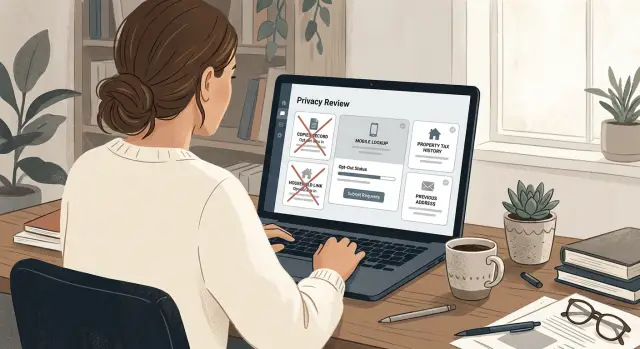
Why some records stay up after the first round
The first wave of opt-outs usually removes the easiest pages. It does not erase every version of your record.
That catches a lot of people off guard. They search once, see the main profile is gone, and assume the job is finished. Then the leftovers keep sitting on smaller pages that are harder to spot.
Most data brokers do not keep one neat profile for each person. They often split the same person across a main listing, reverse phone pages, address pages, and pages that connect you to relatives or past housemates. One request can remove the main profile and leave the rest untouched.
Copied records are another reason the problem sticks. A big people-search site might remove your listing, but smaller sites may have copied the same data weeks or months earlier. Those smaller sites can still show your age, old addresses, and relatives long after the better-known source is gone.
The second pass matters because the easy wins disappear first. What stays behind is usually scattered across different page types and different sites.
A few leftovers show up again and again:
- old address pages tied to your name
- reverse phone lookup pages
- household or relative pages that still mention you
- duplicate profiles built from small name variations
A clean first search can also give false comfort. If you search only your name and city, you may see nothing. Search your full name with an old phone number, street name, or past ZIP code, and different pages often appear.
Sometimes a record stays live because the site treats each version as separate data. Removing "John A. Smith" does not always remove "John Smith," a maiden name, or a profile tied to a past address. And because brokers copy from each other, a removed record can come back later in a slightly different form.
That is why follow-up matters. If your main profile is gone, the leftovers are often still sitting on quieter pages that most people never think to check.
Where copied records usually come from
After the first round of removals, copies start to stand out.
Many brokers do not build their files from scratch. They buy records, swap lists, scrape public pages, and pull from older broker databases. If one site removes your profile today, another site may still have the same details because it imported that record last month or last year. That is why the same name, age range, and address can keep showing up across several people-search sites even after a few successful removals.
Some pages are based on old snapshots instead of current data. A broker might store a version of your record from a public directory, court index, or voter file and never update it. So even if your current address is gone, an older address can stay online because the site is showing an outdated copy.
Small mismatches create more duplicates than most people expect. A missing apartment number, a typo in a street name, or a middle initial can turn one person into two separate pages. Once that happens, one opt-out request may remove only one version while the other stays live.
How household links keep your details attached
A lot of people finish a first round of opt-outs, search their name again, and wonder why the same address still shows up. The usual reason is the household record.
Many people-search sites do not store you as one clean profile. They group you with relatives, spouses, ex-partners, or old roommates who shared an address at some point. That means your opt-out may remove one page with your name on it but leave a shared page built around the address itself.
If the site still has a household entry for that home, your name can get pulled back in through someone else's record.
A past apartment is a common example. You move out, submit opt-outs, and your direct profile disappears. But the site still lists the old address with two or three names attached. Because you once lived there, the system keeps treating you as part of that group. Search results may still show your age range, possible relatives, or a partial phone match even after the obvious pages are gone.
Old family links cause the same problem. A person can stay tied to a parent, sibling, or former spouse through public records and broker copies. Marriage, divorce, and name changes often leave behind mixed profiles. One site might connect your current surname to an older address, while another still links you to a previous partner's household page.
During the second pass, you are not just looking for your own record anymore. You are looking for pages where you appear as part of someone else's network.
A few signs make these pages easier to spot:
- your name appears under "possible relatives" or "associated with"
- an old address still shows multiple residents, including you
- a past roommate's page mentions you by name
- a former spouse or family member's record pulls in your city or age range
The fix is usually simple, but easy to miss: remove the direct profile, then search the address, the relative's name, and past household combinations that still point back to you.
Why mobile lookups are stubborn
Phone number records often outlast name-and-address profiles. You can remove a people-search page and still find the same number on a reverse phone site a few days later. That is common.
One reason is simple. Reverse phone pages often sit on a separate domain, use a separate database, and have their own opt-out form. The branding may look almost identical, but the number lookup can be treated as a different product. So your main profile disappears while the phone result keeps showing your city, carrier, relatives, or an old address.
That split is where many first-round opt-outs fall short. A site may clear the page tied to your name without touching the page tied to your number.
Phone listings also get refreshed from places people do not expect, including carrier-related sources, app signups, contact sharing, marketing feeds, and older broker copies sold again later. That is why a listing can vanish, then return a week later. One source removes it, another source puts it back.
Recycled numbers make things worse. Mobile numbers get reassigned, and lookup pages do a poor job sorting old and new ownership. That is how mixed records happen: your number paired with someone else's age, an old owner's address, or a household you never lived with.
A simple example makes the problem clear. You remove your profile from one people-search site. A few days later, a reverse phone result still shows your number and suggests two "possible owners," one current and one from years ago. Nothing unusual happened. You removed one record, not every version built around that number.
So when you do a second pass, search the number itself, not just your name. Look for stand-alone reverse phone pages, old entries, and results that mention "associated persons" or nearby households. Those are often the pages still hanging on after the first round.
How to do the second pass
The second pass is less about finding brand-new sites and more about searching better. After the first round, the easy matches are gone. What stays behind is usually tied to an old address, a copied phone record, or a page connected to someone you lived with.
Start with your name, then add the details brokers use to split records apart. Search your full name with past cities, old ZIP codes, and former street names. A page that disappeared for your current address may still be live under the apartment you left three years ago.
Phone lookups need their own check. Search your mobile number in quotes so you can catch exact-match pages. If you have had the same number for years, this often finds listings that do not show up when you search by name alone.
Then widen the search to old identity details. Try former names, common nicknames, and the names of people in your household. A broker may remove your personal page but keep a household page that still points back to you through a spouse, parent, or old roommate.
A simple search run might look like this:
- "Maria Jensen" "Columbus"
- "Maria Jensen" "Oak Street"
- "614-555-0182"
- "Maria Jensen" "Daniel Jensen"
Do not rely on memory. If a record is still up, save a screenshot and note the date. That gives you proof if the site says the page is gone, or if the same listing returns later under a new URL.
Most brokers do not update every page at once, so timing matters too. Some remove the public profile first and leave phone lookups, cached-looking entries, or linked pages behind for a few more days. Check the same brokers again after 7 to 14 days before you mark the job done.
If you are doing this by hand, a plain spreadsheet is enough. Track the site name, the search you used, the request date, and the result. If you want less manual work, Remove.dev automates removals across more than 500 data brokers, monitors for re-listings, and shows each request in a dashboard. That kind of tracking is useful because the second pass is repetitive by nature.
A simple example
Mia opts out of a large people-search site and feels done. Her main profile disappears, and for a few days that looks like a clean win.
Then she searches again and finds her old address still online in two smaller places she barely noticed the first time. Both appear to have copied her details earlier, so removing the big listing did nothing to those copies.
She keeps checking and finds another problem. A household page still links her to a former roommate from an apartment she left two years ago. Her name is not shown alone on that page. It is attached to a shared address record, which means the site still connects her to someone else's profile and old location.
That matters more than most people expect. Even if her own page is gone, the household link can still point searchers to the same address history.
Then she finds her mobile number on a reverse lookup page. This one is especially annoying because it is not presented as a normal profile. It sits in a phone record, so the earlier opt-out did nothing to remove it.
At that point, Mia does not have one cleanup job. She has four: two copied address records, one household page, and one reverse phone listing. Each needs its own request. In some cases, she also has to use a different form, confirm by email, or follow up when the site removes only one page at a time.
That is what the second pass looks like in real life. The first round removes the obvious profile. The second round catches the records that were copied, grouped, or split into different pages.
Mistakes that keep records online
The most common mistake is stopping after the first confirmation email. That email usually means the request was received, not that every copied record is gone. Some sites remove one profile quickly while mirror pages, partner listings, and search snippets stay up longer.
Another mistake is searching too narrowly. People check one full name, one city, and one phone number, then assume they are done. That misses shortened names, middle initials, old last names, and spelling variations. "Mike" and "Michael" can live on separate profiles. So can records with and without an apartment number.
Old details cause the same problem. A broker may remove your current address but keep a page tied to a past street, ZIP code, or phone number from five years ago. That old page can still help other sites rebuild your profile.
A lot of people also assume one opt-out covers a whole network. Usually it does not. Many people-search sites pull from the same sources, but they do not share one removal request. You may remove a record from one site and still appear on three smaller partner sites a week later.
Timing matters too. Some records disappear, then come back after the next data refresh. If you do not check again a few weeks later, you miss the re-listing.
A better follow-up is simple:
- search your full name and short name
- check current and past addresses
- look up old phone numbers and ZIP codes
- search spouse or household combinations
- recheck the same sites after 2 to 4 weeks
If you do the work yourself, keep a plain list. Date each opt-out, note the exact profile removed, and come back for one more sweep. That extra pass is usually where the stubborn records show up.
A short checklist before you call it done
Most people stop too early. The easy profiles disappear first, but copied records, old household ties, and reverse phone results can stay up for weeks or months.
Before you call the job finished, check a few things. Search your full name with your current city, a past city, and your state. Your main profile should be gone, and the search snippet should not still show an address, age, or relative names.
Run your mobile number through reverse phone lookups. If the number still points to your name, old address, or family members, the first round did not fully stick.
Check household and relative pages too. Even when your own profile is removed, a shared-address page can still tie you to an old home and make you easy to find again.
Then look for smaller brokers that copied the same record. Search combinations like your name plus an old street name, ZIP code, or phone number. These copies are often the reason a profile keeps coming back.
Write down what was removed and when. A short note with the site name, request date, and removal date saves time later if the record reappears.
That last point matters more than it seems. The real finish line is not "removed once." It is "still gone."
What to do next
Treat the second pass as upkeep, not a one-time cleanup. Easy removals tend to disappear first. Copied records, household ties, and mobile lookup pages often need another check a few weeks later.
Set a reminder now. Two or three weeks is a practical gap because some sites update slowly and some records come back after a fresh data pull.
Your routine does not need to be complicated. Recheck the same records every few weeks. Save screenshots before and after each request. Keep request emails, case numbers, and dates in one folder. Note which sites removed your record and which ones stayed silent.
If you are doing this by hand, be strict about your notes. Write down the exact name used on the record, the city, the age range, and the page title. That small habit saves time later, especially when a broker posts the same details again with a slightly different address or phone number.
For many people, this is the point where manual work starts to drag. Remove.dev can handle repeated checks, send new removal requests when records return, and monitor re-listings after your data has been removed. Most removals are completed within 7 to 14 days, and the dashboard makes it easier to see what is gone, what is pending, and what came back.
The goal is simple: not one clean search result today, but staying off these sites next month too. Keep your records together, check again after the first round, and move quickly when an old listing shows up again.
FAQ
Why is my information still online after I opted out once?
Because one opt-out usually removes only one version of your record. Smaller copies, reverse phone pages, address pages, and household pages can stay up even after the main listing is gone.
What pages usually stay up after the first round?
Old address pages, reverse phone results, duplicate profiles with small name changes, and pages that list you under relatives or other residents are the usual leftovers. Those are often missed on the first pass.
Why do copied records keep coming back?
Many brokers buy, copy, or import data from other brokers. If one site deletes your record, another site may still have an older copy and keep showing your name, age range, or past address.
How can a household page still expose me?
People-search sites often group people by shared addresses. So even if your own profile is removed, a page tied to an old roommate, spouse, or family member can still pull your name back into search results.
Why are reverse phone lookups harder to remove?
Phone lookup pages are often treated as a separate product with their own database and opt-out form. That means your name profile can disappear while the number page still shows your city, relatives, or old address.
What should I search during the second pass?
Start with your full name plus old cities, ZIP codes, street names, and former names. Then search your phone number in quotes and try combinations with relatives, spouses, or old roommates.
How long should I wait before checking again?
Give most sites about 7 to 14 days for the first update, then check again. After that, do another sweep in 2 to 4 weeks because some records return after a later data refresh.
What mistakes make people miss leftover records?
A lot of people search too narrowly and stop after the first confirmation email. They check one name and one city, but skip nicknames, old addresses, past numbers, and related household pages.
What proof should I keep while doing opt-outs?
Save a screenshot, the page title, the exact search you used, and the date. That makes follow-up easier if the site says the page is gone or the same record returns under a new URL.
Can I automate the second pass instead of doing it by hand?
If you want less manual work, Remove.dev automates removals across more than 500 brokers, tracks requests in a dashboard, and monitors for re-listings. That helps when records keep coming back after the first cleanup.