Separate business and personal information online
Learn how to separate business and personal information across LLC filings, contact pages, and directory listings without exposing your home address.
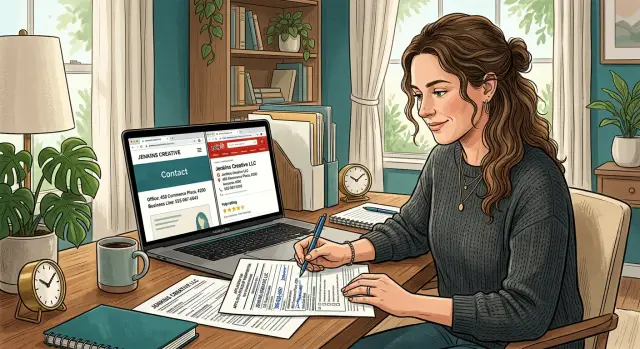
Why this gets messy fast
Trying to keep business and personal information separate sounds simple. Then you form an LLC, buy a domain, set up a contact page, or claim a business listing, and the form asks for an address and phone number. Most people use what they already have. It solves the task in front of them, but it can leave a trail online for years.
Public records do not stay in one place. A state filing, business registry, or local directory gets copied into other directories, map apps, people-search sites, and data broker profiles. If your business name is close to your personal name, or you run the business from home, the mix happens even faster. Search results start tying your company to your home address, private email, and personal phone.
At first, the problem looks minor. You get sales calls on your personal phone. Business mail shows up at home. Your address appears in search results. Then copied profiles start combining your business details with personal records, and strangers do not need much effort to connect the dots.
That is why cleanup takes more than changing one form. Even after the original source is fixed, copied versions can stay live for months. Some sites update slowly. Others pull old data again and post it back online.
Where the mix usually happens
This usually starts in ordinary places, not in some dramatic breach. A home address goes into LLC paperwork. A personal cell number lands on a contact page. A private email gets reused for a business directory, a map profile, and an old guest bio. A few months later, all of it appears together in search results.
Most problems start in four places:
- official filings, especially LLC records and registered agent details
- your own website, including footers, forms, and downloadable files
- business directories and map listings that copy one another
- old bios, social profiles, and archived pages you forgot about
LLC paperwork is one of the most common starting points. Many owners use a home address or personal number because it is quick and legal. The trouble comes later, when that record is scraped by directory sites and data brokers.
Your website can make it worse. A footer with a personal email, a booking page tied to your private inbox, or a contact form that replies from your everyday account all make the connection easy to see.
Then there is the long tail. An old author bio, chamber profile, podcast page, or social account made years ago may still show the wrong city, phone number, or email. Those pages get indexed, copied, and resurfaced long after you forgot about them.
Once your details start showing up on people-search sites, manual cleanup gets slower. That is where a service such as Remove.dev can help. It focuses on removing personal data from data brokers and monitoring for relistings while you fix the sources you control.
What should stay public and what should stay private
The cleanest setup is simple: publish one business identity and keep your personal details out of it. Most businesses only need a public business email, a business phone number or forwarding line, and a business mailing address if local rules allow it. Customers usually do not need your home address, private inbox, or personal cell.
A practical public setup usually includes:
- one business email used only for customer contact
- one business phone number, or a forwarding number that reaches your personal phone without showing it
- one business mailing address, if your filing rules allow it
- basic company details customers actually need, such as your business name and service area
That is usually enough.
Email is the easiest place to start. A dedicated business address keeps customer messages out of your private inbox and makes updates much easier later. If every public page uses the same business email, there is only one address to manage.
Phone numbers need the same boundary. If clients need to call you, use a business line or call forwarding. You can still answer on your regular phone without posting the number everywhere. It sounds small, but it cuts down on spam calls and random texts.
Mailing addresses matter even more. If a form lets you use a registered agent address, virtual mailbox, office, or other business mailing address, that is usually better than listing your home. Check the local rules first. Some filings require certain owner details, but many public-facing pages do not.
Keep owner information private unless a law, bank, tax form, or state filing clearly requires it. Your contact page does not need your full legal name if your business name is enough. A directory profile usually does not need your personal cell either.
Fixing LLC filings and official records
Start with your state filing. Many owners set up an LLC quickly, use a home address, and only notice the problem later when that address shows up in search results, directories, and people-search sites.
Pull up your current business record and check every public field. Look at the business address, mailing address, organizer or member details, registered agent, phone number, and contact email. Do not assume only one field is visible. Some states show more than you expect.
Then fix what you can. If your state allows updates, replace personal details with business ones you are comfortable keeping public. That often means a business mailing address, a separate business phone line, and an email used only for company contact.
A registered agent can solve a lot of this. If you work from home, using your own address in public filings is usually a bad trade. A registered agent or proper business address gives legal paperwork somewhere to go without putting your front door online.
Some records cannot be changed once they are filed, and older versions may still sit in public archives. In that case, aim for damage control. Update current records, remove your personal details from every editable field, and make sure the same business contact details appear everywhere else.
It also helps to keep a simple log each time you make a change. Note the agency or database, the field you changed, the date you submitted it, and a screenshot or confirmation number. That makes follow-up much easier if old information reappears later.
One practical rule matters more than people think: once you clean this up, do not mix personal and business contact details again. Reusing one old cell number or home address in a new filing can pull your private life right back into public records.
Cleaning up your website contact details
Your website often leaks more than you think. A personal mobile number in the footer, an email address tied to your full name, or an old PDF with your home address can undo a lot of cleanup.
Start with the obvious places. Check the header, footer, contact page, booking page, newsletter signup, support form, and any pop-up forms. If your personal phone number appears anywhere, replace it with a business line or remove it if phone contact is not necessary.
Use the same business email everywhere. If one page shows your business address and another still uses your private inbox, people notice, and search engines can pick that up too. Consistency is what keeps the split clean.
Hidden details people miss
Files are a common problem. Images, brochures, menus, and downloadable PDFs often include a full name, home address, personal number, or metadata from the file creator.
A quick check usually catches the worst leaks:
- open PDFs and review the visible contact details
- check image file names before upload
- review document properties and author fields
- remove signatures that show a personal phone number
- replace old brochures, menus, or lead magnets with clean versions
Small mismatches matter. If your privacy policy lists one contact email but your contact page shows another, fix it. The same goes for phone numbers, business name formatting, and mailing addresses.
A simple example: a solo consultant removes her mobile number from the footer but forgets a downloadable pricing PDF. The PDF still shows her full name and home address. For most visitors, that is enough to connect her business and private life.
After you clean up the site, search for copied versions of those details elsewhere. Directory pages and data broker profiles may still carry them long after your website is fixed.
Cleaning up directory listings
Directory listings cause problems because they copy one another. You fix one profile, but an older listing still shows your home address or personal phone number, and that bad data spreads again.
Start with the profiles you control. Claim your main business listings before you change anything. If you edit a profile without claiming it, the change may not stick, or someone else may edit it later.
Once you have access, make sure the public details are business details only. Use your business address, not your home address. Use a business phone number, not your personal cell. Use a business email, not your private inbox. Then make sure the same contact details appear across every listing.
Consistency matters more than it seems. If one site shows Suite 200, another shows your apartment, and a third still has an old personal email, search engines and directory sites can keep treating all of them as valid.
Duplicates are another common problem. A business may have one active profile, one older profile from a move, and one auto-generated listing built from public records. That older copy often holds the personal details you meant to remove.
Search for your business name, old phone numbers, old addresses, and any old contact email you used when you first set things up. Do not stop at the major business directories. Local directory sites and people-search sites often copy data from public filings and scraped web pages.
A practical order helps:
- fix the main business profiles first
- remove or merge duplicate listings
- search smaller directories for old contact details
- recheck a few weeks later in case the old listing returns
If copied records keep coming back, ongoing monitoring matters. This is the part many people get tired of, because it does not stay fixed on its own.
A simple example
A freelance designer sets up an LLC over a weekend and uses her home address on the filing. It feels harmless. She is working alone, wants to keep costs low, and just wants the paperwork done.
A month later, she builds a simple site. On the contact page, she uses the same address and adds her personal cell number because that is what she already uses for client calls. She creates a few directory profiles and copies the same details there so everything matches.
That is when the spread begins. Search engines index the contact page. Directories copy one another. Old listings stay live even after she changes one profile. Soon, someone can search her business name and connect her LLC, home address, personal number, and city in a few minutes.
Then the calls start. Some are real client questions. Others are spam calls, random texts, and sales pitches sent to the same number she uses with family and friends. One copied listing even shows the wrong business hours, so people call late at night.
The fix is not dramatic, but it takes care. She updates the business address where she can, using a registered agent or business mailing address instead of her home. She changes the website contact page to show a business email and work number. She claims the main directory profiles, replaces the old details, and starts tracking down the older copies that still show her personal information.
That is the practical side of keeping business and personal information separate. You do not need to erase your business from the web. You need to stop strangers from following a public trail back to your front door and personal phone.
Mistakes that keep private details exposed
The biggest problem is usually not one major leak. It is a pile of small habits. One old profile, one forgotten PDF, one reused email address, and your private details start showing up everywhere.
A common mistake is using the same personal email for family life and business. That address ends up on invoices, contact forms, business filings, newsletter accounts, and public directories. Once it is indexed or copied, it becomes an easy way to tie your business back to your personal records.
Old pages cause trouble too. People update their main website, then forget the press kit from two years ago, a speaker bio on another site, or a PDF brochure with a personal phone number in the footer. Search results keep these pages around longer than most people expect.
Another mistake is fixing one listing and stopping there. Business data spreads quickly. You change your address on one directory, but an older duplicate profile is still live on three others. Search engines and data brokers pick up both versions, and the bad data keeps circulating.
Official records also create a false sense of safety. Many owners assume an LLC filing stays on one state website and nowhere else. In reality, those records are scraped, republished, bundled into people-search sites, and merged with other public data.
A very common version of this looks like this: someone forms an LLC with a home address, uses a personal email on the contact page, then later updates only the website. The state record still exists, an old PDF still has the same email, and two directory listings still show the home address. That is how private details stay exposed after a partial fix.
Quick checks you can do today
Start with a fast search sweep. You do not need special tools for the first pass. A browser, a notes app, and 20 minutes will usually show you where the problem still lives.
Start with search results
Run these searches one by one:
- your business name plus your personal phone number
- your full name plus your home address
- your business name plus your home address
- your business name plus your personal email
- your name plus your business name
Look past the first few results. Check at least the first two pages for directories, old contact pages, map listings, and copied profiles. One old listing is enough to spread your details to other sites later.
Then check your own website with fresh eyes. The contact page matters, but the footer is where many people slip up. It often still shows a personal email, a direct mobile number, or a home city tied too closely to your identity.
Test your contact form too. Send yourself a message and read the reply carefully. Some forms send auto-responses from a personal email account or include a signature block with your full name and private number.
As you review each result, note the site name, page title, which personal detail is exposed, whether you can edit it yourself, and the date you checked it. That gives you a working list instead of a vague plan.
By the end of this sweep, you should know what needs attention first: your state filing, your website, your directory listings, or copied records on people-search sites.
What to do next
Start with one plain cleanup list and put the highest-risk items at the top: your home address, personal phone number, personal email, and any business profile that still points back to them.
A sensible first pass usually goes in this order:
- review LLC filings and any state business record that shows home details
- clean up your website contact page, footer, forms, and downloadable files
- fix major directories and remove duplicate listings
- search for copied records on smaller directories and people-search sites
Then set a monthly reminder and keep it boring. Recheck the same records, plus any new listings that appear after you update your site or sign up for a new service. Many people do one round of cleanup, feel done, and then their old phone number shows up again two months later.
Going forward, keep your business contact details separate every time you publish something new. Use a business email, a business phone number, and a business mailing address if you can. The mistake to avoid is slipping one old personal detail into a new form, profile, or document. That one shortcut can spread fast.
If copied records keep returning on people-search sites, Remove.dev can take over that part of the work. It removes personal data from more than 500 data brokers, keeps watch for relistings, and sends new removal requests when the same information comes back.
Do the highest-risk fixes first, then keep the split clean every month. That steady habit works better than a one-time purge.
FAQ
What should I fix first if my home address is already online?
Start with your current state filing and any page you control. If local rules allow it, replace your home address with a business mailing address or a registered agent address, then update your site and directory profiles to match.
Fixing the source first gives copied sites less bad data to keep spreading.
Can I use a registered agent instead of my home address?
Often, yes. A registered agent gives legal notices a public address so your front door does not show up in the filing.
Check your state rules first, because some records may still show owner or mailing details.
Do I really need a separate business phone number?
You do not need a second physical phone, but you should avoid posting your personal cell. A business number or forwarding line lets clients reach you without putting your private number on every page and listing.
Where do websites usually leak personal details?
The usual trouble spots are the footer, contact page, booking tools, form replies, PDFs, and old downloads. One forgotten brochure or email signature can expose more than the visible page.
Why do old business listings keep coming back?
Because directories copy from public records and from each other. One stale profile can republish your old address or phone number after you already fixed another site.
Claim the listings you can edit, remove or merge duplicates, and check back later to make sure the old version did not return.
Can I fully remove my personal info from LLC records?
Not always. Some states let you change current fields, but older versions may stay in archives or cached copies.
When full removal is not possible, replace every editable field with business details and clean up the sites that copied the old record.
Should I keep my personal and business email separate?
No. Reusing one personal email for family life and business makes it easy to connect the two.
A separate business inbox is simpler to manage and much easier to swap out later if it starts showing up in public listings or spam databases.
How can I find where my private info is showing up?
Run a simple search sweep with your business name, full name, home address, personal email, and old phone numbers in different combinations. Look past the first few results and note where each detail appears.
That gives you a clear cleanup list instead of guessing.
I changed my website, so why do search results still show the old details?
That is common. Search results, cached pages, and copied listings often lag behind your updates for weeks or longer.
Keep the corrected business details consistent everywhere, then work through the copied pages one by one until the old version stops resurfacing.
When does a service like Remove.dev make sense?
It helps when your information is already on people-search sites or keeps reappearing after you fix the sources you control. Remove.dev handles removals from more than 500 data brokers, watches for relistings, and usually completes most removals within 7–14 days.
That takes the repetitive broker cleanup off your plate while you handle your website and business profiles.