Short-term rental host privacy: where identities leak
Short-term rental host privacy can break down through bios, permit pages, reviews, and support posts. Learn what to check and what to remove.
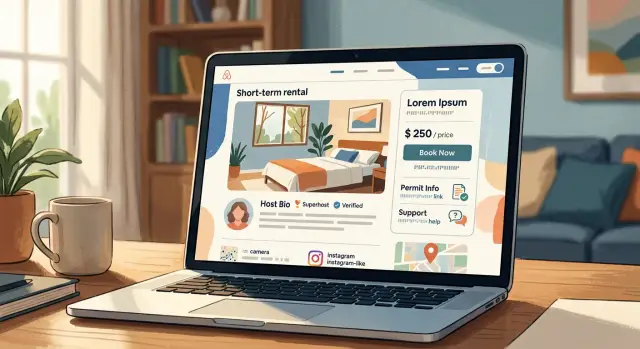
Why host profiles reveal more than expected
Short-term rental host privacy usually breaks down through small details, not one big mistake. A short bio, a profile photo, a city name, and a few friendly lines can look harmless on their own. Put them together, and they start to point to a real person.
A first name and city can be enough. If a listing says "Anna in Bristol" and the bio mentions a design job, a dog named Rusty, or "hosting our family flat," that gives someone a lot to search. They do not need your full name at first. They only need enough clues to keep matching pages until one of them confirms the answer.
That is why one public page often verifies another. A host profile mentions the neighborhood. A permit record shows the same area and unit type. An old social profile uses the same headshot or the same wording from the bio. None of those pages feels risky alone, but together they remove doubt.
Old pages make this worse. Maybe you changed your bio last year, removed a phone number, or stopped using a support page with your name on it. Search results, cached copies, and copied directory pages often stay up far longer than expected. Someone doing a basic search can still find details you thought were gone.
A simple example shows how fast this happens. A host profile says, "Mark, hosting in Austin for 4 years." A local permit page shows a "Mark" with a rental in the same area. A guest review says the host is a photographer. One more search turns up a business page with the same first name, city, and profile photo. At that point, the listing is no longer separate from the person.
The problem is rarely one dramatic leak. It is the pileup of normal details that makes identity exposure easy.
How a listing gets tied to a real name
Most hosts are not identified through a big breach. It usually happens through a chain of small clues. That is the real issue: each detail looks harmless, but together they point to one person.
A host bio is often the first step. A first name, a job title, a neighborhood mention, and a clear headshot can be enough to start matching profiles across the web. If the same photo appears on a work page or social account, the trail gets much shorter.
A few sources do most of the connecting work. Bios can mention a real name, work, family, or exact area. Review replies sometimes include a full name instead of an initial. Permit or license lookups may tie a rental to an address. Support posts and community comments often use the same username someone uses elsewhere.
Permit records are a bigger leak than many hosts expect. In some cities, a license search can show a full legal name, mailing address, or business name. If someone already has the listing area and a few details from the profile, that public record can confirm the match in a minute.
Support pages create a quieter trail. A host might contact help, post in a community forum, or complain about a payout issue using the same screen name used on other sites. That name can lead to older posts, personal profiles, or contact details that were never meant to sit next to the rental listing.
One common pattern is simple. A guest sees a host photo, reads a reply signed "Melissa R.," finds a city permit entry with the same initial at that address, then lands on a social profile linked from an old post. No hacking. Just loose pieces that fit together.
If your real details are already spread across public records and broker sites, cleaning up those extra sources matters too. Otherwise the listing becomes the starting point for a much wider search.
A 20-minute privacy audit
Most hosts skip this because it feels boring. It is still one of the fastest ways to spot a privacy leak before someone else does.
Do the audit like a stranger would. Do not start inside your account. Start with a search engine and type your host name, your listing title, and your city in the same search. Then try smaller variations. A nickname, an abbreviated street name, or a photo caption can be enough to connect the dots.
Open every public page that appears, even the ones that look harmless. That includes your listing, your profile bio, permit pages, guest help pages, cached image results, and old social profiles you forgot about.
As you check each page, note anything that points to a real person:
- full names or initials that match other profiles
- phone numbers, even partial ones
- street addresses or permit numbers tied to an address
- email addresses in image text, PDFs, or support pages
- business names that match a personal LLC or public record
A notes app is enough. The point is to see how many small clues repeat across pages.
Do not stop at the page itself. Download any PDF you can access and check the file name. Hosts often upload files called something like "Jane-Smith-STR-license.pdf" without thinking about it. Do the same with images. A file name like "michael_downtown_loft_front.jpg" can give away more than the photo does.
If you find details that confirm your identity, cut them back hard. Remove your surname from the bio. Replace direct phone numbers with platform messaging. Rename files before uploading. If a permit page has to stay public, make sure your listing does not repeat the same unusual wording that makes the match easy.
This whole check usually takes less than 20 minutes. If your name, address, or phone number already shows up well beyond rental pages, that often means the information has spread to people-search sites too. In that case, cleaning up the listing is step one, not the whole fix.
Bio details that give away too much
The bio matters as much as the photos. A short paragraph can reveal more than people think, especially when each detail matches something already public.
The problem is rarely one sentence by itself. It is the pileup: your job, your school, your neighborhood, your weekend hobby, and one family detail. Put together, that can be enough for someone to match a listing to a real person in a few searches.
A bio like "teacher, marathon runner, proud dad, born and raised in Queen Anne" feels friendly. It also narrows the field fast. If your hobby is unusual, or your neighborhood is small, a stranger may find your social profiles, race results, alumni pages, or local news mentions within minutes.
You do not need to sound secretive. You just need to stay broad. Skip your employer, job title, and school name. Avoid rare hobbies that show up on public profiles. Do not name your exact neighborhood or building area. Keep family details general. A good question to ask is simple: could a stranger search this?
Small wording changes help. "I work in healthcare" is safer than naming your clinic. "I love the outdoors" is safer than listing the niche sport club you post about elsewhere. "Local host" is better than saying you live two blocks from a specific park.
Family details need the same care. "Parent of two" is usually enough. You do not need ages, names, or facts that match school fundraisers, sports rosters, or public event photos.
A good test is to read your bio as if you were trying to identify yourself. If one line gives an easy starting point, rewrite it. If three lines together make the answer obvious, cut two of them. Friendly works best when it stays a little vague.
Permit and licensing pages that expose you
Many hosts worry most about what appears on the booking platform. The permit record is often a bigger leak. A city or county page can show your full legal name, street address, application date, and attached forms. That gives someone enough to connect a rental listing to a real person very quickly.
Start with the local permit lookup, not your listing. Search by property address, permit number, and any business name you have used. Then open every public record you can find. The summary page may look harmless while the attached PDF gives away everything.
PDF files cause trouble all the time. They often include a signature block, personal email, direct phone number, and mailing address from the original application. Some also contain searchable text even when the site itself looks hard to search.
When you review these records, focus on three things: whether the record shows your full legal name instead of a business name, whether attachments include your home address or personal contact details, and whether old applications or renewals are still visible.
Old records are easy to miss. A permit you filed years ago may still be indexed even after a newer version replaced it. Search your name, address, property address, and permit number in different combinations. If you have changed phone numbers or email addresses, search those too.
It is also worth asking the local office what filing options they allow. Some places let hosts use a business entity, an authorized contact, or limited public display for certain fields. Other places publish almost everything. You will not know unless you ask.
A small example shows how this goes wrong. A listing uses only a first name, but the city permit PDF shows the full name and home mailing address. One search later, that same name appears on people-search sites. At that point, the privacy problem is no longer about the listing alone.
If you find exposed details, save copies of the pages, ask the agency about corrections or redaction, and check again a few days later. One old permit attachment can be the page that ties your whole identity together.
Support pages and contact trails people forget
A lot of identity leaks do not start on the listing page. They start in the places hosts use when something breaks: help forums, support tickets, permit questions, and contact forms.
These pages feel harmless because they are about a login issue, a payout delay, or a permit upload. But once your email, surname, phone number, or town shows up there, it gets much easier to connect the host account to a real person.
Start with the pages you visited once and forgot about. Public support threads may show your email in the post body or in a screenshot. Host community forums sometimes display your full name by default. Old replies may include a surname, phone number, or business email. Some contact forms even show your details on the confirmation page after submission.
A small example is enough. A host posts in a forum asking why a license document was rejected. The post includes their first and last name, their city, and a screenshot with a Gmail address in the corner. Someone can match that to a rental listing, then search the same email on broker sites, social profiles, or old business records.
Saved signatures are another quiet leak. Many hosts keep a standard message for guest support or platform disputes. If that message was ever pasted into a public thread, it may include a full signature like "Sarah Bennett" and a phone number used for bookings. That is enough to tie the listing to a real person.
One practical check works well: submit your own contact form and see what appears after you send it. Some systems echo back your name, email, booking reference, or case details on a page that is easier to find than you think.
If your details are already scattered across old support pages, clean up what you can first. Then deal with the wider trail. That often means looking beyond the rental platform itself.
How the full match happens
A realistic chain usually starts with a friendly bio. A host says she volunteers with a local dog rescue and never misses the summer street fair in her neighborhood. That feels harmless. It is not.
A curious guest, neighbor, or stranger can search those two details with the city name and rental area. The results may be thin at first, but they narrow the field quickly. Now there are only a few people who fit the story.
Next comes the city permit page. Many short-term rental permit records show a first name, application date, and property address or block. If the listing area matches the permit record, the first name in the bio and the first name on the permit start to look like the same person.
Then a small mistake seals it. The host replies to a review and signs with a surname, or uses a display name with a last initial that is easy to expand. At that point, the search is no longer guesswork. It is a name attached to a listing.
The last step is often the easiest. A phone number appears on an old support page, in a cached contact note, or in a screenshot posted elsewhere. A people-search site matches that number to a full name, age range, past addresses, and relatives. Now the listing is tied to one real person, not just a host account.
That is how host privacy breaks down in practice. No single detail looks serious on its own. The problem is the pileup.
A bio gives personality. A permit page gives location. A review reply gives a surname. A phone record gives the final match.
Once that trail exists, it can spread. A guest can save it. A search engine can index part of it. A data broker can copy it. The fix usually takes longer than the leak took to happen, which is why small edits before you publish are worth the effort.
Mistakes that keep the trail easy to follow
Most identity exposure happens through repetition, not one dramatic mistake. A host profile looks harmless on its own, but the same details showing up again and again make it easy for anyone to connect the dots.
One common slip is using the same headshot everywhere. If your rental profile photo matches your LinkedIn photo, your company bio, or an old speaking page, a quick image search can tie the listing to your full name in minutes. This is one of the easiest leaks to fix.
The same goes for contact details. Reusing one phone number across your host profile, business page, permit filing, and social accounts creates a clean trail. Search that number once, and a stranger may find your real name, old classifieds, or people-search entries that were never meant to be part of your hosting life.
Permit files cause trouble too. Many hosts upload scans or screenshots without checking what is visible around the permit number. A document can reveal a full legal name, home address, signature, or even a QR code that leads to a public record page.
A few habits make the problem worse: keeping the same profile photo across personal and host accounts, signing messages with your full name and direct number, uploading paperwork without hiding extra details, and leaving old listings live on small booking sites or copied directory pages.
Full signature blocks are especially easy to miss. If every message ends with your first and last name, direct number, and personal email, you are doing the matching work for other people.
Old pages are another quiet problem. A listing you deleted last year may still appear on aggregator sites, cached copies, or local directories. Even if your current profile is careful, those leftovers can confirm the identity behind it.
A simple rule helps: if one detail appears in more than one place, assume it can be used as a bridge. Audit your photo, phone number, documents, and message signatures as a set, not one by one.
A quick check before you publish again
Before you hit publish, take ten minutes and look at your listing like a stranger would. Privacy often comes down to small details, not one big mistake. A short bio, one support page, and an old search result can be enough to connect a listing to a real person.
Use this quick pass before the page goes live:
- check whether your full name appears anywhere on the public profile
- look for an exact home address on FAQ pages, support pages, and contact text
- open photos at full size and scan for mail, name badges, school logos, shipping labels, or car plates
- search your phone number and hosting email on their own
- search the listing title, your host name, and any older versions of the page
One extra test works well. Ask a friend to find your full name using only what is public on the listing. If they can do it in one or two clicks, the trail is still too easy.
If your details are already out there, fix the public pages first, then clean up the copies. That may mean updating old profiles, asking search engines to refresh outdated results, and removing your information from people-search and data broker sites.
What to do if your details are already out there
Move fast, but start with the pages you control. If someone can tie your listing to your real identity, the first fix is to make that trail weaker today, not next week.
Edit your public host bio first. Then check profile photos, captions, reply names, saved signatures, and any About or FAQ text that repeats your full name, town, employer, or social handle. Small details add up fast.
A simple order works well. Remove extra personal details from your bio and listing text. Swap photos that show house numbers, license papers, car plates, or family members. Change public reply names if they expose your full legal name. Ask the platform or site owner to delete old files, cached attachments, and outdated support posts. Keep a note of every page that still shows your details.
After that, search for your name, phone number, email, property name, and permit number in different combinations. You are looking for copies, not just the original page. A support ticket from two years ago or an old permit PDF can keep the trail alive even after your profile is cleaned up.
People-search sites are the next problem. Once your name, address, or phone number gets picked up there, it can spread to many broker sites. Reposts are common, which is why one round of cleanup is rarely enough.
If manual cleanup starts taking too long, a service like Remove.dev can help with the broker-site side. It automatically finds and removes personal information from more than 500 data brokers, keeps watching for relistings, and tracks requests in one dashboard. That can save a lot of repetitive work after you have tightened the listing itself.
The goal is simple: cut the public trail, remove the copies, and keep watching the places that tend to repost your information.