Spot a broker network before you send removal requests
Learn how to spot a broker network by checking shared forms, company names, layouts, and policies so you can group requests in a smarter order.
Why this matters before you send requests
A standalone broker site and a broker network are different problems.
With a single site, one opt-out request usually affects one listing on one brand. With a network, the same company may run several sites that look unrelated but rely on the same records, support team, or back-end system. That changes how you should handle the work.
This matters because one company can publish nearly identical profiles under different names. You might find the same age range, old address, relatives, and even the same typo across several sites. It looks like multiple brokers. Often, it is one owner using several brands.
If you miss that pattern early, you can waste a lot of time. People end up filling out the same form again and again, uploading the same ID, answering the same confirmation email, and tracking each site as if it were unrelated. That gets old fast.
Your request order changes too. When the same owner appears more than once, it makes sense to group those sites together and look for the shared contact point first. Sometimes one brand is the public face while another handles privacy requests. Sometimes a source site feeds data into smaller lookalike brands. If you catch that, you can start where it has the widest effect instead of treating every listing like a separate job.
A simple example: you search your name and find three people-search pages with different logos but the same old phone number and the same misspelling in your street name. That is a good reason to slow down for a few minutes. One careful check now can save a long chain of duplicate data removal requests later.
What a broker network looks like
To spot a network, ignore the logo for a minute. Different brand names, colors, and page layouts can make sites feel separate, but the structure often tells a different story.
A common pattern is a fresh-looking homepage attached to a very familiar search tool. You type in a name, pick a city, and land on a record page with the same order of details, the same filters, and the same prompts to reveal more information. When that happens across several sites, there is a decent chance one company is reusing the same setup under different brands.
The clues are usually small. That is exactly why they matter. Compare the footer, the contact page, the privacy policy, and the opt-out instructions side by side. Look for the same company name, mailing address, support email, or copyright language. Then compare the forms. One site may ask for first name, last name, city, and age. Another may change the font and colors but ask for the same fields in the same order.
The opt-out flow often repeats too. You may see the same identity check, the same confirmation screen, the same email wording, and the same delay before approval. None of that proves a connection on its own. Plenty of websites copy common design patterns. But when the search results, record pages, legal text, and removal steps all line up, the pattern starts to look less accidental.
A good rule is simple: if three sites look different on the surface but behave almost the same once you search, read, and submit, treat them as connected until you have a reason not to.
How to check whether sites are connected
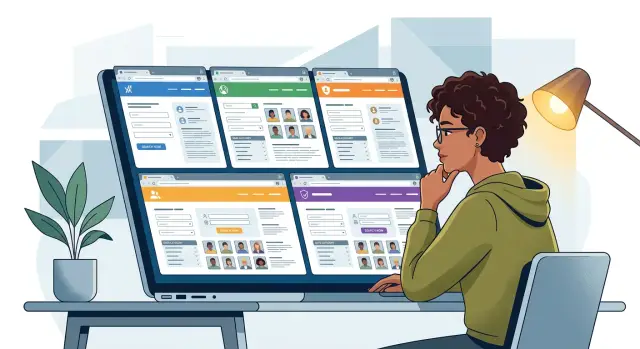
Open three to five similar sites at the same time. A side-by-side view makes patterns obvious much faster than checking them one by one.
Start at the bottom of each page. The footer often gives away more than the homepage. Then read the contact page and privacy policy. You are looking for repeated details such as the same company name, mailing address, support inbox, or privacy contact.
Write down the same details for each site:
- legal company name
- business address
- support or privacy email
- opt-out page name
- date you checked it
A simple note saves time later. Screenshots help even more. If a site changes its wording or removes identifying details after you submit a request, you still have a record of what was there.
Next, compare the opt-out forms themselves. Connected sites often ask for the same information in the same order. You may see the same fields for full name, past addresses, age range, profile URL, or ID upload. Sometimes even the error messages match. That is a strong clue that several brands are run by the same company.
Check the emails too. The first reply after a people search opt-out request can tell you a lot. If different sites send confirmation emails from the same domain, the same help desk tool, or nearly identical templates, they are probably linked.
You do not need fancy tools for this. Ten careful minutes up front can save you from sending the same request five times.
Read the fine print first
The footer and policy pages often tell you more than the homepage. If you want to know who really runs a site, start with the legal details, not the branding.
First, find the business name. The brand name on the homepage may be different from the company listed in the privacy policy, terms, or opt-out form. If several sites mention the same LLC or corporation, that is one of the clearest signs that a single owner is behind multiple brands.
The mailing address matters too. Broker sites often reuse the same office address, PO box, or registered agent address across many domains. One shared address does not prove everything by itself, but when the address matches the same business name and the same support contact, it gets hard to ignore.
You should also compare the contact details used for privacy requests. Many connected sites list the same privacy email, the same support address, or the same person handling legal requests. Even when the homepage branding is different, the company behind the site often leaves the same paper trail in the fine print.
Pay attention to copyright lines and policy wording as well. If the text is nearly identical across several sites, that is another clue. Companies reuse legal templates all the time. When they reuse the same legal text, same company name, and same contact details, you are probably looking at a network.
Compare forms and emails
If you want fast proof, start with the boring stuff. Removal forms and confirmation emails often reveal more than the homepage does.
Look at the form layout first. If two sites ask for your name, city, age range, and profile URL in the same order, that is rarely random. The same goes for matching button text, the same error messages, or the same "we will review your request" note after you hit submit.
Identity checks are another clue. One site may ask for a masked ID, and another may ask for the exact same upload with the same file rules and the same explanation for why it is needed. When different brands want the same proof in the same format, there is a good chance the requests are handled by one team.
Emails are even better. Compare the sender name, reply address, subject line, and stock phrases. A network often reuses the same templates and swaps out only the brand name. You may also notice the same case number format, the same privacy disclaimer, or the same timing for follow-up messages.
A few matches matter most:
- same field order in the form
- same ID request and file rules
- same email wording or sender pattern
- same portal for status updates or document upload
That last one is easy to miss. Sometimes Brand A sends you to a dashboard or upload page that quietly uses Brand B's name, or the parent company's name. That is one of the clearest ownership clues you can find.
How to prioritize requests once you spot a network
Once you spot a network, stop treating every site like a separate job. Many of them feed the same database, use the same support team, or route requests through one parent company. That changes your order of attack.
Start with the parent company or any shared removal portal you can find. If one request covers several sister brands, that can save hours of repeat form filling. Even when it does not remove everything at once, it often gives you a case number or reply pattern you can reuse on related sites.
A simple approach works well:
- start with the parent company or shared portal
- track sister sites together in one note or spreadsheet
- remove the most visible search results first
- recheck related brands after the first confirmation
Grouping matters more than most people think. If three lookalike sites use the same privacy email, mailing address, or form layout, put them in the same cluster in your tracker. Add the date sent, case number, and status for each brand. That makes follow-up much easier.
Search visibility should guide your order too. A smaller brand may hold the same record, but if one sister site ranks on page one for your name, handle that one first. That is the page employers, clients, and random searchers are most likely to see.
After the first removal
When one brand takes your listing down, do not assume the whole network is done. Check the related sites again after a few days. Some update in batches. Others leave older copies live until you ask twice.
This is where people lose time. They get one success email, cross the whole network off the list, and miss two more active profiles under nearly identical brands.
If you are doing this by hand, think in clusters, not single sites. One company can hide behind five brand names. Your requests should reflect that.
A simple three-site example
Say you search your name and find three people-search sites in one afternoon. Each has a different logo, different colors, and a different homepage style. At first glance, they look like separate companies, so the natural move is to treat each opt-out as a one-off.
Then you check the privacy policy on all three. Site A lists a mailing address in Nevada. Site B lists the same address, down to the suite number. Site C does too. That is your first solid clue.
Next, you submit two removal forms. One confirmation email comes from [email protected]. The second comes from [email protected]. The site names are different, but the email domain matches. Now the pattern is hard to dismiss.
That is usually enough to change your plan. Instead of thinking, "I have three unrelated sites," think, "I may be dealing with one owner using several brands."
At that point, save the policy pages, keep screenshots of the matching form language or email domains, and track the three sites together. One request still may not remove you from every brand. Often it will not. But you now know these requests belong in the same cluster, and that helps you work faster and follow up more intelligently.
Mistakes that waste time
The biggest mistake is assuming a new logo means a new company. Many people-search sites look different on the surface, but the forms, privacy text, and contact details point back to the same owner.
Another common mistake is sending one opt-out request and moving on. That feels efficient, but it often leaves the sister sites untouched. A broker may remove your record from one brand while the same record stays live on two others that use the same back-end data.
People also track progress by website name instead of legal entity name. That creates messy notes very quickly. If your spreadsheet says you contacted "PeopleView" but the privacy policy says the operator is "Example Data LLC," the legal name is what matters. That is the detail most likely to appear again across other brands, email notices, and removal forms.
A few habits cause most of the repeat work:
- saving screenshots of the homepage but not the privacy policy
- logging the brand name but not the company in the footer
- marking a request as done after one confirmation email
- checking one site after removal but never checking the rest of the group
Re-listings are another trap. Even if one brand removes your profile, the same network may post it again under a sister site later. If you only check the site where you started, you can miss the fact that your information is still circulating inside the same group.
A better rule is simple: organize by owner first, brand second.
Quick checks before you hit submit
Before you send anything, pause for two minutes and check the paper trail. A fast request feels good, but a documented request is much more useful if you need to follow up later.
Start with the details most people skip. The brand name on the page is often less useful than the legal company name in the footer, privacy policy, or terms. If two sites use the same company name, mailing address, support email, or copyright line, treat that as a strong sign that they are connected.
Before you submit, make sure you have four things written down:
- the legal company name behind the site
- any shared address, phone number, or email you found
- the date you sent the request
- the exact confirmation message, reference number, or screenshot
That last part matters more than it seems. Some brokers send a plain success page with no email follow-up. Others reuse the same confirmation wording across several brands. Matching language can help you connect sites later, especially if you need to prove that a request was already sent.
It also helps to keep a short list of related brands to recheck in a few weeks. If one company runs five lookalike sites, removing yourself from one may not clear the others. A simple note like "same address as Site B" or "same support email as Site C" is enough.
A spreadsheet works fine for this. Add one row per site and one extra column for suspected network ties. Keep it simple so you will actually maintain it.
If you want less manual work
Once you know how to spot a network, the hard part is not sending the first request. The hard part is tracking who owns what, checking which listings disappeared, and watching for re-listings across a whole broker group.
That is where automation can help. Remove.dev handles removals across more than 500 data brokers and keeps monitoring for re-listings, so you do not have to keep checking the same network by hand. If you are dealing with several connected brands, having the requests and status updates in one dashboard is a lot easier than piecing everything together from screenshots and old emails.
Whether you do it yourself or use a service, the rule is the same: do not treat every site as a separate mystery. Look for the owner behind the brand, group related sites together, and save proof before you hit submit. That small habit can save you hours.
FAQ
How can I tell if several people-search sites are run by the same company?
Start with the fine print, not the logo. If several sites show the same company name, mailing address, privacy email, form layout, or confirmation email pattern, they are likely connected. One match can be a coincidence, but several matches usually are not.
What should I compare first when I suspect a broker network?
Check the footer, privacy policy, contact page, and opt-out page first. Those pages often show the legal company name and contact details that the homepage hides.
Do different logos mean the sites are separate companies?
No. A different logo can hide the same owner. What matters more is whether the search tool, record pages, legal text, and opt-out steps look almost the same across sites.
Can one opt-out request remove me from every site in the network?
Sometimes, but do not count on it. Start with the parent company or shared portal if you find one, then recheck the sister sites after the first removal because many networks do not clear every brand at once.
Should I track requests by website name or by legal company name?
Track by legal company first and brand name second. If you only log brand names, it gets messy fast when one owner runs several lookalike sites.
What proof should I save before I submit a removal request?
Save the legal company name, any shared address or email, the date you sent the request, and the exact confirmation message or screenshot. That gives you proof if you need to follow up later.
Are matching forms and confirmation emails enough to show sites are linked?
It is a strong clue, especially when both match. If the same fields appear in the same order and the emails use the same wording or sender domain, there is a good chance one team handles the requests.
What is the best order for sending requests once I spot a network?
Begin with the parent company, shared privacy contact, or shared removal portal. After that, handle the brands that rank highest for your name so the most visible results come down first.
What if one site removes my profile but the other similar sites still show it?
Do not assume the whole group is done. Wait a few days, then check the related brands again because some networks update in batches or leave copies live until you ask twice.
Can a removal service help when one company runs many broker sites?
Yes. Remove.dev handles removals across more than 500 data brokers, tracks requests in one dashboard, and keeps checking for re-listings, which saves a lot of repeat work when one company runs several brands.