Store proof files securely without creating new risks
Learn how to store proof files securely when sending IDs, bills, and screenshots for removals, with simple naming, sharing, and cleanup habits.
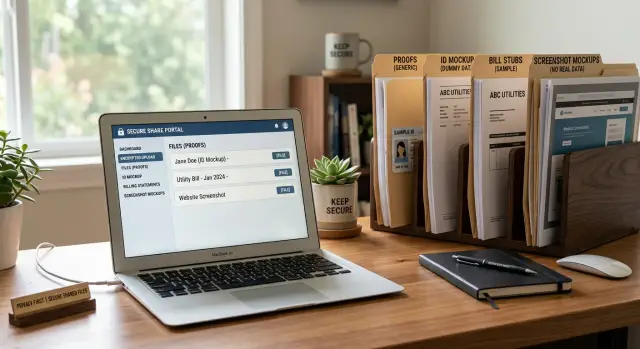
Why proof files become a second privacy problem
Proof files help you finish a removal request, but they can also create a new privacy problem.
These files often include more than you mean to share: a photo ID, a utility bill, a bank statement, or a screenshot with your name, address, account details, or other personal information. The risk starts before anyone even opens the document. A file name like john-smith-passport-home-address.pdf already reveals too much. File names can appear in email subject lines, cloud sync logs, download folders, notifications, and attachment previews.
Then come the leftover copies. A single proof file can spread across your Downloads folder, phone gallery, sent mail, chat attachments, cloud backups, synced folders, and even the trash after you think you deleted it. That's how old proof files linger for months. You send one document for one request, forget about it, and later find the same file in three different places.
The risk doesn't end after sending. The company on the other side may keep a copy for review, store it in an internal system, or pass it to another team. Even if the removal is finished, your proof file may still exist in several places.
A small example makes the problem obvious. If you send a screenshot that includes your full address, account number, and half your browser tabs, you did more than confirm your identity. You also handed over extra details that can sit in inboxes and storage long after the request is closed.
Good handling starts with a simple idea: think beyond the upload form. The file name, the copies on your own devices, and the cleanup after sharing matter just as much as the document itself.
Send only the proof you actually need
The safest proof file is the one you never send.
Before you upload anything, check what the broker is asking for and match your file to that request. If they only need to confirm your name and address, a full passport scan is too much. Use the smallest amount of proof that still gets the job done.
Different files solve different problems. A screenshot can show that a listing exists. A utility bill or bank statement can confirm your address. An ID can prove identity, but it usually reveals far more than you want to share.
A simple rule works well:
- Use a screenshot when you only need to show that a listing exists.
- Use a bill when the request is about confirming your current address.
- Use an ID only when the broker clearly requires identity proof and nothing lighter will work.
Redaction matters too. If a bill only needs to show your name and address, hide account numbers, payment history, barcodes, and anything unrelated. If an ID is required, cover the photo, ID number, or date of birth when the site does not ask for them. Keep visible only what proves your point.
Reusing a prepared file can save time, but only if it still fits the request. A redacted utility bill from last month may still work for another address check. A screenshot from six months ago probably won't. Old files often create delays because the company wants current proof.
Use neutral file names
People often protect the document and forget the name.
That is a mistake. File names can show up in email attachments, cloud previews, notifications, and device history. A bad name can leak your full name, street address, account number, or date of birth before anyone opens the file.
Keep names plain and boring. The best pattern usually includes only the date, the request type, and a short label that helps you recognize the file later. That is enough to stay organized without broadcasting personal details.
A format like 2025-03_address-proof_utility-bill_v1.pdf works well. You can swap in labels such as identity-proof, listing-screenshot, or redacted-copy, then add v2 when you make another version.
The difference is easy to see:
- Bad:
maria-garcia-driver-license-44127863.jpg - Bad:
18-maple-lane-gas-bill-april.pdf - Better:
2025-03_identity-proof_redacted_v1.jpg - Better:
2025-03_address-proof_utility-bill_v2.pdf
A consistent naming pattern also makes cleanup easier. You can sort by month, find all address proofs at once, and delete finished requests in batches instead of digging through random files.
Keep everything in one controlled folder
Scattered proof files are where small mistakes start. An ID photo in Downloads, a bill screenshot in chat attachments, and a cropped image on your desktop are all easy to forget.
Give proof files one home and keep them there. Use a single folder for active removal requests on a device you control and lock. If your device supports full-disk encryption, turn it on. If encryption is already enabled by default, make sure your screen lock is strong enough that it actually protects the device.
The folder structure doesn't need to be fancy. One main folder for active proof files and one for finished requests is enough for most people. Inside, you can sort by company name or request date. Save only the files you actually sent. Skip extra exports, experiments, and near-duplicates.
Set the delete plan at the start, not weeks later when you've forgotten the file exists. If a broker usually confirms removal in a week or two, add a little buffer and set a review date. For example, if you send proof on April 3, you might set a reminder to review and delete it on April 24.
That habit matters more than people think. Without it, old IDs, bills, and screenshots pile up quietly in backups and synced folders.
A good rule is simple: active files stay in one controlled place until the request is done, then they move to a finished folder or get deleted. No desktop copies. No duplicate exports. No forgotten attachments.
Make a shareable copy, not the original
Never send the original file first.
Make a copy, edit that copy, and keep the untouched original in a private folder in case a site asks for a clearer image later. The original often contains details the request never needed.
For a utility bill, that may mean leaving your name, address, company name, and billing date visible while hiding the account number, payment history, usage details, barcode, QR code, and any extra pages. For an ID, it may mean covering the photo, ID number, or date of birth if the request only needs name or address.
Screenshots need extra care. They often catch more than the document itself. A browser tab, an email preview, a bookmark bar, a calendar alert, or the edge of another app can leak unrelated information.
Before you save or upload a file, check a few basics:
- Crop tightly so only the needed proof appears.
- Remove extra PDF pages.
- Hide account numbers, barcodes, and QR codes.
- Open the final file once to confirm exactly what another person will see.
Photos from your phone need one more check. They can include metadata such as location, time, and device details. Some apps strip part of that information, but not all of them do. If possible, remove location data first or turn the photo into a clean screenshot or PDF copy.
A quick example: if you photograph a bank statement on your kitchen table, the image may include the full page, a second paper underneath, and your phone's location data. A cropped, redacted copy is much safer.
Use one sharing channel and keep a short record
The risky part is often the handoff.
A careful, redacted file can still leak if you send it through too many places, drop it into an open folder, or forget where it went. Start with the channel the company already provides. If there is an account portal or official upload form, use that and stop there. Email is convenient, but it creates copies in sent folders, inboxes, and backups.
Sending the same ID or bill through several channels makes the problem worse. One file in a portal, another in email, and a third in chat creates three different storage trails to clean up later. Pick one path for each request.
Cloud folders need the same caution. A shared folder that old devices, family members, or coworkers can still open is not really controlled. Keep access narrow, turn off public sharing, and delete share links when the request is done. If the service offers link expiry, use it.
It also helps to keep a tiny log. You don't need a full spreadsheet unless you want one. A short note is enough:
- what file you sent
- who received it
- how you sent it
- the date
- when you plan to delete the shared copy
That record helps when a broker says they never received your proof, or when you want to clean up later. Without it, people often resend the same document and create even more copies.
A workflow that works every time
The safest routine is boring on purpose. Collect only what the site asked for, make a safer copy, send it once, then clear it out when you no longer need it.
- Start with the smallest proof that will work. If a broker accepts a utility bill, don't send an ID too. If they only need a screenshot of a listing, don't attach extra documents "just in case."
- Make a copy for sharing and redact that copy before you upload anything. Cover account numbers, full document IDs, QR codes, and anything else the request doesn't need.
- Rename the redacted file with a neutral pattern such as
2026-03-address-proof-redacted.pdf. Skip your full name, home address, date of birth, and words likepassportordrivers-license. - Send the file once through the broker's stated method, then record what you did right away. Save the company name, date sent, what you shared, and any case number or confirmation.
- Move the file into a finished folder and set a delete reminder. If the request closes and no more proof is needed, delete the shared copy first.
A simple folder flow like "to send," "sent," and "finished" is enough for most people. The real problem is not a lack of clever tools. It's leaving proof files on your desktop for months, where they get backed up, synced, and forgotten.
Mistakes that leak more than expected
Most privacy leaks are boring. They come from leftovers, not hacks.
One common mistake is sending a full bill when one page would do. A phone or utility bill often includes account history, payment details, family names, or an old address on later pages. If the request only needs your name and current address, those extra pages add risk and do nothing useful.
Screenshots create the same problem in a messier way. People capture the whole browser window with other tabs visible, bookmarks showing, or email previews sitting in the corner. Even a thin strip at the top can reveal a bank name, work account, or school portal.
Copies spread faster than expected too. You download a PDF, make a redacted version, save it again, then attach it from Downloads. Now you may have the original, the edited copy, and the final version sitting in Downloads, Recent Files, the trash, and a sync folder. Automatic backups can multiply those copies again.
Another mistake is keeping proof files forever "just in case." That turns a one-time privacy task into a long-term storage problem. IDs, bills, and screenshots do not get safer with time.
A safer habit looks like this:
- Keep only the page or crop that proves what you need.
- Check every screenshot for tabs, notifications, and screen edges.
- Clear Downloads, trash, and sync folders after sending.
- Set a review date so old proof files don't pile up.
A realistic example
Say your home address appears on a data broker page. The listing shows your full name, current street address, and a map pin. To remove it, you usually need two things: a screenshot of the listing and one document that proves you live at that address.
For the screenshot, keep only what helps the request. Capture the page header, your name, the address, and the site name. Crop out open tabs, bookmarks, saved accounts, and anything unrelated. The screenshot should prove "this listing exists" and nothing more.
For the address proof, a recent utility bill often works. Make a copy before you send it anywhere. On that copy, leave your full name, address, company name, and billing date visible. Cover the account number, payment history, usage details, barcode, QR code, and any extra contact numbers. If the bill has several pages, send only the page with your name and address.
A clean request is often just one screenshot of the public listing and one redacted bill page. If the broker asks for photo ID instead, the same rule applies. Show only the parts that prove identity or address, and hide whatever the request does not need.
After sending the request, keep the files in one controlled folder so you can find them again if the broker replies. Don't leave copies in desktop folders, chat apps, or email attachments. Once the removal is confirmed and no follow-up is needed, delete the screenshot and the redacted bill copy. Keep the original bill in your normal records, not in your proof folder.
Quick checks before and after sending
If a removal request takes five minutes to send, spend one more minute checking the file. That extra minute can save a much bigger cleanup later.
Before you send anything:
- Confirm the company asked for this exact proof, not a fuller document than necessary.
- Check the file name. Use something plain like
broker-request-april-2026.pdf, not your full name or account number. - Open the file and make sure redactions are actually burned in, not just drawn on top.
- Remove extra pages, metadata, and anything unrelated to the request.
- Use the safest method offered and avoid random chat apps or loose email threads.
After you send it:
- Delete temporary exports, screenshots, and leftover downloads.
- Move the final sent copy into one locked folder so it isn't scattered across devices.
- Save a note with the date, recipient, and file used.
- Set a reminder to follow up instead of resending the same document a week later.
A simple request log helps more than most people expect. It can live in a notes app, spreadsheet, or password manager entry with four fields: company name, date sent, proof used, and result.
If you use Remove.dev, its dashboard can help you track requests in one place instead of juggling screenshots, confirmations, and renamed files across different apps. Since Remove.dev handles removals across more than 500 data brokers and keeps monitoring for relistings, it also gives you less reason to keep old proof files around after a request is settled.
If you do only one thing, make it this: keep one locked folder, one naming rule, and one request log. Simple beats clever every time.
FAQ
What proof file should I send for a removal request?
Send the smallest proof that matches the request. If a broker only needs to see the listing, a cropped screenshot is usually enough. If they need address proof, a recent bill often works better than a full ID.
Should I send my full ID or use a bill instead?
Only send an ID when the broker clearly asks for it and a lighter document will not work. A bill or a screenshot often reveals less and still gets the request done.
How should I name proof files safely?
Use plain names that help you find the file later without exposing personal details. Something like 2026-03_address-proof_redacted_v1.pdf is safer than a file name with your full name, street address, or document number.
Where should I store proof files while a request is open?
Keep active proof files in one locked folder on a device you control. That makes it easier to avoid stray copies in Downloads, your desktop, chat apps, and synced folders.
Why should I send a copy instead of the original file?
Because the original usually contains more than the request needs. Make a shareable copy, redact that copy, and keep the untouched original private in case you need a clearer version later.
Are screenshots really a privacy risk too?
Yes. A screenshot can reveal browser tabs, bookmarks, notifications, email previews, or the edges of other apps. Crop tightly and check the final image before you upload it.
What is the safest way to share proof files?
Start with the broker's official upload form or account portal if they have one. Try not to send the same file through email, chat, and shared folders, because every extra channel creates more copies to clean up.
What should I delete after I send a proof file?
Delete temporary exports, leftover downloads, and any extra copies you made while editing. Then move the final sent copy into your controlled folder and note when you plan to remove it.
How long should I keep proof files?
Keep them only as long as you may need them for follow-up. A simple rule is to review them after the request is confirmed and delete the shared copy once the case is done.
Can Remove.dev help me avoid keeping proof files all over the place?
It can. Remove.dev tracks requests in one dashboard, handles removals across more than 500 data brokers, and keeps watching for re-listings, so you have less reason to juggle proof files across different apps or keep old copies around.