Telehealth data removal for patients using care at home
Telehealth data removal helps patients using care at home reduce location exposure in provider directories, review sites, and account settings.
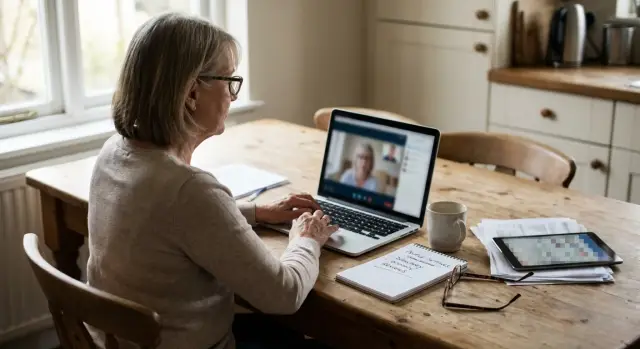
Why telehealth from home can expose your location
A video visit feels private because it happens on your phone or laptop, inside your home. But home-based care can leave more location clues than an office visit.
The risk is not only in the telehealth app itself. Public reviews, provider directories, pharmacy accounts, billing tools, old signup forms, people-search sites, and marketing databases can all carry bits of the same story. One page shows your city. Another shows your full name. A third still has an old address. Put together, they can point to where you live, when you're usually home, and what type of care you receive.
For many patients, that matters a lot. If you're getting mental health care, fertility treatment, gender-affirming care, treatment for a chronic condition, or anything else you'd rather keep private, a rough location can be enough for someone to connect the dots.
Sometimes the clues are small:
- a review that says "my visit from home in Boise"
- an old account that still shows your city
- a provider page tied to a small local practice
- a stale profile with your full name and neighborhood
Each detail looks harmless on its own. Together, they can build a pretty clear picture.
A common example is weekly counseling by video. A patient never shares their address in the app, but they leave a public review, keep location sharing on in an old account, and show up in a people-search listing under the same name. Suddenly, a stranger can connect the review, the city, and the home address with very little effort.
That is why telehealth data removal matters. The goal is not just to hide one address field. It is to break the chain of clues that turns a private medical routine into a public trail.
Where your location usually shows up
Most people assume the risky part of telehealth is the video call. In practice, the bigger leak is often the profile data around it.
Provider directories are a common source. A doctor or clinic page may list the office city, service area, booking widget, or branch location. If the practice is small or highly specialized, those details can narrow things down fast.
Review sites can be even more revealing because people add personal context without thinking much about it. A line like "great follow-up visit from my apartment in Queens" gives away a neighborhood right away. Even if you never post your full address, the site may still tie your comment to a city or office page.
Your own accounts also matter. Patient portals, telehealth apps, pharmacy profiles, and billing pages often store a home address, delivery details, saved pharmacies, map tools, or emergency contacts. Some of that data appears in confirmation emails, receipts, or public-facing profile previews.
Old records create a separate problem. You move, update your address in one place, and assume the job is done. But a billing partner, reminder service, or pharmacy account may still keep the old city or ZIP code. One stale record can keep pointing to the same place long after you left.
If you want better provider directory privacy and review site privacy, start with the boring fields. City names, service areas, saved addresses, and old partner accounts usually leak more than people expect.
What to check in provider directories
Provider directories are often one of the first places worth checking. They look harmless, but a public profile can reveal more than patients realize.
Start by looking at the page as a stranger would. Open it in a private browser window, sign out, and search for the provider or clinic name. Some sites show more information to the public than they show inside an account.
Then scan for small location clues. A single detail may not mean much, but a few of them together can narrow you to a home area quickly:
- city or neighborhood names in profile text
- map pins, driving directions, or nearby office prompts
- service areas such as counties, suburbs, or metro regions
- time zone hints, branch hours, or local phone numbers
Also check whether your name appears anywhere near the listing. That can happen in patient reviews, testimonials, public questions, or rating summaries. If your name sits next to a local doctor or clinic, someone can tie you to the region where you get care from home.
Duplicate listings are another headache. A large health directory may feed smaller sites, insurance search pages, or local business listings. So even after the main profile is fixed, the old city or map pin can keep showing up elsewhere.
A short sweep helps. Search the provider name with your city or ZIP code, compare smaller listings with the main directory page, and save screenshots before asking for edits or removal. It is tedious, but it works.
How review sites give away more than people mean to share
Review sites deserve their own check. A short comment about a telehealth visit can reveal your town, your schedule, the clinic you used, and enough context for someone to match the review back to you.
That is why telehealth data removal should include review pages, not just data brokers. Reviews feel casual when you post them, but they can stay public for years and appear in search results long after the visit is over.
Start with a plain search. Look up your full name, old usernames, your doctor or clinic name, and words like "telehealth," "video visit," or "online appointment." If you reuse the same username across different sites, that alone can tie a review back to you.
A review does not need to include your address to expose your location. Small details do the job. "Had my video follow-up from home in Cedar Grove after work" reveals both a town and a rough time. Even something like "Sunday night appointment before my pharmacy run" says more than most patients intend.
Old usernames are another weak spot. Many people made them years ago and forgot they include a birth year, first initial, or neighborhood name. On a review page, that can turn an almost anonymous comment into an easy match.
Copied reviews make the problem worse. Some sites pull comments from other platforms or republish them on profile pages you never knew existed. You may edit or delete the original review and still find the same text on another page.
If you find a review that says too much, cut it down hard or remove it. Leave out your town, your routine, and any detail that pins the visit to a specific evening, building, or area.
Account settings worth checking first
Most telehealth accounts keep more location data than patients expect. A video visit may happen at home, but your profile can still store a street address, saved pharmacy, delivery notes, and app permissions that share where you are.
Start with the sections that usually hold the most detail:
- profile settings
- billing and insurance details
- notification preferences
- app and browser permissions
- saved contacts, pharmacy, and delivery fields
In your profile, check every address field one by one. If a home address is optional, remove it. If the provider needs one for billing, prescriptions, or identity checks, keep only what is required and delete old addresses you no longer use.
Billing pages deserve a second look. Many patients enter a mailing address once and forget about it for years. If the same account also stores insurance paperwork, card details, and appointment history, that address becomes another place your location can leak.
Notification settings are easy to miss. Texts, emails, and push alerts can show clinic names, office details, or pharmacy information on a shared phone screen. Turn off extra alerts you do not need, and check whether reminders include location details.
Then review device permissions. Camera and microphone access often make sense for a video visit. Location sharing usually does not.
One more area catches people off guard: saved pharmacies, emergency contacts, and delivery notes. A preferred pharmacy can point to your neighborhood. An emergency contact may include your city or full address. Delivery instructions for test kits or refills can do the same.
If you are cleaning up telehealth-related data, this account check is a smart place to start. It usually takes only a few minutes and cuts down the amount of location information sitting in plain view.
How to remove or hide the information
Start with one rule: do not change anything until you know where your details appear. Make a list of every place tied to your care, including patient portals, pharmacy apps, provider directories, insurance accounts, and review sites. If you have used more than one clinic, include those too. The small, forgotten accounts are often the messiest.
Before you edit a profile or delete a review, take screenshots of anything visible. Capture your name, city, review text, profile photo, and any setting that shows location. That gives you a record if the page updates slowly or if the same detail reappears later.
Then work through the cleanup in a simple order:
- Check account settings first. Look for profile visibility, public name, location fields, contact details, and search settings. Some sites let you hide your city, remove a photo, switch to initials, or turn off public discovery in a few minutes.
- Fix public listings next. If a provider directory shows the wrong city, an old address, or a profile you did not expect, use the site's edit, claim, or removal option. Ask for a correction if the listing is needed and removal if it is not.
- Review your reviews. Edit or delete comments that mention your area, schedule, family details, or anything else that narrows down where you live.
- Save every request. Keep the date, page name, case number, and any confirmation email.
- Check again later. Revisit the same pages in a few weeks and then every few months. Some sites republish data after syncing with other sources.
If a site refuses to remove something, send a written correction or deletion request through support and keep a copy. Be direct. State what is public, why it is wrong or too revealing, and what you want changed.
This kind of cleanup is basic maintenance, not a one-time fix. The pages that copy or recycle old data are usually the ones that come back.
A simple example
Take Maya, who does most of her follow-up care by video from her apartment. She likes telehealth because it saves travel time and fits around work. What she missed was how a few public details started pointing back to where she lived.
Her doctor was part of a local clinic group. One provider page showed the service city next to the practice name. That alone was not much. But Maya had also left a public review on another site.
The review named the clinic group and said the visit was convenient because it was close to her neighborhood. She never posted her street or building. Still, the mix of the clinic name, the city, and the neighborhood clue gave strangers a pretty good guess.
That is how these leaks usually work. No single page says too much. A few pages together do.
Maya fixed it with a handful of small changes. She edited the review, changed account settings that showed location history and nearby provider suggestions, asked the review site to remove old profile details tied to her public name, and requested limits on any directory information she could control.
None of this took technical skill. It mostly took knowing where to look.
After that, her public footprint got much smaller. The clinic could still treat her, her telehealth account still worked, and people searching her name had far less to connect.
Mistakes that keep your details public
A lot of location leaks happen after the appointment, not during it. You end the call, assume the risk is gone, and move on. But your name, city, review history, and old profile details can stay public for months.
One mistake is deleting the app before cleaning the account. If you remove a telehealth app from your phone but leave the profile active, the account can still show your full name, town, or other clues.
Another is posting a review under your full legal name. Some review pages look casual, but they can connect your name to a provider, a specialty, and your rough location.
People also stop after one removal request. That rarely solves the whole problem. A directory entry or review can get copied to other sites, and one version may stay up even after the original comes down.
Old one-time accounts are easy to forget too. Urgent care visits, late-night prescription requests, and specialist bookings often create extra profiles with default settings still turned on.
The fix is plain but effective: check old logins, edit profile details before deleting anything, remove reviews that identify you, and revisit the same sites after a week or two.
A quick privacy check before your next appointment
Do a short sweep before your next video visit. Small checks done often are usually better than a giant cleanup once a year.
Start with a basic search using your full name, your doctor or clinic, and your city. If your phone number or street name has appeared online before, search those too.
Then open any result pages while logged out or in a private browser window. A profile can look harmless when you are signed in and show much more to the public.
After that, check every health app you use on your phone and computer. Look at profile fields, saved addresses, emergency contact details, pharmacy settings, and anything tied to location sharing. If an app does not need your exact address, remove it or trim it down.
One thing many people miss is copied reviews. Search a unique sentence from your own review in quotes. If the same text appears on a smaller site with your full name, neighborhood, or visit details, add it to your cleanup list.
A short routine covers most of the obvious risks:
- search your name with provider and city details
- check public pages while logged out
- review address and location fields in each app
- look for copied review text on other sites
- repeat the check after a new signup, visit, or insurance update
What to do next
Do not treat this as a one-time project. Profiles, old settings, and copied pages can come back after a site refresh, an account sync, or a data sale.
Keep a short private list in a notes app or on paper. For each site, write down what was exposed, what you changed, and when to check again. That could be a directory entry with your neighborhood, a review profile with your city, or an account setting that shares more than you want.
Rechecks matter. If a listing disappears, look again in a few weeks and then later on. A simple calendar reminder is often enough.
If you only have a few sites to deal with, you can usually handle provider directory privacy, review site privacy, and account location settings yourself. If your address, phone number, and other personal details also appear on people-search sites and data brokers, a broader removal service can save a lot of time. Remove.dev, for example, removes exposed personal information from more than 500 data brokers and keeps monitoring for relistings, which helps when the same details keep popping back up outside your health accounts.
The main thing is to start. Trim the obvious clues, track what you changed, and set a recheck date. That alone makes patient data exposure much easier to control.
FAQ
Why can telehealth from home reveal where I live?
Because the leak often happens around the visit, not in the video call itself. A review, provider page, pharmacy profile, old address, or people-search listing can all point to the same place when someone puts them together.
What should I check first if I want to find location leaks?
Start with anything public. Search your name with your clinic, doctor, city, old city, ZIP code, and terms like "telehealth" or "video visit." Then open the results while logged out to see what other people can actually view.
What details on provider directories are most revealing?
Look for city names, neighborhood names, map pins, branch details, local phone numbers, service areas, and public reviews near the profile. Even one small local clue can narrow down where you get care.
Can a review really give away my location?
Yes. A short comment can still expose your town, schedule, clinic, or neighborhood. If you used your real name or an old username people know, it becomes much easier to connect the review back to you.
Which account settings matter most?
Check your profile, billing details, saved addresses, pharmacy settings, emergency contacts, and app permissions. If location access is not needed for the service, turn it off. If a home address is optional, remove it.
Is deleting the telehealth app enough?
Not always. Deleting the app from your phone does not remove the account or any public profile tied to it. Edit or delete the account details first, then remove the app if you no longer need it.
Should I save screenshots before asking for changes?
Take screenshots before you change anything. They give you proof of what was public and help if the site updates slowly or the same detail shows up again later. That record also makes follow-up requests easier.
How do I know if my review was copied to other sites?
Search for a unique sentence from the review in quotes. Some sites copy comments onto other pages, so deleting the original may not remove every version. If you find duplicates, request removal on each site.
What is the best order for cleaning this up?
Begin with the accounts and reviews you can control right away. Then contact provider directories or support pages to correct or remove public details. If a site keeps bringing old data back, keep a dated record of every request and check again after a few weeks.
When should I use a data removal service instead of doing it myself?
If your issue is a few health accounts or reviews, you can often handle it yourself. If your address, phone number, and other details also appear on people-search sites and data brokers, a service like Remove.dev can save time by removing data from over 500 brokers and watching for relistings. Most removals are done in 7 to 14 days.