Threat report removal plan: turn reports into cleanup
A threat report removal plan turns police reports, HR notes, and support tickets into a clear cleanup order so exposed data gets removed fast.
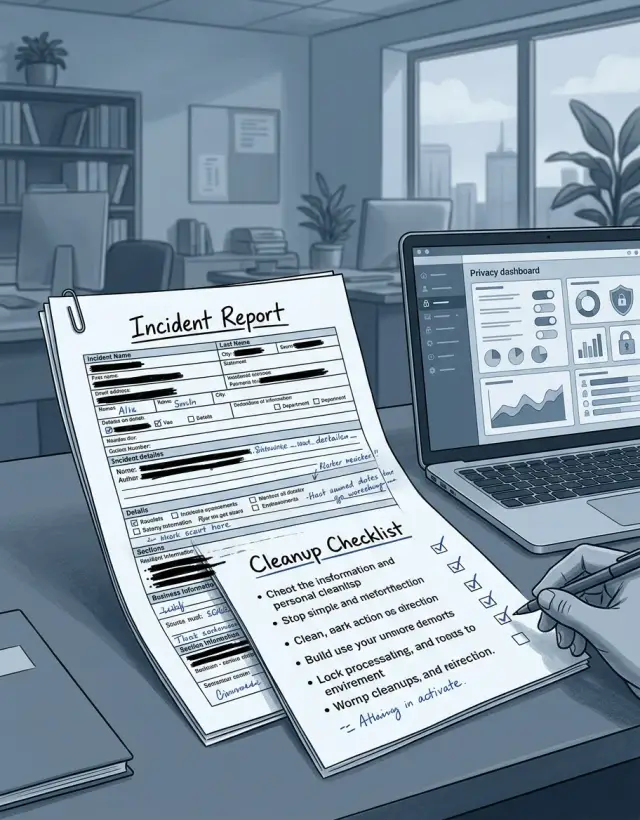
Why a report is not the fix
A report tells you what happened. It gives you a date, a summary, maybe a name, a screenshot, or a case number. That matters, but it is still only a record of the incident.
What it usually does not give you is a removal plan. A police report may confirm stalking or harassment. An HR report may describe internal misuse. A support ticket may show that someone sent private details to the wrong place. None of those reports tells you which exposed items should come down first, which accounts need to be locked, or who owns each task.
This is where people lose time. They file the report, feel that the case is moving, and assume the risk is dropping. Often, the risky part stays live. A home address can still sit on data broker pages. A phone number can still appear in old listings. A support thread with personal details can still be visible to staff or stored in tools that were never cleaned up.
A real threat report removal plan starts with a different question: what information is still exposed right now? That answer rarely sits in one document. You usually have to pull facts from the report and match them to the places where the data still appears.
Ownership is another problem. One team handles the report. Another owns the help desk. Legal sends formal requests. Security locks accounts. A privacy team, or a service like Remove.dev, handles broker removals. If nobody ties those tasks together, each group fixes one piece and the exposure drags on.
Think of a simple case. Someone files a police report after repeated harassment. The report lists the person's phone number and old address as part of the case. That does not remove those details from people-search sites, old account pages, or public records indexes. Until those are checked and acted on, the report is proof of harm, not the fix.
That is the gap many people miss. The paperwork explains the event. The cleanup work lowers the chance it happens again.
Pull out the facts that change the risk
Most reports mix two things together: what happened, and what was exposed. For cleanup, the second part matters first. If you skip this step, you can spend hours chasing the wrong records while the real exposure stays live.
Read the report like an inventory, not a story. Pull out every piece of personal data named in it. That includes full names, phone numbers, email addresses, home addresses, usernames, case numbers, photos, employer details, and anything else someone could use to identify, contact, or locate the person.
Small details matter more than they seem. A photo with a street sign, a work title tied to a city, or a support ticket number shown in a screenshot can give a stranger enough to keep digging.
For each exposed item, write down four things:
- what the data is
- where it appeared
- who could see it
- what harm it could cause
That last point needs plain judgment. A personal email in an internal HR note is not the same as a home address on a public site. A public phone number can lead to harassment. A name plus date of birth can help with fraud. An employer name plus city can make stalking easier.
Split public exposure from internal exposure right away. Public exposure includes search results, data broker pages, social posts, forum posts, leaked files, and any page a stranger can open. Internal exposure includes staff tools, HR systems, ticket threads, shared drives, and internal email. Both matter, but public exposure usually needs faster action because it spreads fast and gets copied.
Be specific. Do not write "personal info exposed." Write "home address appeared in a customer ticket visible to 38 agents" or "mobile number and employer listed on a public people-search page." That level of detail tells you what has to be removed, locked down, or monitored next.
If the report points to broker listings, note every exact record that needs removal. Vague descriptions slow everything down.
How police, HR, and support cases differ
The source of the report changes the facts you need to fix. The cleanup method does not. You still need to identify what was exposed, who can see it, where it can spread next, and what to remove or lock down first.
A police report often contains details that become risky when combined. A full name, home or incident location, vehicle details, and a clear timeline can help someone confirm identity or guess routines. If an address or date appears, check maps, people-search pages, cached copies, and public posts that repeat the same details.
HR cases usually create a different kind of risk. Work email, direct phone number, job title, team name, shift times, and office location can reveal when someone is likely at work, traveling, or easy to reach through internal channels. That usually means cleaning up contact points and routine clues: staff directories, extension numbers, public bios, and any profile that lists more than it should.
Support tickets can look minor until the pieces add up. A username, order number, home city, delivery note, or partial payment detail can be enough for account recovery fraud or a convincing phishing message. In these cases, start with account security. Reset the password, sign out old sessions, check MFA, and review copied data in help desk threads or CRM notes.
Across all three, the pattern stays the same. Pull out each exposed detail, match it to the next place it can cause harm, and fix the account, directory, post, or broker record that keeps it visible.
The plan falls apart when people treat the report itself as the fix. Police, HR, and support cases feel different, but the work is still the same: find the exposed facts, cut off access, remove copies, and watch for re-listings.
Rank the exposure by urgency
A report does not tell you what to fix first. To sort the work, use one simple test: can this put someone at risk today, and can strangers find it fast?
Start with direct safety risks. A home address, personal phone number, personal email, license plate, or names of family members should go to the top of the list. These details make harassment easier, and once they spread, they move fast.
Next comes anything that is easy to search. Public profile pages, cached search results, forum posts, old directory entries, and people-search sites need quick action because they turn one report into a public map of someone's life. A buried file in an internal system matters too, but a public page that shows up in search is usually more urgent.
Accounts tied to the incident also need immediate attention. If the report mentions a work email, support login, cloud drive, phone number used for recovery, or shared mailbox, secure those first. Change passwords, remove old recovery options, turn on two-factor authentication, and sign out active sessions. That can cut off follow-up abuse in minutes.
A simple order works well for most cases. First, deal with home address, personal phone, personal email, and any account access tied to the case. Next, remove searchable pages, people-search listings, public profiles, and indexed copies. After that, clean up lower-risk items such as old aliases, stale mentions, or records that are hard to find and do not expose contact details.
Leave the low-risk items for later so the urgent work does not stall. An old username on a low-traffic page can wait a day. A current mobile number on a people-search site should not.
Also mark anything likely to return after removal. Broker listings often reappear, especially when one site republishes another. That is why follow-up checks matter.
Build the cleanup sequence
A report explains the event. A cleanup sequence explains what happens next, in what order, and who owns each step. That is what lowers the real exposure.
Do not start by editing public pages or deleting posts. Start by saving evidence. Keep screenshots, headers, filenames, ticket numbers, and timestamps. Then secure the accounts tied to the incident: change passwords, enable two-factor authentication, sign out old sessions, and review recovery email addresses and phone numbers.
First 24 hours
Once the accounts are locked down, start pulling public copies offline. Request takedowns for posts, cached profile pages, shared files, and any documents that expose names, phone numbers, home addresses, or work details. Move quickly on anything that can be copied in seconds.
At the same time, freeze the sources that keep the problem alive. If a support ticket, public bio, directory page, or old post is feeding the same details into search and broker sites, fix that source early. Otherwise you end up removing copies while the original source keeps making new ones.
Days 2 to 14
Use the next few days to clean up the places that tend to spread personal data further. People-search sites and data brokers are often the worst offenders because they make old details easy to find again. Manual removals can work, but they take time and repeat work. If broker cleanup is taking over the case, Remove.dev can handle that part by finding and removing personal data from over 500 data brokers and continuing to monitor for re-listings.
Then check the quieter sources that often get missed: company directories, email signatures, public staff bios, team pages, and old event listings. These pages can look harmless, but a job title, city, and direct email are often enough to reconnect the whole trail.
In the second week, do another pass. Search for missed copies, reposts, mirrored files, and fresh broker listings. Check whether takedown requests were actually completed or only acknowledged. If the original report involved an employee or customer case, confirm that new support replies and internal notes are not repeating the same exposed details.
A simple rule helps here: lock accounts first, remove public copies next, then clean the sources that keep republishing the same information. That order usually cuts exposure faster than trying to fix everything at once.
Assign ownership before the case spreads
The fastest way to lose control of a cleanup is to give the same case to five people and assume they will sort it out. Usually they do not. One person needs to own the full list, track every request, and decide what happens next.
That owner does not have to do every task. Their job is to keep one version of the truth. If a police report, HR complaint, or support ticket starts the case, the owner turns that report into a working list and assigns one action to each team.
A simple split is enough. Legal sends formal removal demands when written notice or privacy law matters. HR handles internal records and employee follow-up. IT removes exposed data from systems, logs, shared drives, or public pages. Support closes customer-facing tickets, removes attachments, and checks replies. The case owner tracks status, deadlines, and proof.
Keep the status labels short and use the same ones everywhere. "Open," "requested," "removed," and "recheck" is usually enough. Fancy status systems do not help much when the real problem is missed follow-up.
A simple example
Say an employee files an HR report after repeated unwanted contact. The report helps prove the pattern, but it does not lower the person's exposure by itself. When the team reviews it, they find three details that need action: the employee's work email is in the report, their personal mobile number appears in the message history, and a support ticket connected to the case mentions their home city in plain text.
That is enough for a stranger to keep digging. A search on people-search sites can lead to a home address and relatives. This is where many teams get stuck. They keep adding notes to the file while the same data stays public.
A practical cleanup sequence for that case would be:
- Secure the accounts first. Change passwords, enable two-factor authentication, check for email forwarding rules, and remove the personal number from any public-facing account settings.
- Fix the public and semi-public sources next. Edit the support ticket, remove extra personal details from internal tools that may be exposed, and check staff pages or old posts for the work email.
- Start broker removals after the fast fixes. Focus on listings that show the home address, phone number, city, or relatives.
- Recheck for re-listings a week or two later.
The order matters. If you start with broker removals but leave the support ticket unchanged, the same city and work email can keep feeding new listings.
A good result is easy to see: the phone number is no longer tied to work pages, the city is gone from the ticket, and broker listings for the address are removed or already in progress.
Mistakes that slow the cleanup
The biggest mistake is treating the report like the work is already organized. A police report, HR note, or support ticket tells you what happened. It rarely tells you every place the data spread, who owns each fix, or what needs proof before it disappears.
That is why the real cleanup starts after the report, not with it. If you use the report as a ready-made task list, you usually miss copies, old records, and public pages that were never named in the original case.
Another common mistake is chasing unusual edge cases first. People spend hours on one odd forum post while their home address, phone number, or employer still shows up in search results and broker pages. That is backwards. Public pages that are easy to find usually deserve attention before rare mentions hidden deep in the web.
Proof also gets skipped because everyone wants to move fast. That tends to backfire. Take screenshots before anything changes. Save page titles, dates, and the exact search terms that found the page. Add timestamps to calls, emails, and removal requests too.
Without that record, cleanup turns into guesswork. A site can deny the page existed, a team member can forget what was exposed, or two people can work the same issue twice.
Another trap is stopping at the first copy you find. The original page may go down while cached results, scraped copies, old support tickets, attachment previews, or archived HR threads stay live. If those leftovers stay up, the same details can surface again even after the main source is gone.
And then there is the most common mistake of all: closing the case too early. A "resolved" tag is not proof that exposure dropped. Search again after a few days, then again after a couple of weeks, using the same name, phone number, email, username, and address that exposed the person the first time.
Final checks before closing the case
Closing a case too early is one of the easiest ways to leave someone exposed. A report may be filed and the obvious issue may be fixed, but the person's details can still sit in search results, broker pages, or old internal records.
Before you mark the case closed, do a short final review:
- Search the person's full name, phone number, home address, and common spelling variations.
- Check the people-search pages and broker listings that commonly republish contact details.
- Review the internal case records one more time to make sure notes, screenshots, and attachments do not still expose unnecessary personal data.
- Send the affected person a plain update on what was removed, what is still pending, and what to watch over the next few weeks.
- Set a follow-up date, usually 7 or 14 days out.
A quick example shows why this matters. If a support ticket included a home address in an attachment, and that attachment was later copied into an internal escalation, deleting the original file is only part of the fix. You still need to check the copied note, search the address online, and confirm whether any outside listings were found.
If these checks are clean, you can close the case with more confidence. If even one item fails, the case is not done yet.
Turn it into a repeatable process
A good removal plan should not end when the first round of requests goes out. Once the sequence works, turn it into a template your team can reuse. That saves time on the next case and cuts down on missed steps.
Keep the template simple. Include the exposed details, the places that need cleanup, who owns each task, and how you confirm removal. If the same issue comes up again, you should be able to copy the template, change the facts, and start work in minutes.
It also helps to keep one running list of removal targets. That list can include data brokers, people-search sites, old directory pages, cached copies, support tools, and any other place where the same details tend to spread. Add to it every time you find a new source. After a few cases, that list usually becomes more useful than the original report.
A short tracker is enough:
- what data was exposed
- where it appeared
- who is handling each removal
- when each request was sent
- when the data was checked again
Do not treat this as a one-time cleanup. Personal data often comes back through re-listings, copied profiles, or fresh broker imports. If manual broker requests are taking too long, a service can help. Remove.dev removes personal data from over 500 data brokers worldwide and keeps monitoring for re-listings, which is useful when the same name, address, phone number, or relative data keeps showing up again.
Close the case only after the exposed information stays offline through repeated checks. If it reappears, reopen the sequence and use the same tracker. That is how cleanup becomes a process instead of a scramble.
FAQ
Is filing a police, HR, or support report enough?
No. A report records what happened, but it usually does not remove exposed data or secure the accounts tied to the incident.
You still need to find what is visible right now, lock down access, remove public copies, and check for re-listings after the first fixes.
What should I pull from the report first?
Start with the exposed facts, not the full story. Pull out every item that can identify, contact, or locate the person, such as names, phone numbers, email addresses, home addresses, usernames, photos, job details, and case numbers.
Then note where each item appeared, who could see it, and what harm it could cause. That gives you a cleanup plan instead of a case summary.
Which details should I fix first?
Put direct safety risks at the top. A home address, personal phone number, personal email, family names, and account recovery details usually need the fastest action.
After that, go after anything public and easy to search, like people-search pages, profile pages, cached results, forum posts, and old directory listings.
What should happen in the first 24 hours?
Begin by saving evidence before anything changes. Keep screenshots, timestamps, page titles, ticket numbers, and filenames so you can prove what was exposed.
Then secure the accounts tied to the case. Change passwords, review recovery options, turn on two-factor authentication, and sign out old sessions before you start public takedown work.
Should account security come before takedown requests?
Yes. If you start with page edits or removals first, the person may still be exposed through active accounts, recovery settings, or shared access.
Locking down accounts early can stop follow-up abuse fast. Once access is secure, move to takedowns, broker removals, and cleanup of source pages that keep feeding the same data elsewhere.
How are police, HR, and support cases different?
The source changes the clues you need to check. Police reports often include address, timeline, vehicle, or incident location details. HR cases often expose work email, job title, team name, or office location. Support tickets often contain usernames, order details, home city, or copied notes.
The cleanup method stays the same: identify exposed details, remove public copies, secure accounts, and clean up the source that keeps the data visible.
Who should own the cleanup work?
Give one person full ownership of the case. That person keeps the working list, tracks status, and makes sure no step gets missed.
Other teams can still handle their parts, but one owner should connect legal requests, IT fixes, support cleanup, and follow-up checks into one sequence.
How do I know the case is really closed?
Close it only after repeated checks show the exposed data stays offline. Search the person's name, phone number, email, address, and common variations a few days later and again after a week or two.
Also review internal records one more time. A copied note, attachment preview, or old thread can leave the same details exposed even after the main source is gone.
What mistakes slow this down the most?
A lot of teams waste time on low-risk pages while obvious public exposure stays live. Another common problem is skipping proof, which makes it hard to confirm what was removed and what is still pending.
Cases also get closed too early. One page going down does not mean cached results, scraped copies, broker listings, and internal duplicates are gone too.
When should I use a data removal service like Remove.dev?
It makes sense when broker removals start taking over the case or the same details keep coming back. Manual requests can work, but they take time and often need repeat follow-up.
Remove.dev can find and remove personal data from over 500 data brokers, track requests in one dashboard, and keep checking for re-listings so the same exposure does not quietly return.