Verification link sent to old email? Keep removal moving
A verification link sent to old email can block a data removal request. Learn safe ways to prove identity, avoid extra exposure, and keep the process moving.
What is going wrong
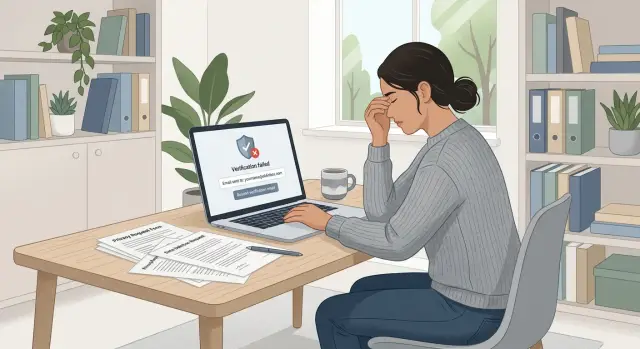
A data removal request often stalls at a boring but stubborn step: verification. The broker wants proof that the request came from the right person, so it sends a confirmation link to the email address already attached to the record. If that address is old, closed, or no longer yours, the request can sit there without moving.
The flow looks simple. You submit the request, the company confirms it received it, and then it waits for you to click a link in your inbox. That only works if you still control the inbox they chose.
This is more common than it sounds. Data brokers often work from details collected years ago. They may have a school email, an old work address, or an account you stopped using a long time ago. To them, that address still looks valid. To you, it is a dead end.
That is why the problem can be easy to miss. You sent the form. You may even have a case number. On the surface, everything looks normal. But the real next step is happening in an inbox you cannot open, so the removal goes nowhere.
A few signs usually point to the issue. The broker tells you to "check your email to continue," but nothing shows up in your current inbox. The message refers to part of an address you no longer use. Or the request stays pending for days without a clear reason.
This is not really an email problem. It is a data removal problem caused by an old verification path. The company is trying to confirm your identity through stale information, and that stale information is now blocking the request.
Why a dead inbox becomes a privacy issue
A dead inbox is more than a minor login problem. It can turn a simple removal request into a privacy tradeoff.
Old email accounts often contain years of sensitive messages: password resets, bills, shipping notices, account alerts, job emails, and copies of identity checks from other sites. If that mailbox is inactive, poorly secured, or tied to old recovery methods, trying to get back into it can expose more than the broker record ever did.
The recovery process is often the real risk. To reopen an old account, you may be asked for a phone number, backup email, date of birth, device history, or answers to old security questions. So you end up handing over fresh personal details just to click one verification link.
That can create a new trail of data: your current email address, your active phone number, extra proof documents, and new links between old and current accounts. Once you share that information, you cannot easily take it back. Even if the company removes one record, you may have just confirmed newer contact details they did not have before.
There is a fair reason companies use verification. A removal request changes or deletes a record, so they want to stop fake requests from strangers. The problem starts when email access becomes the only proof they accept. Old email addresses are often the least safe thing to rely on.
A rushed fix can make this worse. People reply with, "Use my new email instead," then attach an ID or add a phone number to speed things up. That may solve today's blockage, but it can also hand over the exact details they were trying to keep off the market.
That is why dead inbox privacy is a real issue, not a side note. The safer approach is to prove identity with the least new data possible and avoid reopening abandoned accounts unless there is no other choice. That is also why many people use a service like Remove.dev. Manual removals often ask for more personal data than expected, and handling those requests one by one gets tiring fast.
What to check before you answer
If a verification link went to an old email, pause before you reply. Do not reopen an abandoned mailbox unless you are sure it is safe. First, figure out what the company is actually asking you to prove.
Some companies want proof that you still control the email address on file. That is different from asking for identity verification. If their message only says you must click a link in the old inbox, they may be checking mailbox access and nothing else. If they ask for a document, a reply from another address, or a few personal details, they may already allow another route.
Save the exact wording before you do anything. Take a screenshot, copy the text into your notes, or keep the email in a folder you can find later. Small details matter. "Verify this email" calls for a different response than "confirm your identity."
Then look for another option. Some brokers hide it in small print: a phone check, a reply from a current address, or limited proof of identity. If a second method exists, use that instead of trying to recover the old inbox.
It also helps to confirm which address they have on file. Ask them to state it in masked form, such as j***@oldmail.com. That tells you whether the record is tied to the dead inbox, a typo, or some other address you no longer use. You do not want to send personal documents before you even know which record they are matching.
A simple rule works well here: understand the request, keep a record of it, and reply only after you know the least risky path.
How to respond without oversharing
When an old email blocks a removal request, the safest move is usually the slow one. Your goal is to verify your identity without giving the broker fresh details they did not already have.
Start by asking for another verification method. Keep the message direct: "I no longer have access to that email account. Please offer another way to verify my request using the information already in your record." That keeps the request narrow and avoids volunteering more than necessary.
If they agree, share only the minimum needed to match the record. That might be the old email address, part of a phone number already listed, a mailing address already on file, or the request number they assigned to you. If they ask for a full photo ID right away, push back first unless the record clearly calls for it. Many brokers can verify with less.
Keep copies of every message. Save ticket numbers, dates, and any deadline they mention. If the case stalls, your paper trail shows that you replied on time and asked for a safer method.
Then follow up. Most delays come from silence, not refusal. Five to seven business days is a reasonable wait before you send a short reminder.
Safer ways to prove it is you
The best proof is narrow. You want to confirm ownership without handing over extra information that can spread again.
If the company truly needs a contact point, ask whether they can send follow-up messages to your current email. But treat that as a backup, not the first thing you offer. If they can already match you through the details in the record, let them do that.
In many cases, partial proof is enough. A past email address, the last few digits of a phone number, a street name, or a masked birth month and year can be enough to match a listing. That is much safer than sending a full ID scan just because the first method failed.
Screenshots can help, but they also leak more than people realize. Crop tightly. Blur anything unrelated. Check for other inbox messages, account tabs, phone numbers, and full addresses before you send anything. Documents need the same treatment. Show only the part needed to match the record.
Be especially careful with government IDs. People send them too early. Unless the company clearly explains why an ID is required and what part of it they need, ask for another method first.
If you are already using Remove.dev for your removals, it can help to keep those cases in one place and track what each broker asked for. That does not remove the need to verify carefully, but it can cut down on repeated back and forth and make it easier to see when the same issue keeps coming up.
A simple example
Maya signed up for a lot of services in college with a campus email address. Years later, that account was gone. She had moved twice, changed jobs, and used a different email for everything that mattered.
She submitted a data broker removal request after finding her name, old apartment, and phone number in a search result. A day later, the broker replied with an identity check. The link had been sent to her old college inbox, which she could no longer access.
She stopped there instead of trying to recover the account. That dead inbox was tied to old records, old contacts, and accounts she had not touched in years. Reopening it could expose more than the broker needed.
So she replied from the address she had already used for the request. Her note was short. She said she no longer had access to the college email and asked for another way to verify the request. She included only the details needed to match the record: her full name, the record number, the old email on file, and her current address for the response.
She also said she would not be reactivating the old inbox for privacy reasons. Then she asked whether they could verify her another way, such as by matching details already shown in the listing.
Two days later, the broker offered a manual check. They asked for the street name and the last two digits of the phone number shown in the record. She answered, the broker approved the request, and the removal moved forward.
What worked was simple. She did not revive an abandoned account. She did not send extra documents just to be safe. She gave enough to prove the record was hers and nothing more.
Mistakes that make it worse
When a verification link goes to an old email, people often react fast and create a second privacy problem.
One common mistake is opening a brand new email account for one broker without any plan to keep using it. That can work, but only if you keep it separate, use it only for removals, and remember that you may need it again later. If you verify once and then forget about the inbox, you may miss follow-up messages or re-listing notices.
Another mistake is sending a full ID scan right away. Many brokers do not need that much proof for a basic identity check. A full document can reveal your photo, ID number, date of birth, and home address when the broker only needed a smaller match.
Using several email addresses at once also causes trouble. A broker may open duplicate tickets, match the wrong record, or reject the request because the contact details no longer line up. Pick one address and stick with it.
Oversharing is another trap. If the request is about one listing, stay focused on that listing. Sending old addresses, family names, extra phone numbers, and other unused details gives the broker more material to connect across other records.
And do not treat one failed verification attempt as the end of the process. Dead inbox problems are common. Many brokers can offer another path if you ask clearly and keep the request narrow.
Quick checks before you send anything
Before you reply, read the request twice. You want to know exactly what they need, not what you assume they might want. Sometimes they only need you to confirm an old address, a name, or a past mailing address.
A short review catches most mistakes:
- Know what they are asking you to prove.
- Send the smallest proof that fits that request.
- Crop or redact every attachment.
- Save a record of what you sent and when you sent it.
- Set a follow-up date so the case does not go stale.
That second point matters more than people think. If they only need to match you to a listing, a partial document or redacted screenshot may be enough. Full account numbers, unrelated addresses, family details, and extra ID fields should stay hidden unless they are strictly necessary.
Attachments are where this problem often gets worse. A photo of a document can reveal metadata, a full home address, or details just outside the area you meant to share. Even the file name can give away too much.
Keep your own notes. Save the message, note the date, and record what proof you provided. If you are tracking requests in Remove.dev, keeping those details with the case can make later follow-ups much easier.
Keep track of repeat blockers
If one request gets stuck, it is annoying. If five or ten get stuck for the same reason, it is a pattern.
Make a simple log. Write down which brokers keep sending verification links to old email addresses, what they asked for instead, and whether the request moved after you replied. After a few cases, you will usually see the same blockers repeat.
You do not need a complicated system. Broker name, request date, what they demanded, what alternative proof you used, and the result are usually enough.
That saves time on the next round. If one broker accepted a masked ID and another accepted a reply from your current address, you do not have to guess again.
Keep those notes private. Do not build a folder full of extra documents you do not need. Delete temporary files when the case is closed, and keep only the minimum record needed to show what happened.
If the same problem keeps coming up across many brokers, manual work gets old fast. That is where a service like Remove.dev can help. It handles removals across more than 500 data brokers, lets you track requests in real time through one dashboard, and keeps monitoring for re-listings after a record is removed.
One successful removal is good, but it is rarely the end of the story. Brokers copy from each other, old records come back, and stale contact details can reappear months later. The goal is to have a repeatable way to handle verification without opening a new privacy problem.
FAQ
Why is my removal request stuck if I already submitted it?
The request often stops at verification. The broker may have sent the confirmation link to an old email address in its record, so the case sits pending even though you already filled out the form.
Should I try to reopen my old email account?
Usually, no. Recovering an abandoned inbox can expose old messages, weak recovery settings, and extra personal details you did not plan to share. Ask the broker for another verification method first.
What should I say if I can’t access the old email on file?
Keep it short and narrow. Say you no longer have access to that address and ask them to verify your request using details already in their record instead of mailbox access.
Can I just give them my current email instead?
You can ask, but do not volunteer it right away unless they need a current contact point. If they can match you through the data already shown in the listing, that is usually the better first step.
Do I need to send a photo ID?
Not by default. Many brokers can verify with less, such as the old email, a request number, part of a phone number, or a past address. Send a full ID only if they clearly explain why it is needed.
What proof should I offer first?
Start with the smallest proof that matches the record. A masked email, street name, last digits of a phone number, or a redacted document is often enough and shares much less.
How long should I wait before following up?
Give it about five to seven business days after your last reply. If nothing moves, send a short follow-up and keep a copy of the message, date, and any ticket number.
What mistakes make this problem worse?
Fast replies can create a new privacy problem. People often send too much, use several email addresses at once, or attach a full ID before checking whether a smaller proof would work.
Is a separate email for removals a good idea?
It can help if you keep it separate and actually monitor it. The trouble starts when you verify once and forget the inbox, because you may miss later messages or re-listing notices.
When does using Remove.dev make sense?
If the same dead-inbox problem keeps showing up, a service can save time. Remove.dev handles removals across over 500 data brokers, tracks requests in one dashboard, and keeps checking for re-listings after a record is removed.