Volunteer background check data retention: what to ask
Volunteer background check data retention can last longer than your role. Learn what to ask, what can be deleted, and where data resurfaces.
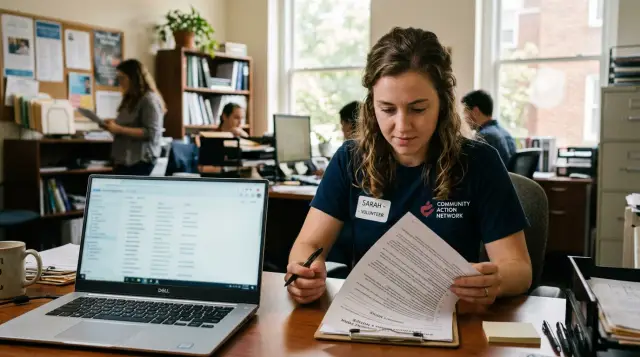
Why your details may outlive your volunteer role
A volunteer role can end quickly. The data collected for the screening often lasts much longer.
That is the real issue with volunteer background checks. A nonprofit may close your file when you stop helping, but the company that ran the check may still keep your name, date of birth, old addresses, phone numbers, consent forms, and report history in its own system.
Many people assume the nonprofit and the screening company share one record. Usually they do not. The nonprofit keeps its copy for volunteer management. The vendor keeps separate records to run the check, answer support questions, handle payment or dispute records, and process reruns.
It may not stop with one vendor either. A single check can pass through a main screening company, an identity verification provider, a court search partner, and a notification service. Each company may keep part of your information. So even if the nonprofit deletes its copy, other records can still sit elsewhere.
Old contact details are often the most annoying part. A form might include a phone number you no longer use, an address from a past apartment, an email you created just for applications, or a misspelled version of your name. Those details can stay in vendor systems long after they stop being useful. Later they may show up in support records, old portal accounts, or other databases that pulled from older files.
That is why the better question is not just, "Does the nonprofit still have my data?" It is, "Who else touched it, and what did they keep?"
What information is usually collected
Most people give more information than they realize. The final report might look simple, but the intake form often holds the bigger pile of personal data.
A screening file commonly includes your full legal name, past names, current and former addresses, phone numbers, email addresses, date of birth, consent forms, timestamps, and logs showing when the report was sent and who received it. Some groups also ask for part or all of a Social Security number, depending on local law and the type of role.
Volunteer roles can still trigger broad checks, especially when the work involves children, older adults, driving, money handling, or access to private spaces. In those cases, vendors often keep enough information to match you to public records, confirm your identity, and document that the check was authorized.
Small details matter here. A nonprofit may keep only a pass or fail result while the vendor keeps the consent form, identity notes, delivery logs, and profile details behind it. That means your old phone number or email can live in more than one place.
Addresses are especially sticky. They help vendors tell you apart from someone with the same name, so old addresses often stay attached to a file for a long time. Past names work the same way. If you moved often, the record may contain a long address history pulled from outside databases.
Delivery logs are easy to miss too. They can show when the report was opened, which staff member received it, and which email address was used. If that email later changes, the old one may still remain in the system.
Before you agree to a screening, ask what fields are collected at intake. Do not settle for "basic information." That phrase hides a lot.
What to ask before you agree
Before you upload an ID or type in your address, take five minutes to find out who is handling your data. That small pause can save a lot of cleanup later.
Many volunteers assume the school, charity, or youth program runs the screening itself. Often an outside company collects the form, stores the files, and keeps the record longer than the organization that requested it.
Five questions worth asking
- Who runs the background check, and what is the company name?
- How long do you keep my application, report, and account details?
- If I upload an ID, passport, or proof of address, when is that file deleted?
- Do you share my contact details with other screening or identity providers?
- How do I ask for deletion later, and where do I send that request?
These questions tell you a lot very quickly. If the organization cannot answer them, ask for the screening company's privacy notice or support contact before you continue.
The first question matters because responsibility gets blurry fast. A volunteer coordinator may see only a pass or fail result while the outside vendor keeps your full record.
Retention matters just as much. Some companies keep certain records because of legal or audit rules. Others simply keep old accounts because storage is cheap and nobody revisits them. That is how stale data hangs around for years.
Uploaded documents deserve extra attention. A report may need to stay for a while, but a copy of your driver's license or utility bill often follows different rules. Ask whether those files are deleted after verification or left in your profile.
Sharing is another weak spot. A screening company may rely on other firms for identity checks, document review, or fraud screening. That can spread an outdated phone number or address across more systems than you expected.
Ask one more thing: how does deletion work in practice? A good answer is specific. You want an email address or request form, a plain explanation of what they can delete, what they must keep, and how long a request usually takes. Vague answers usually mean more work later.
What can often be deleted, and what may stay
A screening company often keeps much more than the final report. If you want records removed, start with the parts that exist mainly to run your account or move your file through the process. Those are usually easier to erase.
If you created a portal account, ask for full account deletion, not just a request to "close" or "disable" it. A disabled account may still keep your name, email, phone number, login history, and saved addresses.
Companies can often delete things like:
- portal accounts and login details
- uploaded files such as ID scans, consent forms, resumes, or certificates
- saved contact details and profile fields that are no longer needed
- marketing records and newsletter sign-ups
- support tickets that contain personal details or attachments
Support records get missed all the time. A short ticket about a typo or a failed upload can leave personal information sitting in a help desk system long after the check is done.
Some records may still stay. The pieces most likely to remain are limited logs or files the company says it needs for legal, billing, fraud, dispute, or audit reasons. That might include a record of when you gave consent, when a report was ordered, or when your deletion request was processed.
The final report itself may also stay for a set period if the vendor has a legal reason or a contract with the nonprofit that requires it. But that does not mean every copied note, attachment, and extra profile field has to stay too.
If a company refuses deletion, ask for a simple breakdown of three things: what it can delete now, what it must keep, and how long the remaining data will stay. You also want the rule or contract term it is relying on. "We keep everything for compliance" is too vague to be useful.
How to ask for deletion step by step
Old screening records rarely disappear on their own. If you want to limit how long they stick around, act while the check is still fresh and before your email address or phone number changes.
Start by saving your basic notes: the vendor name, the nonprofit name, and the date of the check. If you have a consent form, receipt, or case number, keep that too. Those details make it much easier for the vendor to find your file.
Then ask the nonprofit for the vendor's privacy contact. A general support inbox can work, but a privacy or data request address is better.
A plain request usually works best:
- Say you want your background check data deleted.
- Give the details needed to find your record, such as your full name, the email and phone used at the time, and the date or month of the check.
- Name the nonprofit that ordered the screening.
- Ask what data can be deleted now and what must stay.
- Ask for written confirmation when the request is complete.
Keep the message short. You do not need legal language or a long backstory.
If they say some records must remain, ask for specifics. Which fields were removed? Which were kept? Why were they kept? How long will they remain? Those questions matter because stale contact details often survive in old account records, support tickets, billing logs, and exported spreadsheets, not just in the report itself.
Give the vendor a reasonable window to reply, then follow up once if you hear nothing. Save every response. That paper trail helps if the same old details show up again later on people search sites or broker pages.
Where stale contact data often resurfaces
The frustrating part is that outdated details do not stay in one file. A nonprofit may stop using your record, but your phone number, email, or old address can still appear elsewhere months later.
People search sites are often the first place to check. They pull from public records, marketing lists, and broker databases, then connect current and past addresses. That is how an address from a volunteer form years ago can still point to a current phone number.
Data broker pages are another common source. One broker gets your details, then other sites copy or resell them. Even if one listing disappears, the same old information may show up somewhere else with the same spelling error or apartment number.
Old volunteer portals also linger. Some groups switch vendors or stop using a portal, but the login page and profile record remain online. If you ever created an account to upload ID, enter emergency contacts, or manage shifts, that account may still hold personal details.
A less obvious source is your own browser. Autofill can keep old phone numbers, old street addresses, and secondary emails long after you stop volunteering. On a shared computer, someone can easily select the wrong saved entry and send stale information right back into a new form.
Outside vendors may hold data too, especially if they handled recruiting calls, text reminders, or scheduling. When the same outdated number keeps appearing in several places, that repetition usually means one source fed the others.
A simple example
Maya volunteers at a youth mentoring program for one school year. When she signs up, she gives her full name, home address, date of birth, email, and mobile number so the group can run a background check.
A few months after she leaves, she changes phone numbers and asks the nonprofit to update its files. Staff do that right away.
Later, Maya searches her name and finds the old number on a people search page. She assumes the nonprofit never fixed its records, but that is not what happened. The nonprofit's own volunteer database shows only her new number. The old one is still sitting in the screening vendor's portal, tied to the check she approved months earlier.
She finds the original consent email in her inbox. It includes the vendor name, the date of the screening, and a reference number. Without that email, she might spend hours guessing who still has her details.
Maya logs in to the portal and sees the old number on her profile. The report itself may need to stay for legal or audit reasons, but extra contact details in the account often do not. She asks two direct questions: which parts of her record are still active, and which parts can be deleted or corrected now. She also asks whether the vendor shared her contact data with any outside identity or search providers.
A week later, the vendor updates the profile and explains what will remain on file. The people search page does not disappear overnight because stale data can keep moving after the original source changes. Still, tracing the vendor through that old consent email gives her a starting point instead of a mystery.
If the old number has already spread to broker sites, a service such as Remove.dev can help clean up those listings and watch for them to come back. That does not replace asking the screening vendor the right questions first. It helps once the data has already escaped into places Maya never dealt with directly.
Mistakes that keep old records around
Old records usually stay around for ordinary reasons. A volunteer role ends, the nonprofit closes your profile, and you assume the whole file is gone. Often it is not.
One common mistake is deleting only your nonprofit login. That may remove your access, but the screening vendor can still have your application details, identity documents, address history, and contact info in a separate system.
Another easy miss is sending a request from the wrong email address. Many vendors search by email first. If you volunteered with a school address, an older Gmail account, or an address that was entered with a typo, your request may not match the record at all.
Old names and former addresses cause the same problem. If the check was submitted under a maiden name, a shortened first name, or an old address, the vendor may say it cannot find you. Give every name, email, phone number, and address that could be attached to the file.
People also assume one request clears everything. It usually does not. The nonprofit, the screening vendor, a payment processor, and a support tool may all hold parts of the same trail.
And then there is the paperwork problem. If you do not keep copies of replies, you lose your proof. A small folder with confirmation emails, ticket numbers, screenshots, and dates can save a lot of time if the same stale data shows up again later.
A simple rule helps: treat deletion like a short paper trail, not a single click.
Quick checks before and after the screening
Most people focus on passing the check and move on. A better habit is to leave yourself a short record. It takes a few minutes and makes cleanup much easier later.
Before you submit anything, write down the screening company's name, the date you filled out the form, and the email address and phone number you entered. Save a screenshot or PDF of the consent screen and privacy notice if you can. If the vendor uses a portal, note whether you created a password or signed in with a one-time code. That detail matters if you want to review or delete the account later.
After the screening, set a reminder for 30 to 60 days later. By then, the nonprofit may be done with your application, but the vendor may still have an open portal account, saved documents, or old contact details in your profile.
When that reminder comes up, sign in once and check what is still there. Look at your email, phone number, mailing address, uploaded files, and account settings. If you send a deletion request, save the confirmation message.
One more small habit pays off later: keep the original consent email. If outdated details surface on broker sites months from now, that old message is often the clue that connects the record to the vendor that first collected it.
What to do next
If you want fewer old records floating around, start with one simple question: which company ran the check?
Then take the next steps in order. Ask the organization for the vendor name, the date of the check, and the privacy contact for deletion requests. Send one clear written request to the vendor asking what personal data it still holds, what it can delete, and what it must keep for legal, audit, billing, or fraud reasons. Save the reply, reference number, and date.
After that, search for your old phone number, email address, and mailing address over the next few weeks. If outdated contact details keep showing up on broker sites, you may need to deal with both the original source and the copies. Remove.dev is built for that second part: it finds and removes personal information from over 500 data brokers, then keeps watching for re-listings so the same details are less likely to pop right back up.
Run the first check soon after your request, then repeat it once or twice over the next month. That gives you a clear record of what changed and whether the problem is shrinking or spreading.
FAQ
Does the nonprofit keep the only copy of my background check data?
Usually, no. The nonprofit may keep its own volunteer record, while the screening vendor keeps a separate file with your form data, consent record, and report history.
Sometimes other firms are involved too, such as ID verification or court search providers. That is why deleting one account does not always remove everything.
What personal information is usually collected for a volunteer background check?
More than most people expect. A screening file often includes your full name, past names, current and former addresses, phone numbers, email addresses, date of birth, consent details, and timestamps.
Some checks also include ID uploads, delivery logs, and part or all of a Social Security number, depending on the role and local rules.
What should I ask before I agree to the screening?
Before you upload anything, ask who runs the check, how long they keep your data, whether they share it with other providers, when uploaded documents are deleted, and where deletion requests should go.
If the organization cannot answer, ask for the vendor name and privacy contact before you continue.
Can I get my account and uploaded ID deleted?
In many cases, yes. Portal accounts, saved profile details, uploaded ID files, old contact details, and some support records can often be removed if they are no longer needed.
The final report or a small set of logs may still stay for legal, billing, fraud, dispute, or audit reasons.
Why is my old phone number still showing up after the nonprofit updated it?
Because the nonprofit may have fixed only its own file. The screening vendor can still have your old number or email in a portal profile, consent record, delivery log, or support system.
Once that stale data spreads to people search sites or broker pages, it can keep showing up even after the first source is corrected.
How should I write a deletion request?
Keep it short and direct. Say you want your background check data deleted, give the name, email, phone number, and address used at the time, name the nonprofit that ordered the check, and ask what can be deleted now.
Also ask what must stay, why it must stay, and for written confirmation when the request is done.
What if the vendor says it cannot find my record?
That usually means the details you gave do not match the old file. Send the request from the same email if you still have it, and include former names, old addresses, old phone numbers, and any reference number from the consent email.
A typo from the original form can block the search too, so mention any spelling mistake you think may have been used.
Can the screening company keep anything after I ask for deletion?
Yes, sometimes. A company may keep limited records showing that you gave consent, when the check was ordered, or how a deletion request was handled.
Do not settle for a vague refusal. Ask exactly which fields were removed, which were kept, and how long the remaining data will stay.
Where should I check for stale contact details after the screening?
Start with the vendor portal and the original consent email. Then check people search sites, broker pages, and even your own browser autofill, which can keep old numbers, addresses, and emails longer than you think.
If the same stale detail appears in several places, one source may have fed the others.
When does a service like Remove.dev make sense?
Use Remove.dev when your old details have already spread beyond the screening vendor. It removes personal information from over 500 data brokers, watches for re-listings, and most removals finish within 7 to 14 days.
It works well alongside your vendor request, not instead of it. First ask the original company what it still holds, then clean up the copies that escaped.