Wedding website privacy: hidden risks couples miss
Wedding website privacy matters more than most couples think. One public page can reveal names, relatives, dates, locations, and travel plans.
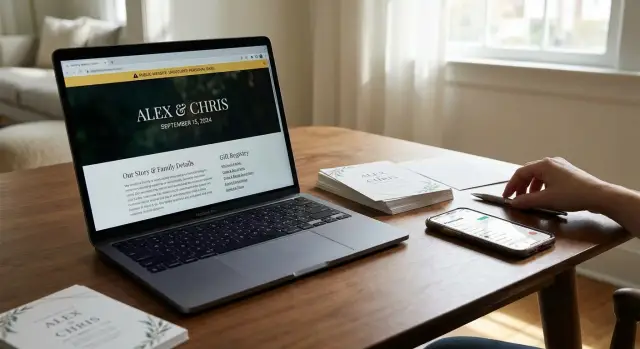
Why wedding pages reveal too much
A wedding page feels private because it is meant for friends and family. In practice, many of these pages work like public profiles. Details that usually live in separate places end up on one page, easy to read in under a minute.
That is the privacy problem. A stranger does not need to dig through ten accounts when the couple has already gathered the facts for them.
A typical page might show both full names, the wedding date, the city, the venue, hotel suggestions, travel notes, and a registry. Some pages add parents, siblings, the wedding party, or a short story about how the couple met. Each detail can seem harmless on its own. Together, they create a clear identity profile.
Family names make this much easier. If a page says "Sarah Miller, daughter of David and Anne Miller, will marry Jason Reed," it gives someone several ways to confirm identity. Add a venue or hometown, and the match gets much easier on people-search sites, social profiles, and public records.
Registries can reveal even more. They may show a shipping city, a preferred store, or timing clues tied to the event. Some couples also post weekend schedules, rehearsal dinner notes, or local activity tips. A happy update turns into a tidy bundle of personal data.
For a stranger, a wedding page can answer three questions fast: who you are, who you know, and where you will be. That is often enough to build a profile without any special skill.
A page does not need to show a home address to create risk. Names, relatives, dates, and location clues are often enough. Search tools and data brokers work better when the starting information is already neat and organized.
What strangers can learn in a few minutes
A public wedding page can give away more than most couples expect. Names, dates, family ties, travel notes, and registry items often sit in one place. No hacking required.
Full names are usually the first piece. Add a city, a college, or an employer mention, and it becomes much easier to match the right person on people-search sites. If the page also lists parents, siblings, or the wedding party, someone can sort through lookalikes fast and land on the right household.
Registry pages can say a lot too. Gift choices may hint at income, life stage, or a move to a new home. Pickup notes, shipping preferences, or store locations can point to a city or neighborhood. Even without a full address, small details can narrow the guess.
Dates are another risk. A wedding date, rehearsal note, hotel block, or honeymoon message can show when a home may be empty. For a stranger, that is not romance. It is a schedule.
Relative names can cause trouble too. Many people still use family names, anniversaries, hometowns, or pet names in security questions and passwords. A stranger does not need every answer. They only need enough true details to sound believable in a fake text, a phone call, or an account recovery attempt.
A simple example shows how quickly this can connect:
- Emma Carter and Luis Mendoza are getting married on October 12.
- The site mentions a hotel block from October 11 to 13.
- The registry includes luggage, new kitchen items, and home decor.
- The couple thanks Emma's parents, Diane and Robert.
In a few minutes, a stranger can guess the couple will be away for the weekend, tie both names to the right family, and write a message that sounds personal. If those names already appear on data broker sites, a public wedding page makes the match even easier.
How these pages get found
Most public wedding pages are not found by hackers. They are found in ordinary ways, which is part of the problem. If a site or registry is open to the public, search engines may index it like any other page.
That includes wedding sites, registry listings, hotel blocks, and event pages that use the couple's full names in the title. A search for two names, or even one name plus a city, can be enough. These pages feel temporary, but search engines do not treat them that way.
Guests can spread the page wider than couples expect. Someone shares the registry in a group chat, another person reposts it in a neighborhood Facebook group, and now the URL has moved well beyond the guest list. Even a screenshot can do it if it shows names, the wedding date, the venue area, or the custom page address.
Vendors can add another layer. A photographer may post a teaser gallery with the couple's names. A venue might list upcoming events. A planner could mention the wedding on a public portfolio page. Even if the original page is later locked down, cached copies and older vendor posts can keep parts of the details visible longer than expected.
Then there are data collection sites. People-search sites and data brokers can pull names, relatives, cities, and address clues from public pages and combine them with other records. A wedding page that mentions "Emma and Daniel," a registry tied to a ZIP code, and a venue near a hometown can be enough to build a much clearer profile.
Once that happens, cleanup becomes harder. The information does not stay in one neat place. It gets copied, indexed, reshared, and matched with other databases.
How small details connect
Picture a couple named Maya Patel and Evan Brooks. They build a public wedding site with their full names, a photo gallery, and the event weekend: Friday welcome drinks, Saturday ceremony, Sunday brunch.
On its own, that may feel harmless. It feels like normal wedding planning. The problem is how neatly all those details sit in one place.
Now add the registry. It shows their city, a few favorite stores, and a shipping area for gifts. Even if the exact home address is hidden, the pattern still says a lot. A stranger can guess where the couple lives, where they shop, and when they may be away from home.
From there, the search gets easier. A quick search for both names can pull up old apartment listings, people-search pages, or a college alumni page. One result may show a past address. Another may list possible relatives. A wedding announcement elsewhere may mention Maya's parents by name. Evan's old voter or directory record may show a previous town.
After ten minutes, the stranger is no longer looking at a cheerful celebration page. They may have a rough profile with two full names, a current city, a wedding date, a likely travel window, parent names, past addresses, and a short list of stores tied to the household.
That profile often does not stay in one browser. Data brokers collect and copy details like these, then match them against older records they already have. Small clues matter. A date here, a city there, a parent's name on another page - together they create a much clearer picture than most couples expect.
If a page has already been public for a while, deleting one post may not be enough. Services like Remove.dev can help clean up data broker listings after the fact, but it is still better to limit what gets published before guests ever see it.
How to lock it down step by step
Start before the first invite goes out. A wedding site can feel private because you plan to share it only with guests, but many pages are public by default. In most cases, good privacy comes down to a few settings and one careful review.
Check the site in a private browser window where you are not logged in. If the page loads, shows up in search, or lets anyone view event details, treat it as public until you change that setting.
Add a password, then make it hard to guess. Skip the wedding date, your last name, or something simple like "smith2025." A short random phrase is better.
Trim details that do not need to be public. First names are usually enough. Leave out your home address and avoid posting exact hotel names, flight times, or a full weekend schedule.
Lock down the registry too. Many registry tools let you limit visibility to invited guests or hide shipping details. If that option exists, turn it on.
Review every page on both a phone and a laptop. Some layouts reveal more on one screen than another, especially headers, map previews, and guest lists.
Small edits can make a big difference. "Anna and Ben, ceremony at 4 p.m. downtown" shares enough for guests. "Anna Carter and Benjamin Lewis, staying at Hotel X from Thursday to Sunday, brunch at 10 a.m." shares far more than most couples mean to post.
One more check matters: your RSVP form and any FAQ page. These are common spots for extra details like family names, meal notes, children's names, and travel timing. If guests do not need it to attend, take it out.
This is not about hiding your wedding. It is about giving strangers less to collect and reuse later.
Common mistakes couples miss
Most privacy problems start with small, normal choices. A couple builds a page in an hour, adds names, turns on RSVP, pastes in the venue, and shares the link with everyone. Put together, those details can reveal much more than intended.
One common mistake is using full names for both partners and both families. It feels formal and polite, but it also gives strangers a clean set of names to search. A public page that lists the couple, parents, and wedding party can make it much easier to connect relatives, home records, and social profiles.
Another easy miss is posting exact venue details too early. Guests need the address eventually, but a public page does not need the full venue name, exact date, ceremony time, and hotel block months in advance. City and general timing are usually enough until you move that information behind a password or a private invite.
RSVP forms cause trouble too. Many couples assume replies are private by default, then never test the page from another browser. Depending on the setup, guest names, meal choices, plus-ones, or open text notes may be more visible than expected.
Many people also share before they check. They send the link in group chats, post it on social media, or add it to a registry page before reviewing privacy settings. One public share can be enough for search engines, scraper tools, or data collectors to pick it up.
Old versions can linger after edits. If you remove a venue name or a family member's full name later, that does not always wipe the earlier version from search previews or cached copies. If the page was public even briefly, assume some of that information may still be out there.
A simple example makes the risk clear. If a page says "Maya Chen and Alex Walker," names both sets of parents, lists a June 14 ceremony at a specific vineyard, and keeps RSVP open, a stranger can learn the couple's full names, family links, exact location, and event date in a few minutes.
A shorter public page and a separate private page for RSVP and venue details is usually the safer setup.
A quick privacy check before sharing
Before you send your wedding page to anyone, look at it like a stranger would. Open it in a private browser window, or ask a friend who is not logged in to check what shows up first.
Start with the simplest question: does the site need a password? If anyone can open it, search engines, scrapers, and random visitors often can too.
Then scan the names. First names are usually enough for guests. Full last names make it much easier to match the couple to social profiles, home records, and old addresses.
Your registry needs a close look too. Some registry pages show a city, store location, or shipping details more clearly than couples expect. Even a small clue like a ZIP code or pickup location can narrow down where you live.
Travel details are another common leak. If your page shows wedding dates, hotel blocks, venue areas, or welcome event times to the public, it tells strangers when you may be away from home.
A quick check should cover five things:
- Whether the page is password protected.
- Whether full last names appear anywhere.
- Whether the registry shows city or delivery details.
- Whether travel dates or hotel info are public.
- Whether the page appears in search results.
That last one matters more than people think. Search your names with the wedding date, the word "registry," and the venue city. If the page appears, it is far easier to find than most couples assume.
If you find any of that, trim it before sharing. Use first names, turn on password protection, hide search indexing if the site allows it, and remove anything that points to your home area or travel schedule.
If the page is already public
If your wedding site or registry was open to everyone, act fast but stay calm. You can usually reduce the exposure by changing what is visible, checking what search engines saved, and watching for copycat listings that appear later.
Before you edit anything, run a few searches. Look up both full names together, then each name on its own with the wedding date, city, venue name, and registry brand. If the page mentioned parents, siblings, or the wedding party, search a few of those combinations too. Public wedding pages often connect several relatives in one place, which makes them easy to reuse.
Then work through this order:
- Edit the page first and remove the full date, venue address, travel plans, phone numbers, and family details.
- Change the privacy setting so only invited guests can view it, or add a password.
- Check search results for old snippets, cached copies, and image previews that still show the original text.
- Ask the wedding website host, registry provider, and any vendors that copied your details to limit access or delete duplicate pages.
- Save screenshots of what was public so you can compare later if the same details show up elsewhere.
One annoying part is that your main page may not be the only page that went public. Registry tools, hotel blocks, venue pages, and RSVP tools sometimes create separate public pages with parts of the same information. If you only lock down one page, the rest can stay visible.
After the edits, keep checking. Search engines and people-search sites do not update right away, and old copies can linger for days or weeks. Set a reminder to search again every few days for the next month, especially after save-the-dates, social posts, or registry sharing.
If new people-search listings start showing your address, age range, or relatives, that is the second cleanup step. Manual opt-outs work, but they take time. If you want help, Remove.dev removes personal data from over 500 data brokers and keeps monitoring for re-listings after pages are locked down.
What to do next
Start with the details that are easiest to misuse. Full names, exact wedding dates, venue names, hotel blocks, registry links, and travel plans give strangers too much in one place. If you want to keep the page up, trim it down. A first name is often enough. A month or general season is safer than a full date. A city is safer than a street address.
If you only have 15 minutes, do these first:
- Remove the exact venue address and schedule.
- Hide or shorten full names, especially middle names.
- Make the registry private or harder to find.
- Turn off search indexing and guest-list visibility.
Then talk to family and friends. A private page stops helping if someone posts a screenshot of the registry, the wedding site, or the hotel details in a group chat or on social media. Ask the people closest to you not to repost direct links, save-the-date screenshots, or pages that show names and locations together.
After the wedding, check again. Old pages often stay live long after the event, and cached copies or reposted images can keep circulating. Search your names, your wedding date, and combinations like your names plus city or registry. If you find a public page you forgot about, take it down or cut it to the basics.
This can turn into a longer-term problem. Once details have been public, some of them can end up on people-search sites and data broker pages. That can make your age, past addresses, relatives, and phone numbers easier to find than before the wedding.
If that starts happening, manual cleanup gets old fast. You can send removal requests yourself, but it takes time and follow-up because listings often come back. Remove.dev can help by finding those listings, sending removal requests, and checking for re-listings so the same details do not quietly reappear.
The best next move is simple: cut what strangers do not need, ask others not to spread it, and keep checking after the event ends. A wedding page should help guests celebrate, not leave a long trail of personal data behind.
FAQ
Are wedding websites really public if I only send the link to guests?
Yes. If the page opens without a password in a private browser window, treat it as public even if you only meant to share it with guests. Wedding sites and registries often spread farther than couples expect through search results, screenshots, and reposts.
What details should never be on a public wedding page?
Leave out full names, home addresses, exact venue addresses, hotel names, flight details, and a full weekend schedule. A shorter page with first names and general event info gives guests what they need without handing strangers a neat profile.
Is it a bad idea to use our full last names?
Usually, yes. Full last names make it much easier to match you to social profiles, relatives, old addresses, and people-search listings. For most guests, first names are enough until you move the rest behind a password.
Can a gift registry reveal where we live?
It can. Some registries show a city, store location, shipping area, or pickup details that narrow down where you live. Check the registry while logged out and hide location details if that setting is available.
Why is posting the exact wedding weekend risky?
Because it shows when you may be away from home. A date, hotel block, and brunch time can give strangers a simple travel window, especially when those details sit next to your names and city.
How can I tell if search engines can find our site?
Open the page in a private browser window on both your phone and laptop, then search your names with the wedding date, city, and the word registry. If the page loads without a password or appears in results, it is too easy to find.
Should the RSVP page be locked down too?
Yes, the RSVP page should be private too. Those forms can reveal guest names, meal choices, plus-ones, children's names, and open text notes if the settings are loose, so test them from outside your account before you share anything.
Can guests or vendors expose our wedding details even if we are careful?
They can. A guest might repost the registry in a group chat, and a photographer, venue, or planner may publish names or event details on a public page. Even after you edit your site, older screenshots and vendor posts can keep the details alive.
What should we do if our wedding page was public for a while?
Start by removing full dates, venue details, travel plans, phone numbers, and family names, then add a password or restrict access. After that, search for old snippets, cached copies, and duplicate pages for a few weeks because public copies do not disappear right away.
How do we clean up data broker listings after the wedding?
If wedding details start showing up on people-search sites, cleanup is worth doing. You can send opt-out requests yourself, or use a service like Remove.dev to remove personal data from over 500 data brokers and keep checking for re-listings after your pages are locked down.